In FM27, mentoring can change a youngster’s mindset, for better or worse. Mentoring Optimizer FM27 helps you get the groups right. It is a free tool by ziwtir that reads your save and finds the senior players you do not want near your kids. Then it builds groups where every youngster gets a better role model than himself. It is also open source and runs only on your computer.
⬇️ Jump to the download: Mentoring Optimizer v0.1.5
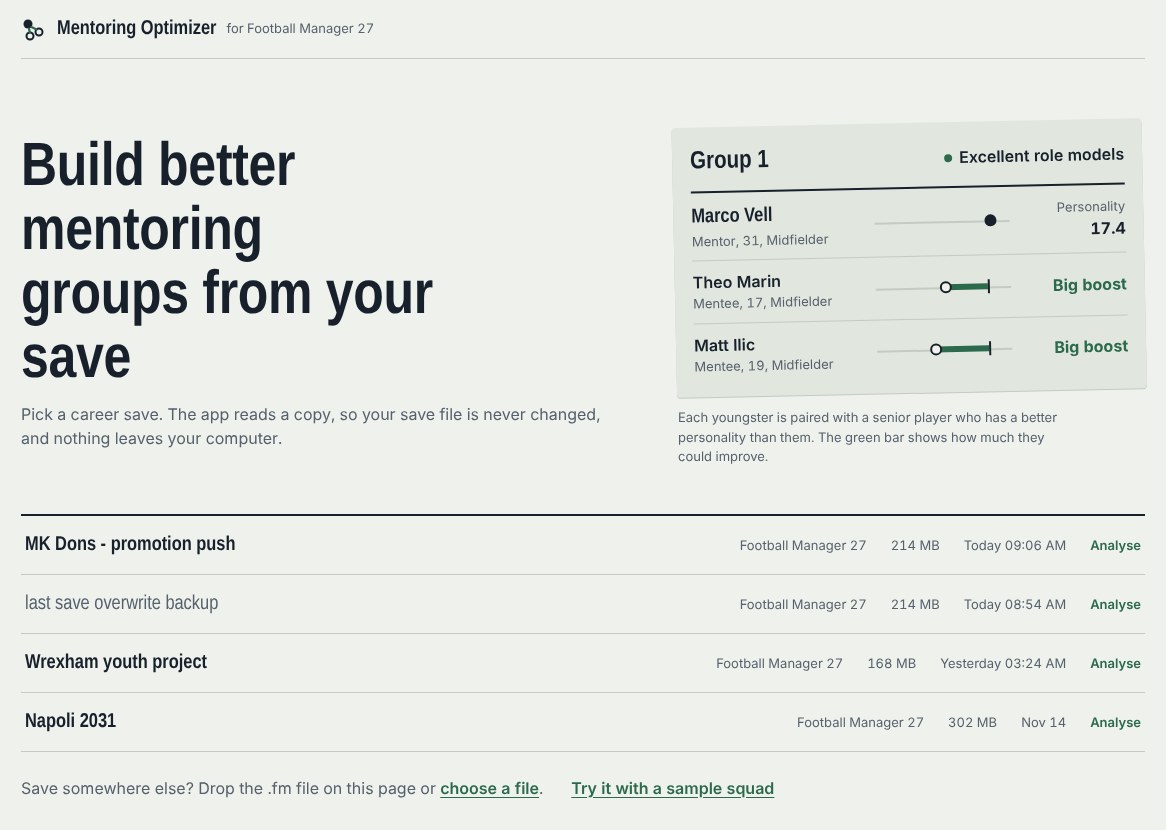
The start screen, with the saves it finds by itself (Image: ziwtir)
What Mentoring Optimizer FM27 does
In FM27 mentoring, young players pick up the personality of the senior players in their group. So a veteran with bad habits can spoil a talent.
First, the app opens a copy of your save and never touches the original. It finds your saves by itself, on Steam, Epic and Game Pass, even on OneDrive or in FM cloud saves. If you keep them somewhere else, click Add its folder once. Nothing is uploaded anywhere.
Then it gives every first-team player three scores. The first is personality, from 1 to 20, built from Determination, Professionalism, Ambition, Pressure, Temperament and Sportsmanship. High Controversy takes points off. The second is dressing-room influence, from age, squad status, reputation, Leadership and years at the club. Finally, the third says which youngsters have the most to gain.
Who stays out and the right groups
Next comes the most useful part. Influential senior players with weak personalities go on a separate list, Keep out of mentoring, with the reason in plain sight: low Determination, low Professionalism or a Controversy that stirs up the dressing room. Those players are kept out of every group. Youngsters with weak personalities get a warning too.
The app then builds groups of three players, as in FM27. By default, players aged 21 and under are mentees and players aged 24 and over can be mentors. However, you can change those ages on screen. Each group shows everyone’s personality and how much each youngster could improve. In addition, the app starts from the groups you already have and only suggests changes that are clearly better. At the end, you recreate the groups in the game’s mentoring screen.
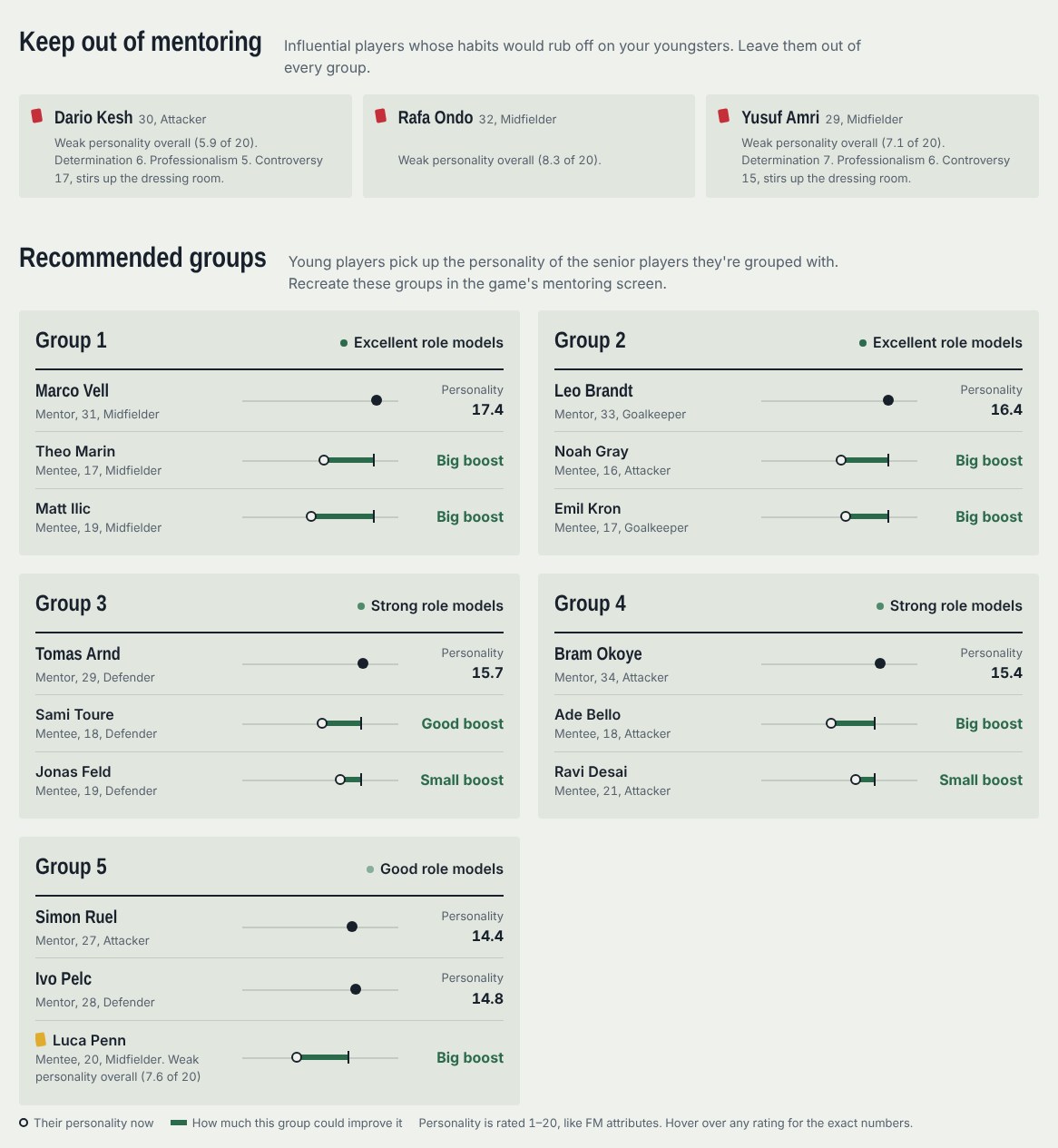
The senior players to keep out and the recommended groups, in a sample squad (Image: ziwtir)
The Progress tab
On the other hand, the app does not leave you guessing. Every time you open a save, it notes each first-team player’s personality. If you keep it open while you play, it reloads the save by itself whenever FM saves your career. There is also a Reload save button. So a few in-game months later, the Progress tab shows who improved in each group. Next to them are the youngsters without a mentor, so you can see whether mentoring really made the difference.
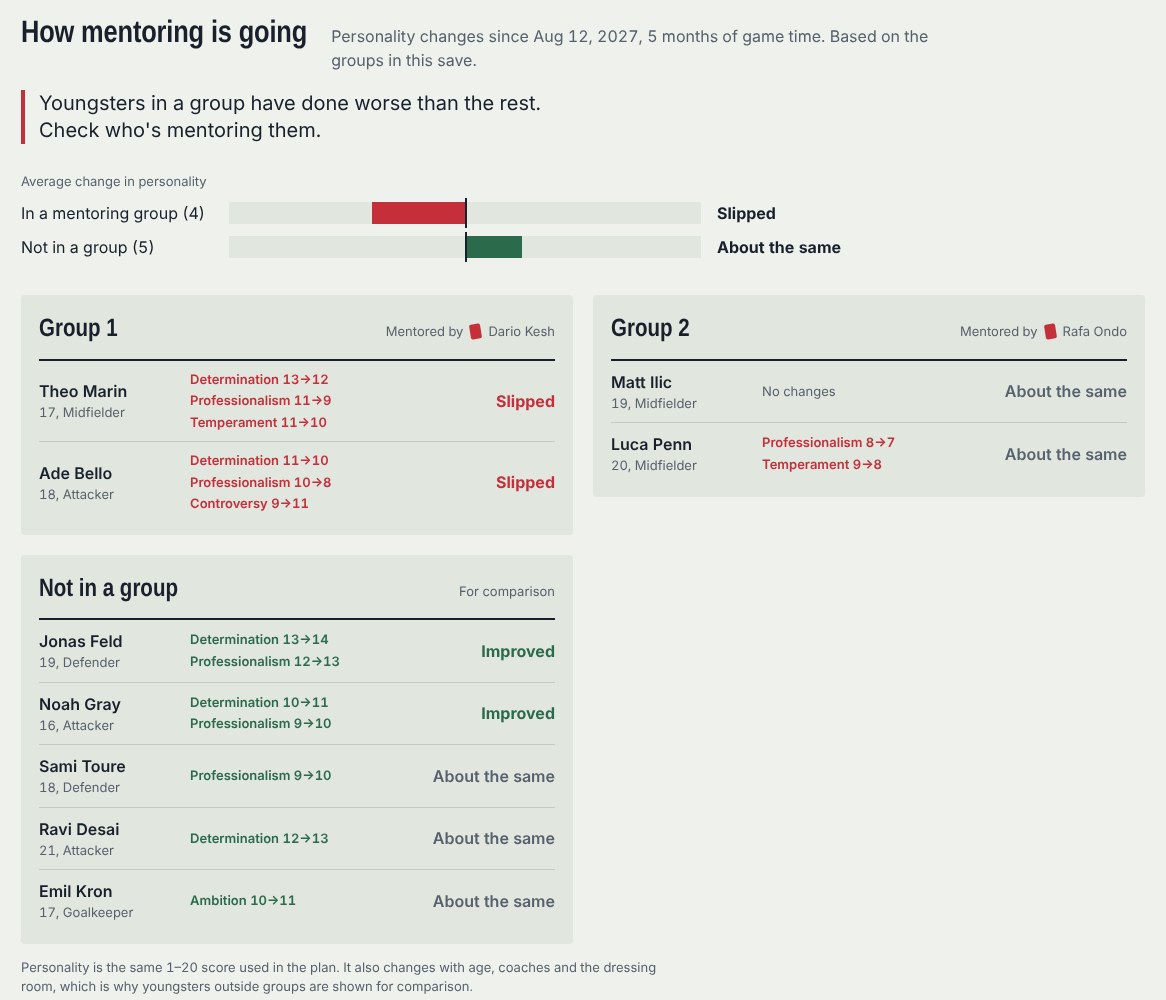
The Progress tab compares youngsters with and without a mentor (Image: ziwtir)
Who it is for
It is for anyone with plenty of youngsters in the first team who wants them to grow up with the right attitude. It also suits anyone who has set up groups by hand and wants to know if they are any good. To read the save, the app uses the fmsave library, which you can also find on the site. For training, add FM27 Trainer and the training plans by Freedom78. For youth development, see also Heffem Academy Manager.
Mentoring Optimizer FM27 download
This is version 0.1.5, from 26 November 2026, and it is Windows only. The ZIP is 18 MB, the app is in English and the code is open source, under the MIT licence. In this version, if the app cannot tell which club you manage, it asks you to search for it and remembers your choice. This helps in lower leagues and custom databases.
Download – Mentoring Optimizer v0.1.5
- First, download the ZIP and extract it: right-click and Extract All.
- Then open the folder and double-click
FM-Mentor-Optimizer.exe. Keep the other files next to it, because the app needs them. - Next, pick your save from the list. If it is not there, click Add its folder or drop the .fm file onto the window.
- Finally, recreate the recommended groups in FM27’s mentoring screen. To quit, just close the window.
Things to watch
The first time, Windows may show “Windows protected your PC”, because the .exe is not code-signed. In that case, click More info and then Run anyway. According to the creator, version 0.1.1 scored 1 out of 65 on VirusTotal, from a single heuristic. Microsoft Defender and the major antivirus engines reported it clean. Besides, all the code is on GitHub.
It is also worth knowing that SI does not publish the mentoring formula. So the score weights are the creator’s estimates, based on community testing. Likewise, Progress is a fair comparison but not proof, because personality also changes with age and coaches. Finally, an FM27 patch may need a new version of the app.
The tool belongs to ziwtir, who offers it for free with open source code. FMPortugal only points to the file — all credit goes to its creator.
Did you make this download?