Seeing staff in numbers in FM27 is something many players have asked for since day one, because the new game shows coaches’ attributes in words like «Good» or «Excellent». Numeric Staff Attributes FM27, by K-roll93, is a free mini skin that fixes this without changing the rest of the interface. It also merges players’ technical and set piece attributes into a single list and shows condition and match sharpness as percentages.
⬇️ Jump to the download: Numeric Staff (English)
What Numeric Staff Attributes changes
The skin turns staff attributes into numbers: on the profile, in the training Coach Assignments panel and in the staff recruitment tables. The colours follow the game’s own attribute colour settings, so you can choose your own thresholds.
The difference is in outfield players. In other words, the set pieces section disappears and the technical and set piece attributes sit in one alphabetical list, on the profile and in the small tactics panel. However, the order is set by hand for each language. So there is a version for the game in Polish and, since 21 November, one for the game in English. In other languages, some attributes may sit in a different position. Goalkeepers stay as they are.
In addition, the 21 November version brings more numbers. Condition and match sharpness now show as a percentage, from 0 to 100 and coloured, in the squad and tactics tables. Injured players also get an icon instead of «-1%», and morale adds a description next to its icon. Finally, on the match screen, each player in the squad strip shows their name, rating and condition as a percentage, with the mood face below.
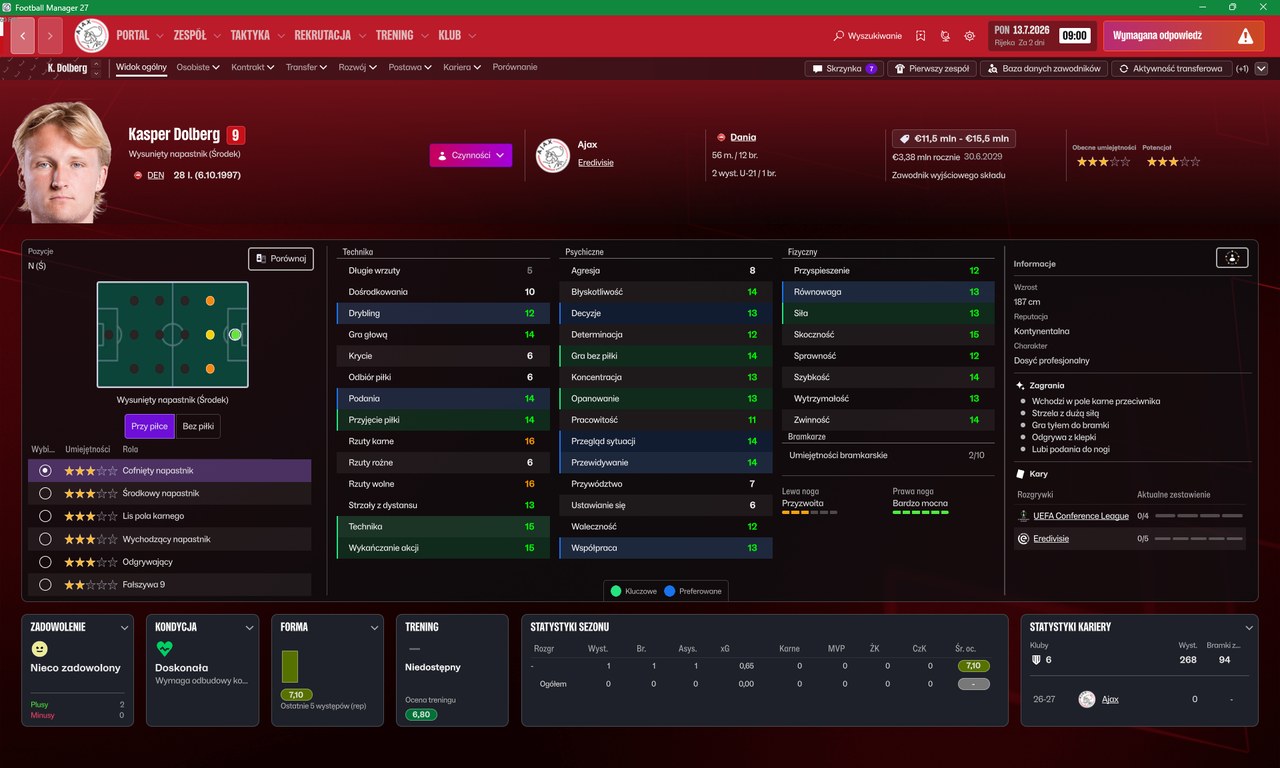
Technical and set piece attributes in a single list (Image: K-roll93)
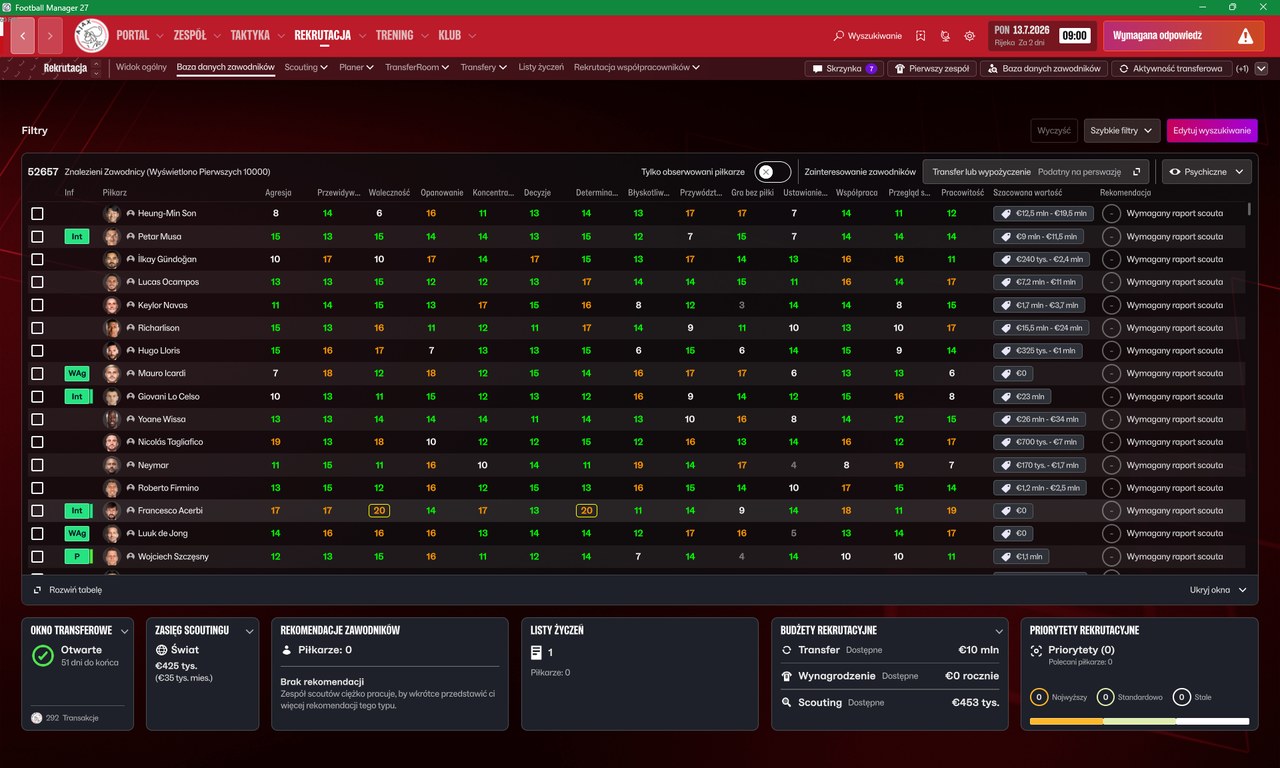
The staff search with attributes in numbers (Image: K-roll93)
Who it is for
It is for anyone who wants staff in numbers and finds the player attribute list, split in two, hard to read. On the other hand, if you would rather have player pictures on the tactic and more numbers in matches, see Motte Skin, by Dennis Motte, instead. Both replace the same game files, so use only one at a time. Numeric Staff Attributes works on FM27 on Steam for Windows, has a version for the 27.1.0 update and, in our tests, also works on 27.1.1.
Numeric Staff Attributes download
Numeric Staff Attributes (21/11/2026, for 27.1.0), in English or Polish. The Inter font, which replaces the game font, is optional and works with either:
Download – Numeric Staff (English) Numeric Staff (Polish) Inter font (optional)
- First, close FM27 and back up the 3 original files in
Football Manager 27\fm_Data\StreamingAssets\aa\StandaloneWindows64. - Then copy the 3
.bundlefiles of the version you chose into that folder and overwrite. The Inter font installs the same way. - Finally, start the game. To uninstall, put the original files back.
Things to watch
Game updates and Steam’s file verification remove this skin, so just install it again. If you have used skins that change the same files, verify the game files on Steam first. Also, always keep a copy of the originals. If you prefer a full skin, the FMPT Skin Manager, our free skin manager, switches between them and keeps the game originals.
See all FM27 skins in our FM27 skins index: dark, light, sidebar and retro.
The skin is by K-roll93. FMPortugal only points to the files — all credit goes to its creator.
Did you make this download?