Seeing staff in numbers in FM27 is something many players have asked for since day one, because the new game shows coaches’ attributes in words like «Good» or «Excellent». Now there are two free mini skins that fix this without changing the rest of the interface. Motte Skin, by Dennis Motte, adds player pictures and more numbers. Numeric Staff Attributes, by K-roll93, also merges players’ technical attributes into a single list. With either one, you get staff in numbers in FM27.
⬇️ Jump to the download: Motte Skin (New Player View)
Motte Skin: pictures and numbers
Motte Skin is very small and only changes what is missing. First, it puts player pictures (from your facepack) on the tactics screen and in the bottom bar during matches, where the shirts used to be. In addition, it adds numbers next to the tactical effectiveness charts and shows condition as a number.
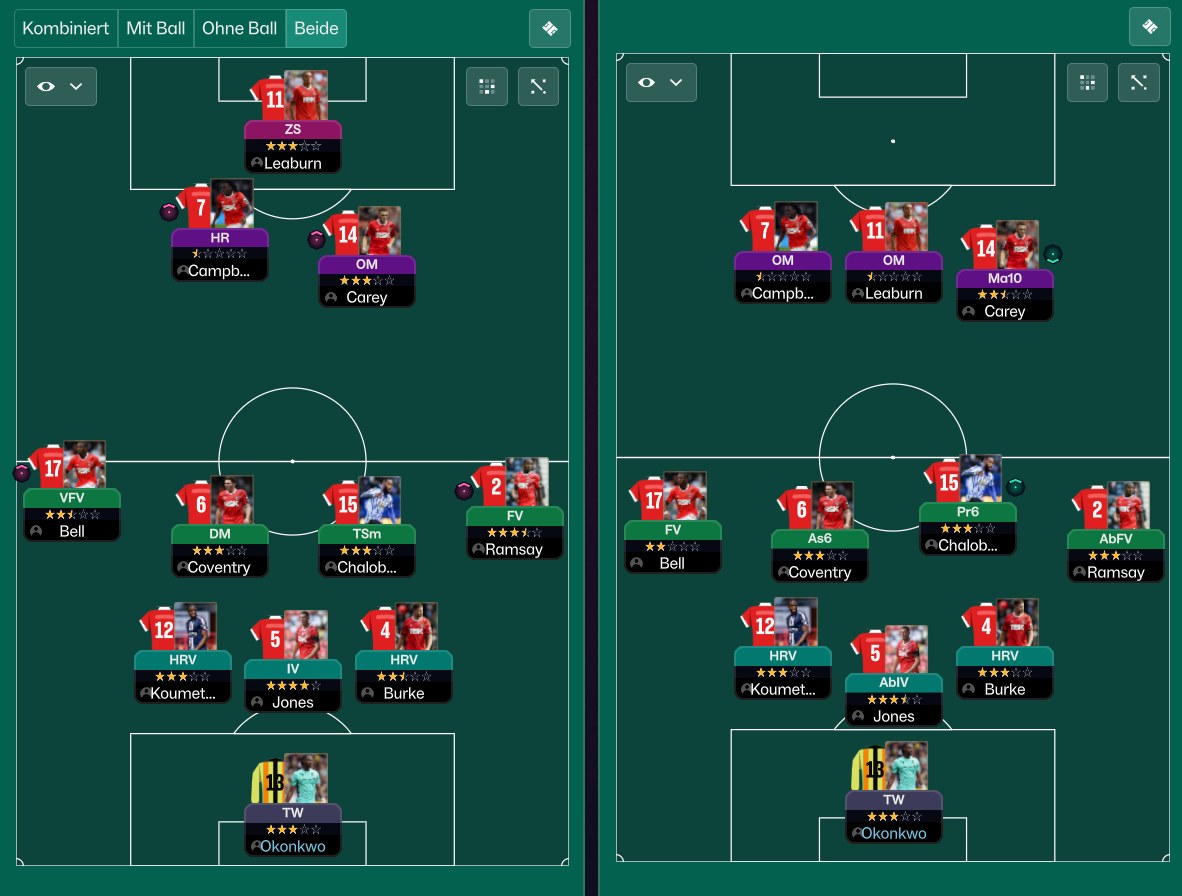
Player pictures on the tactic, in and out of possession (Image: Dennis Motte)
Then version 1.1 added match sharpness as a number in player lists, staff attributes from 1 to 20 and numbers in the staff search too. Finally, 1.2, from 16 November, colours those numbers and comes in two versions:
- New Player View: the player profile (Overview) is rebuilt, with more information on the same screen.
- Old Player View: the profile stays as in the game, and you only get the pictures, numbers and new colours.
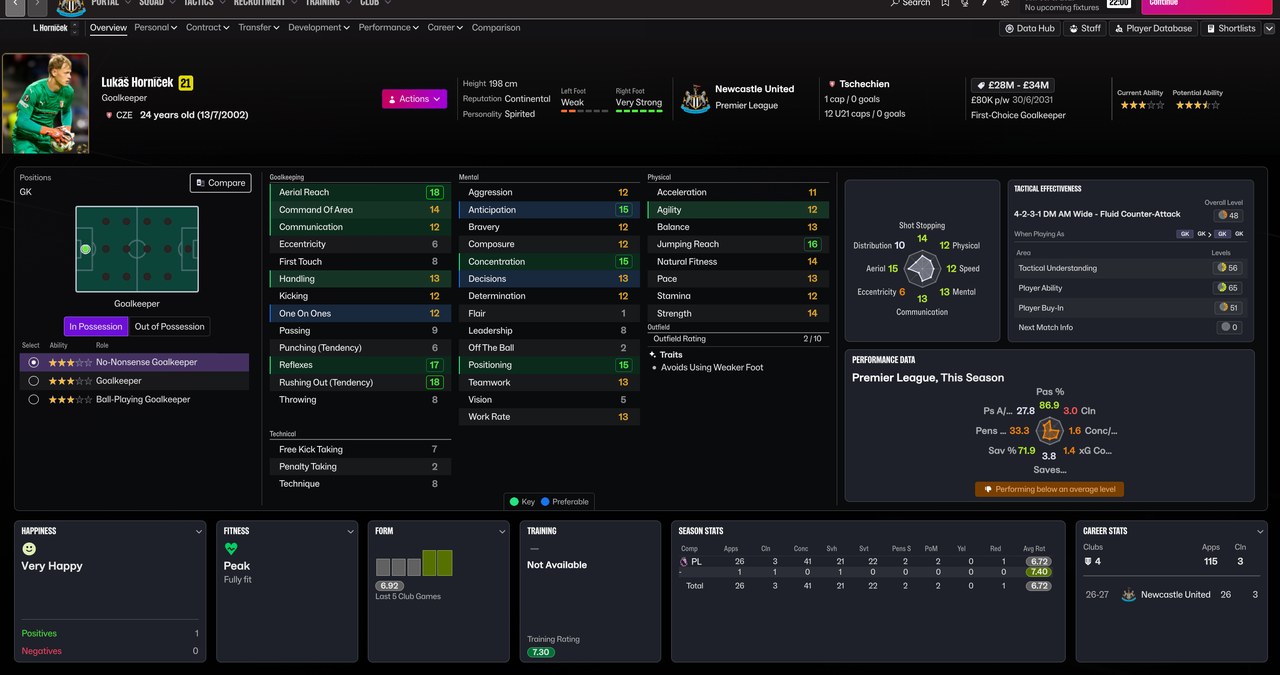
The player profile in the New Player View (Image: Dennis Motte)
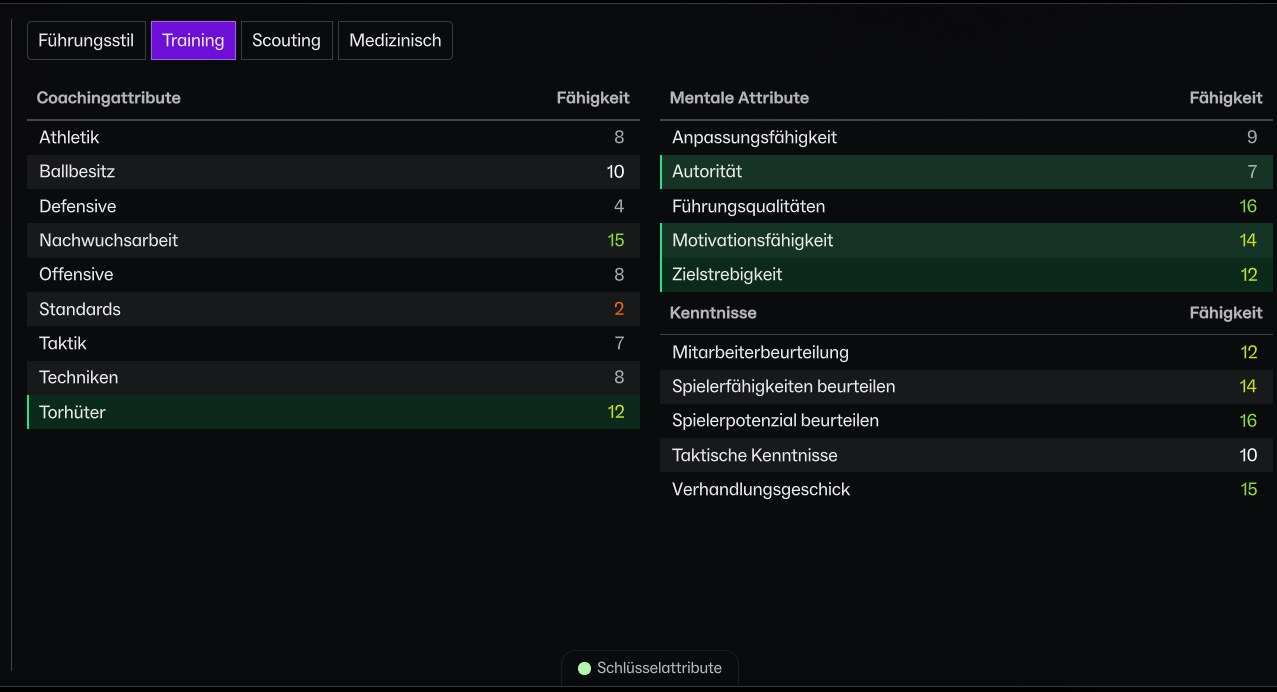
A coach’s attributes in numbers and colours (Image: Dennis Motte)
Numeric Staff Attributes: staff in numbers and a single list
K-roll93’s skin also turns staff attributes into numbers: on the profile, in the training Coach Assignments panel and in the staff recruitment tables. The colours follow the game’s own attribute colour settings, so you can choose your own thresholds.
The difference is in outfield players. In other words, the set pieces section disappears and the technical and set piece attributes sit in one alphabetical list, on the profile and in the small tactics panel. However, the creator made the order for the game in Polish, so in English some attributes may sit in a different position. Goalkeepers stay as they are.
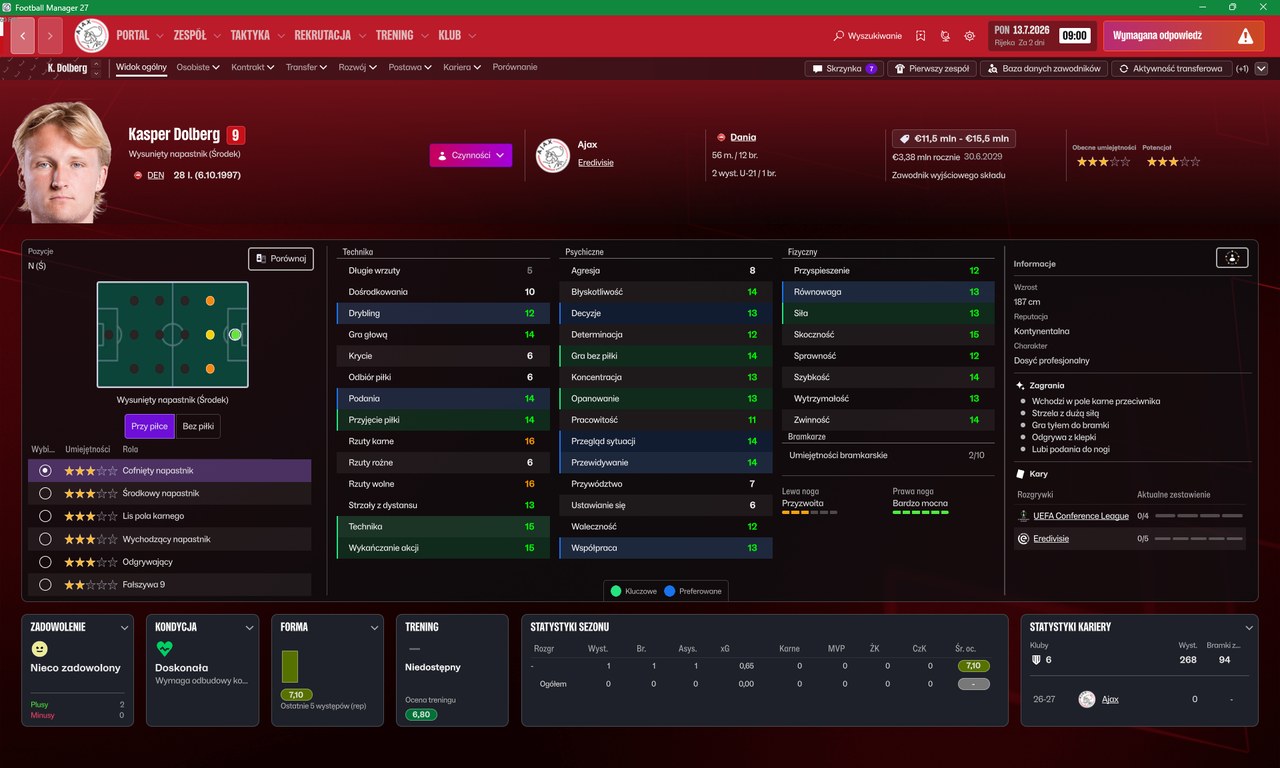
Technical and set piece attributes in a single list (Image: K-roll93)
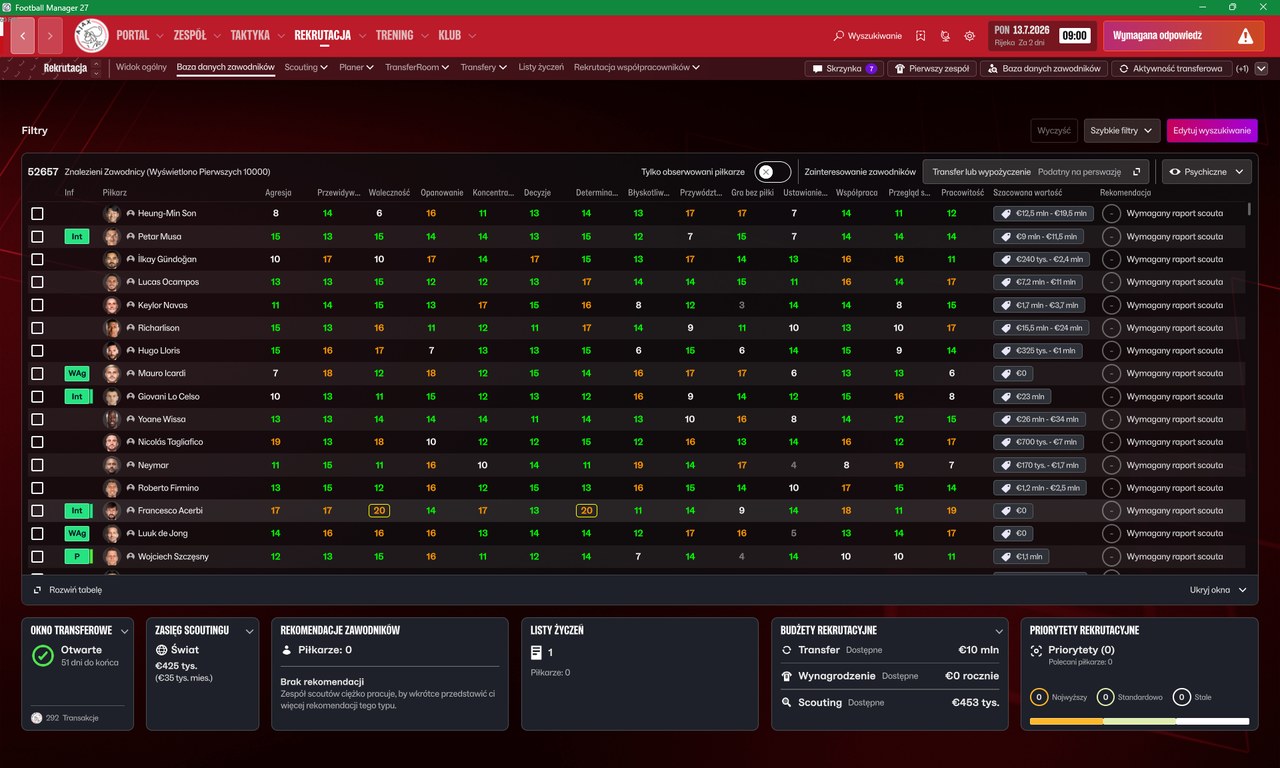
The staff search with attributes in numbers (Image: K-roll93)
Which one to choose
Both replace game files, so use only one at a time. If you want pictures on the tactic and more numbers in matches, pick Motte Skin. On the other hand, if what bothers you is the player attribute list split in two, K-roll93’s is the simpler one. Both work on FM27 on Steam for Windows.
Mini skins download
Motte Skin 1.2 (16/11/2026), in two versions:
Download – Motte Skin (New Player View) Motte Skin (Old Player View)
Numeric Staff Attributes (15/11/2026):
Download – Numeric Staff Attributes
Motte Skin
- First, close FM27 and extract the zip.
- Then double-click
install.bat. It finds the game on Steam, backs up the original files in theFM27_Skin_Backupfolder and copies the skin. - To go back to the original, use
uninstall.bat.
Numeric Staff Attributes
- First, close FM27 and back up the 3 original files in
Football Manager 27\fm_Data\StreamingAssets\aa\StandaloneWindows64. - Then copy the 3
.bundlefiles from the zip into that folder and overwrite. - Finally, start the game. To uninstall, put the original files back.
Things to watch
Game updates and Steam’s file verification remove these skins, so just install them again. If you have used other skins that change the same files, verify the game files on Steam first. Also, always keep a copy of the originals. If you prefer a full skin, the FMPT Skin Manager, our free skin manager, switches between them and keeps the game originals.
See all FM27 skins in our FM27 skins index: dark, light, sidebar and retro.
The skins are by Dennis Motte and K-roll93. FMPortugal only points to the files — all credit goes to their creators.
Did you make this download? Manage it on FMPortugal →