Teknik Oda is a free Windows app that reads your Football Manager 27 career while you play and advises you at the moment you decide. When an offer arrives, when you open a player or the day before a match, it shows a short card inside FM itself and explains why. It is made by a small Turkish team, also called Teknik Oda, it is in open beta and it works in English, Turkish and Portuguese.
⬇️ Jump to the download: Teknik Oda 1.0.10 (Windows)
Besides the in-game cards, the app brings your squad, scouting, finances and player comparisons together in one window. You do not need an account, and your save data never leaves your computer.

Toby, the coach who follows your matches (Image: Teknik Oda)
What it does inside FM27
First, when an offer for one of your players arrives, a card opens that reads the fee, tells you to accept, counter or reject, and suggests a figure. In the same way, when you open one of your own players, it tells you whether to sell, who replaces him and the lowest price to take. For a player at another club, it tells you whether he would start and whether you can afford him.
Then there is Toby, the app’s coach. Before each match, he leaves a note in FM with the opponent’s likely XI, their last five matches and where to hurt them. For that, he uses FM’s own data: the shot map, action zones and the tactic you have selected. At full time, still in beta, he writes a notebook with what went well and wrong. Finally, a button in FM opens the player in the app.
The app, beside the game
In the app, the Office shows the next match, the league race, absentees and your pending decisions every day. The squad fits in one table, with role stars taken from the game, form, league percentile and contract. You also see your FM tactic with Tactical Effectiveness and the roles in each slot, plus a training assistant built around your fixtures.
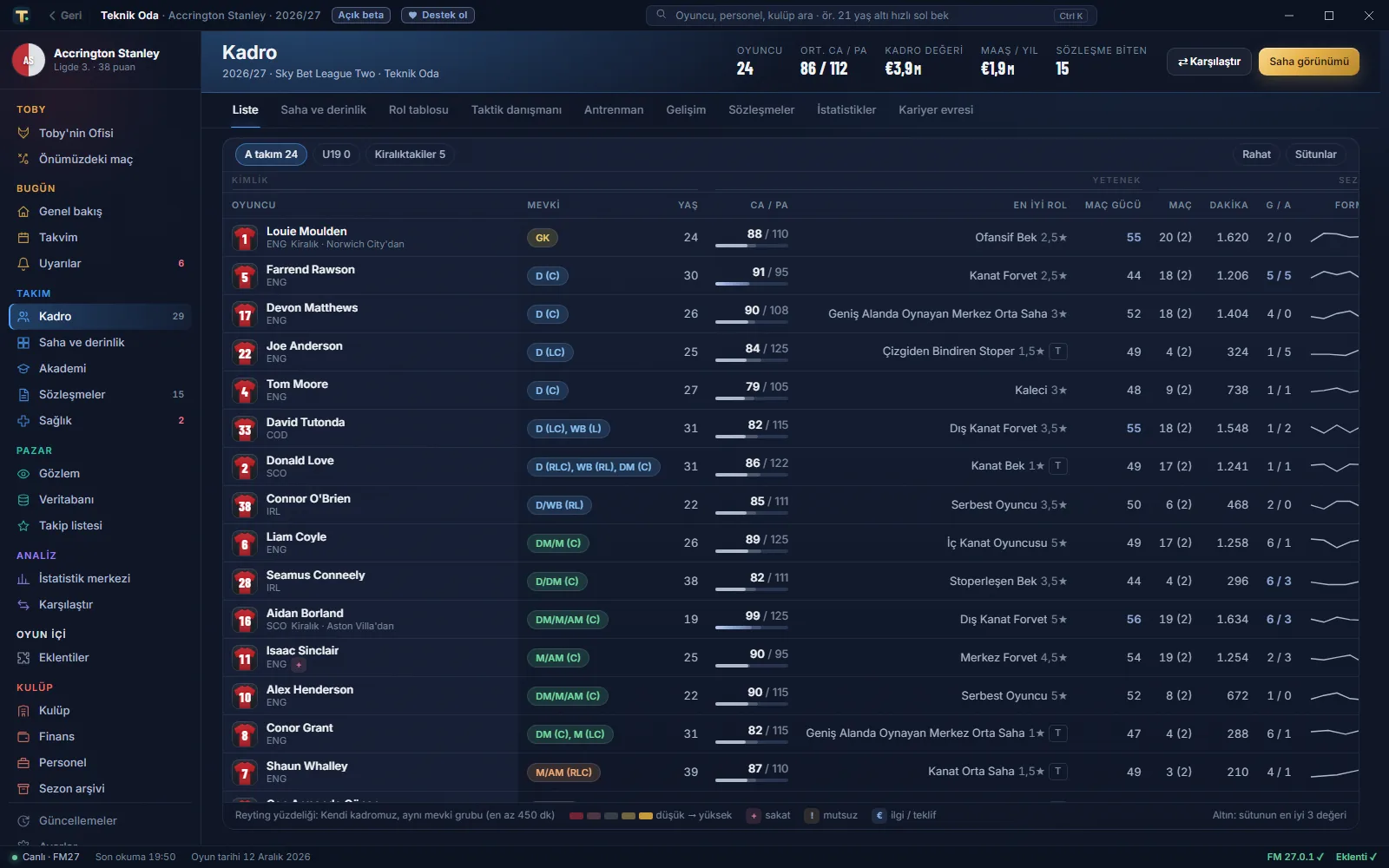
The whole squad in one table, here with the app in Turkish (Image: Teknik Oda)
In scouting, suggestions are ranked by what your squad lacks and by your budget, always with the reason written out. In addition, smart search understands a sentence such as «fast left back under 23, value under 10m» and turns it into age, position, value and attribute filters. You can also type «striker like Osimhen» to see the closest matches, with a similarity percentage.
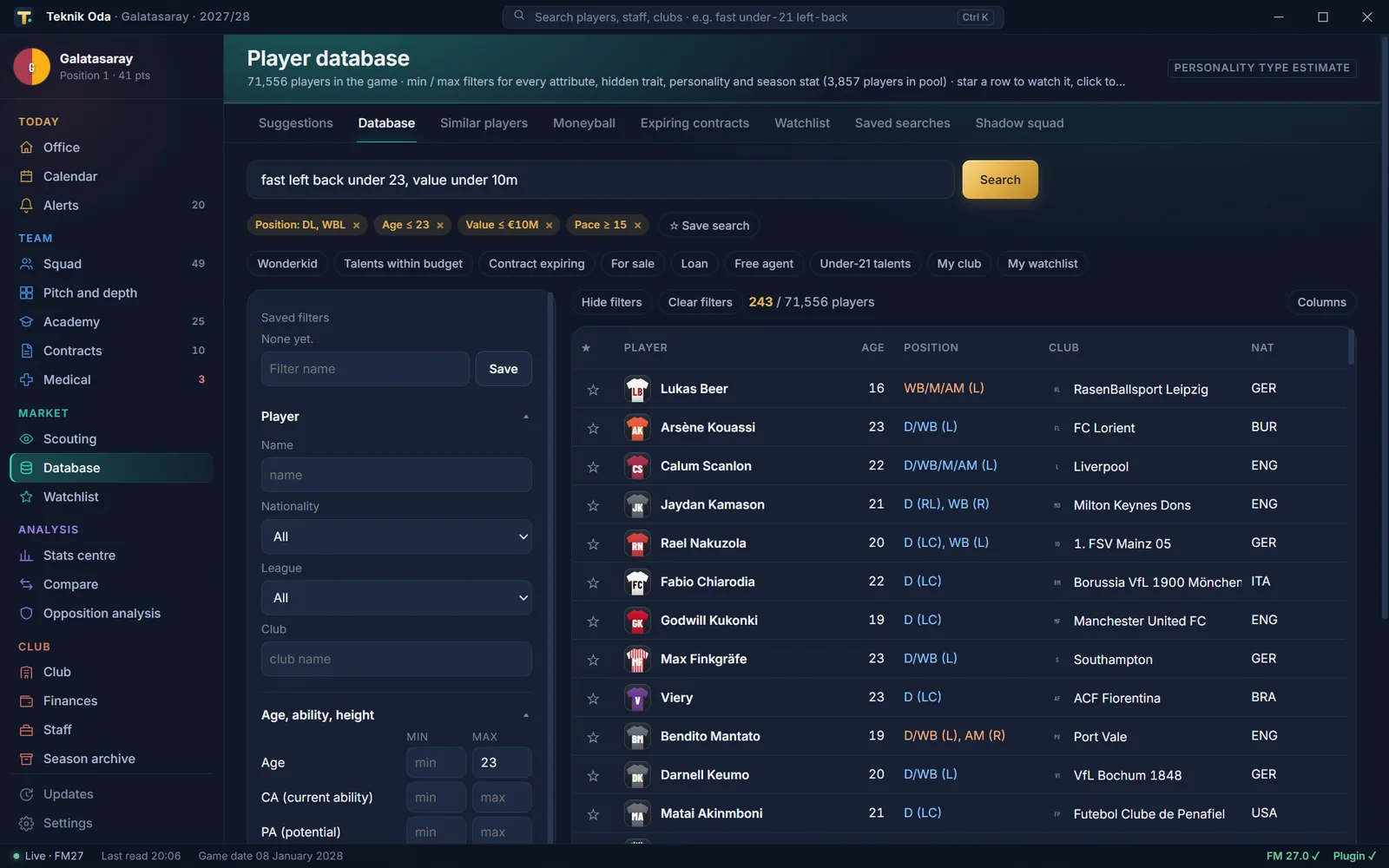
One sentence becomes filters: 243 players out of 71,556 (Image: Teknik Oda)
Finally, comparisons put two to four players side by side, with league percentiles. So the comparison, your season summary and the decision of the week can become an image card, ready to share.
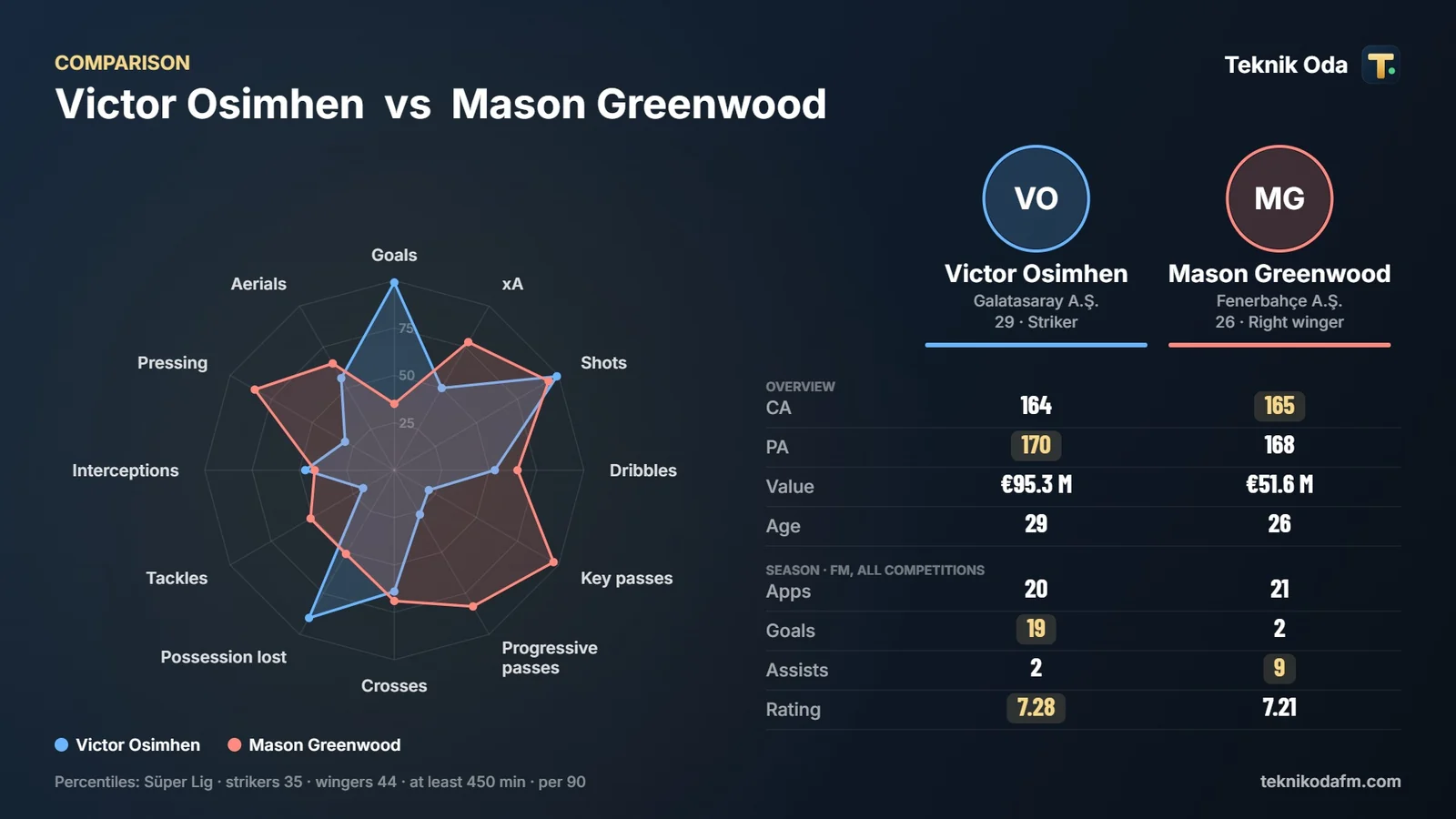
A comparison card, ready to share (Image: Teknik Oda)
Who it is for
It is for anyone who likes having an assistant who reads the save with you and backs each piece of advice with numbers. It helps most with transfers, scouting and match preparation. However, if you mainly want a scout tool and editor for FM27, our first suggestion is still FMPT Chief Analyst, FMPortugal’s free tool. On the other hand, if you want to talk to an AI director of football, see The Director.
Teknik Oda download
The available version is 1.0.10, from November. It is an installer for Windows 10 and 11 of about 77 MB, tested on FM27 on Steam. The app reads the game’s memory while FM is open, but this version never writes to the game or to the save file. Once installed, it updates itself. There is no Mac version.
Download – Teknik Oda 1.0.10 (Windows)
- First, run the
TeknikOda-Kurulum-1.0.10.exeinstaller. - Then open Teknik Oda, start FM27 and load your save.
- For the cards inside the game, close FM and press Install plugin in the app. The plugin uses BepInEx and is only installed if you ask for it.
- Finally, start FM. The first launch with the plugin can stay on a black screen for 2 to 5 minutes while BepInEx prepares the game files.
Things to watch
The installer is not digitally signed yet, so Windows may show an unknown publisher warning. If so, choose «More info» and «Run anyway». Also, programs that read another program’s memory and plugins that use winhttp.dll often trigger false alarms. When we checked it, Windows Defender found nothing, and only 2 of VirusTotal’s 69 antivirus engines flagged it, with generic names. The file’s SHA-256 also matches the one the author publishes on the website.
The app goes online to look for new versions and sends one anonymous count a day, which you can switch off. On Game Pass, the plugin works on some PCs and not on others. As it is a beta, back up your save before you start, and it has not been tested in online careers yet. To remove the plugin, use the app’s settings or uninstall the app. Teknik Oda is not an official Sports Interactive tool.
Looking for more tools? See our guide to the best FM27 mods.
The files are hosted by their original creators. FMPortugal only points to the official download page — all credit goes to the people who made them.