
Stadium Pack Converter is a small Windows program that brings stadium photos to the Kojuro Skin for FM27. The skin has a stadium card on every club page, but on its own it shows a neutral photo. So the program takes a stadium picture pack and prepares it in the format the skin reads. It is made by KojuroPP, the Portuguese author of the skin, who publishes it on GitHub as p-palma, and it is free and open source.
What Stadium Pack Converter does
First, the program reads every config.xml in the folder you choose, including packs inside other packs. In each one, it looks for the photos linked to each club’s stadium. It also accepts folders named stadium that just hold loose photos, with the club ID in the file name.
Then it copies each photo under a new name, stadium_ followed by the club ID, and writes a single config.xml for the skin. Everything goes into Documents\Sports Interactive\Football Manager 27\graphics\Stadium Pack. If several packs cover the same club, the photo from the first pack in the list wins.
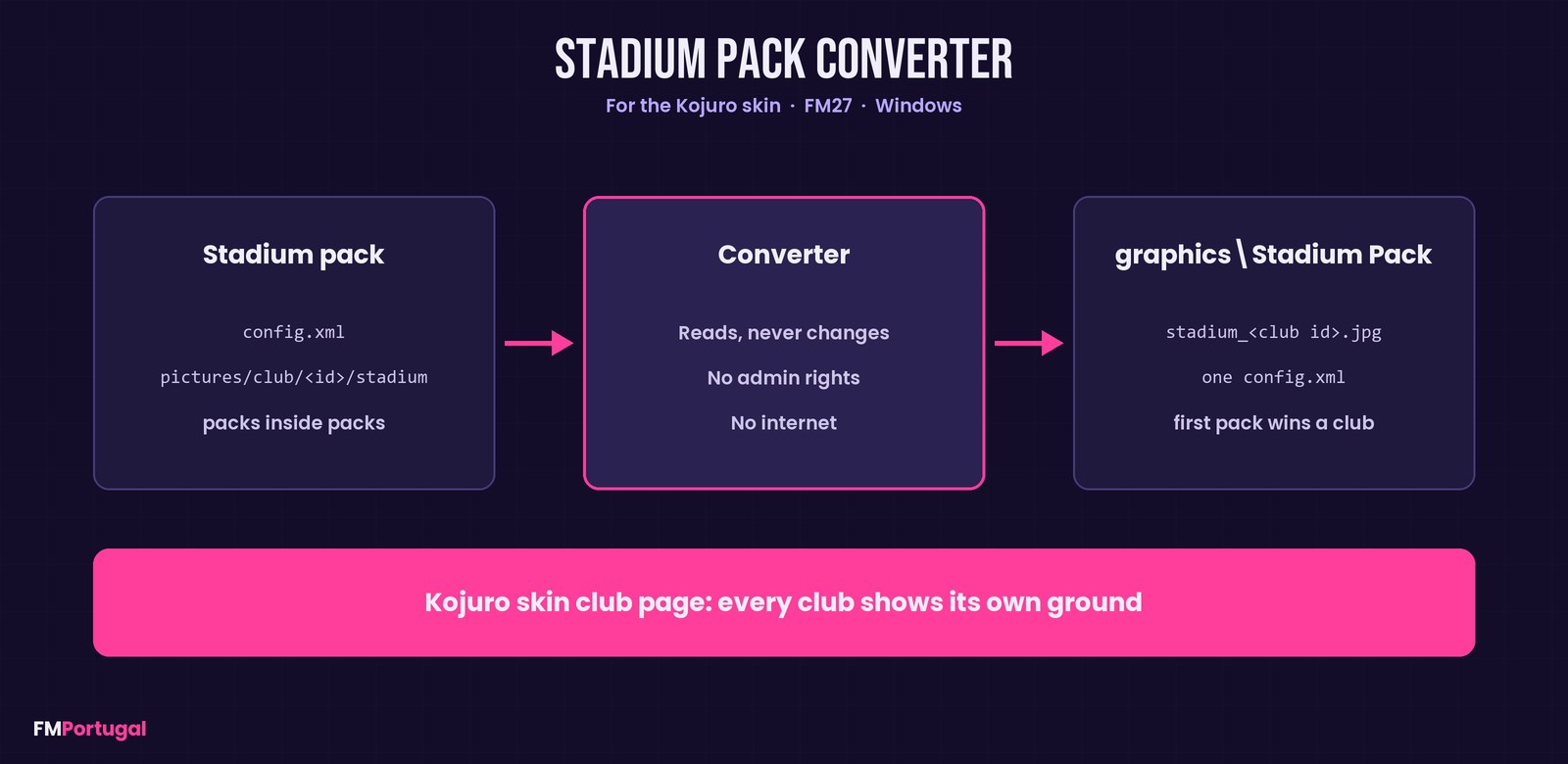
From a stadium pack to the club page in the Kojuro Skin (Image: FMPortugal)
What gets left out
Some photos are linked to a stadium rather than a club. However, FM27 does not tell the skin which stadium each club plays in, so those photos cannot be used. The program only counts them and shows how many there are. Also, it never touches your packs: it only reads them and only writes to the target folder. It needs no admin rights and no internet connection either.
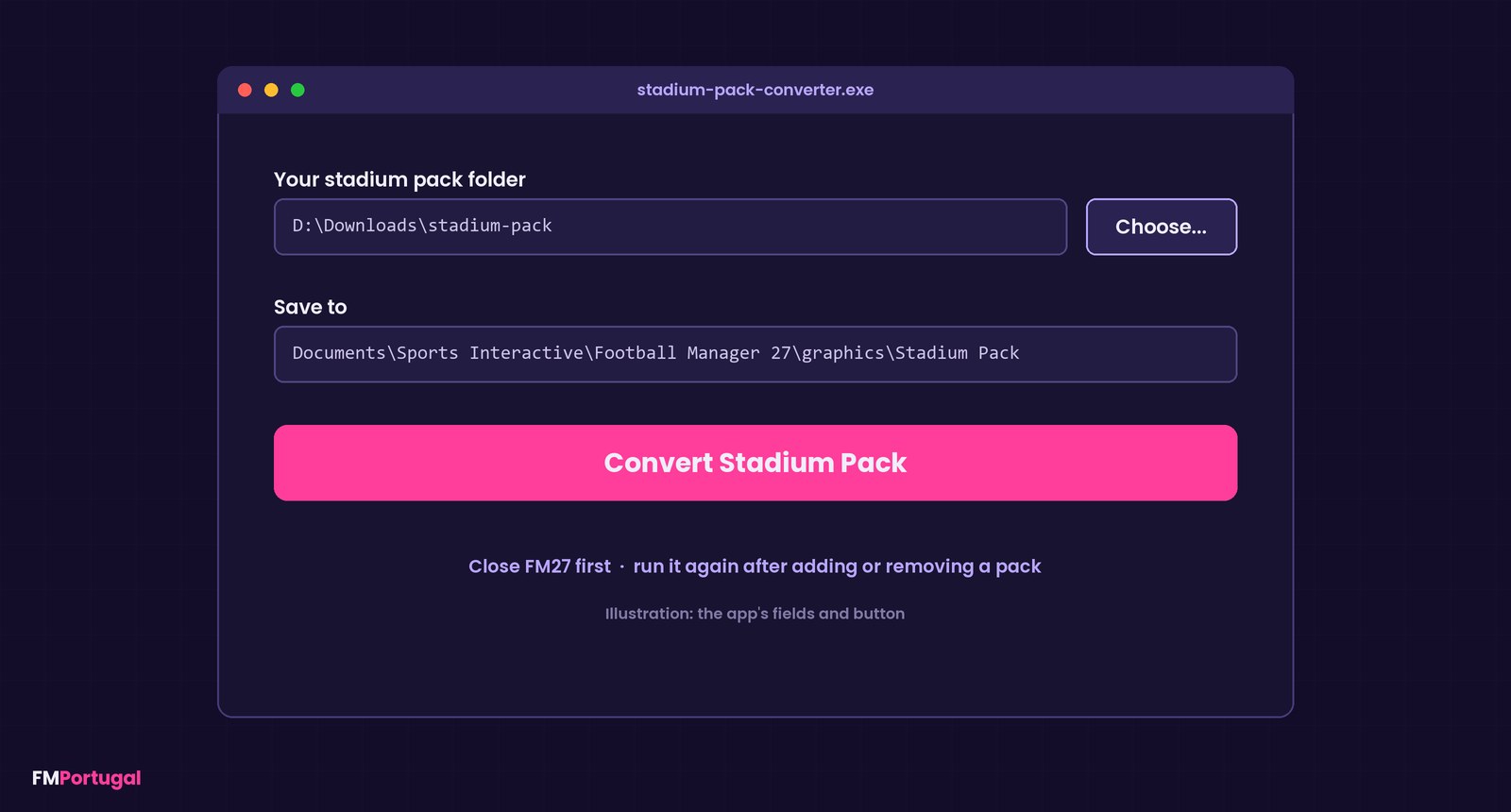
The program’s fields and button, as an illustration (Image: FMPortugal)
Who it is for
It is only for players using the Kojuro Skin FM27, because the photos are set up in that skin’s format. If you like clubs to look the part, pair it with a logo pack such as TCM27 as well. On the other hand, if you use a different skin, this program is not for you.
Download Stadium Pack Converter
The version is 1.0, from 8 November, and the file is about 57 KB. It is a single .exe with no installation, for Windows only. Before you start, you need a stadium picture pack, which you download separately and extract to a folder of your choice.
Download – Stadium Pack Converter v1.0
- First, close FM27 and extract your stadium picture pack to any folder.
- Then run
stadium-pack-converter.exe. If Windows says it protected your PC, click «More info» and then «Run anyway», because the program is not signed. - Next, under Your stadium pack folder, click Choose… and pick the pack’s folder.
- After that, leave the Save to field as it is and click Convert Stadium Pack. After a few seconds, it shows how many clubs now have a photo.
- Finally, start FM27 and open a club page.
Using several packs? Put them all in one folder and choose that folder. If you add or remove a pack, run the program again.
Things to watch
The photos in the packs belong to the people who made them, so credit them if you share them. Also, the Kojuro Skin only works on the FM27 builds it was made for, and the stadium card depends on it. To remove the photos, just delete the graphics\Stadium Pack folder. The program installs nothing, so to get rid of it you only delete the .exe.
The files are hosted by their original authors. FMPortugal only points to the official download page — all credit goes to their creators.
Did you make this download? Manage it on FMPortugal →