FM27 Broadcast Cameras puts the TV cameras of 3D matches where they really sit in each stadium. The set is by GuruOfNauru, who also made Broadcast Suite, and it was built for BassyBoy‘s stadium megapack. In fact, it already ships inside that pack. This separate file lets you reinstall the cameras without downloading every stadium again.
What FM27 Broadcast Cameras does
Each megapack stadium gets a main camera with the position and zoom of the real broadcast. The author says he included cameras for every stadium he could find footage of online. So when you watch a match at one of those grounds, the shot looks like that club’s TV coverage rather than a generic camera.
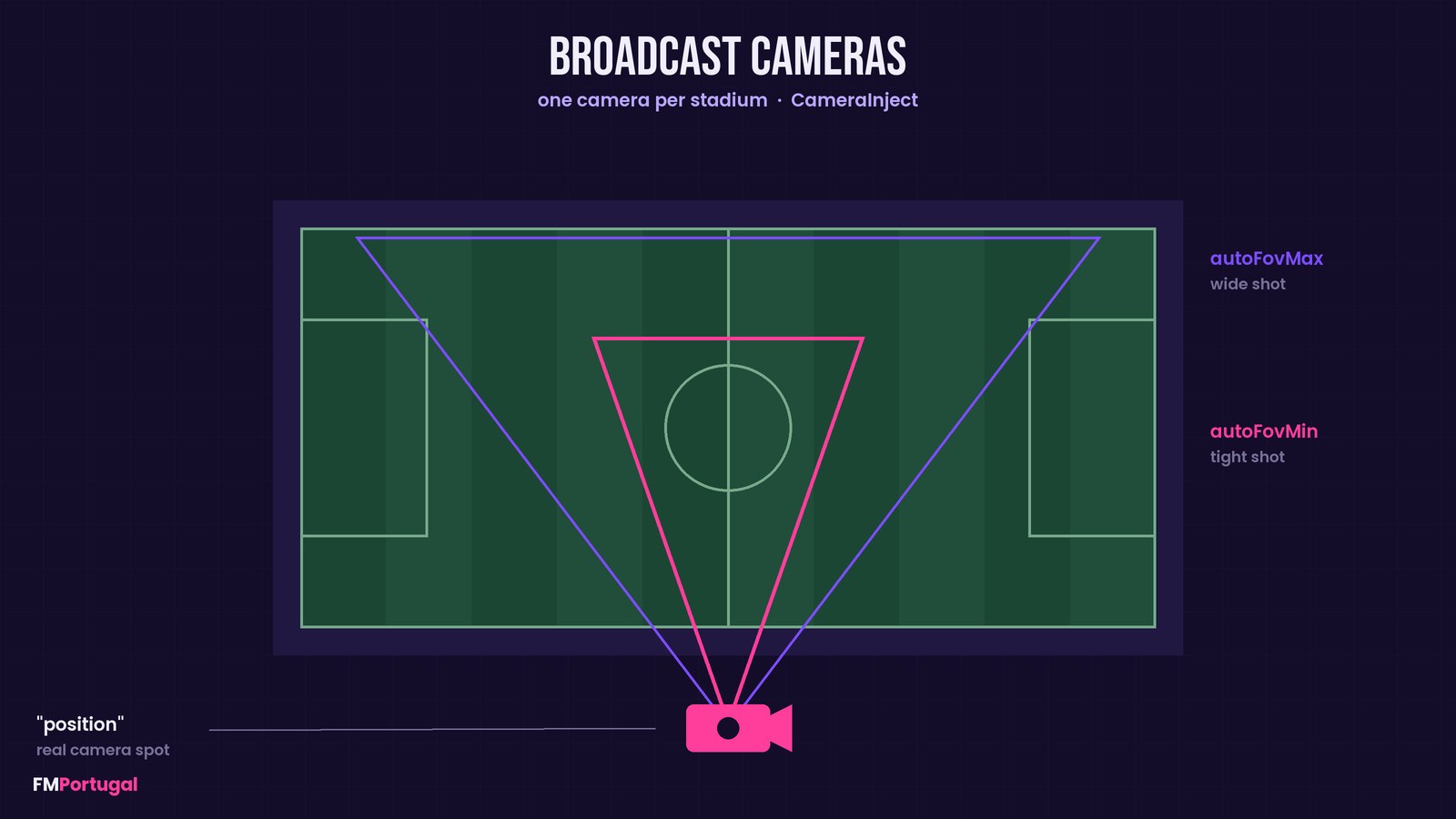
The camera position and the two zoom limits (Image: FMPortugal)
How they were made
Almost all of it was done by hand. First, the author placed each camera in the stadium’s 3D model, at the spot where it stands in real life. Then he laid real broadcast footage over FM, with transparency, and zoomed in and out until the two lined up.
He did this for two moments: with the ball near the goal, for the tightest zoom, and with the ball on the near touchline, for the widest. He also added a small margin to each value. In other words, the camera stays slightly wider in cases FM does not plan for, such as the ball on the far touchline.
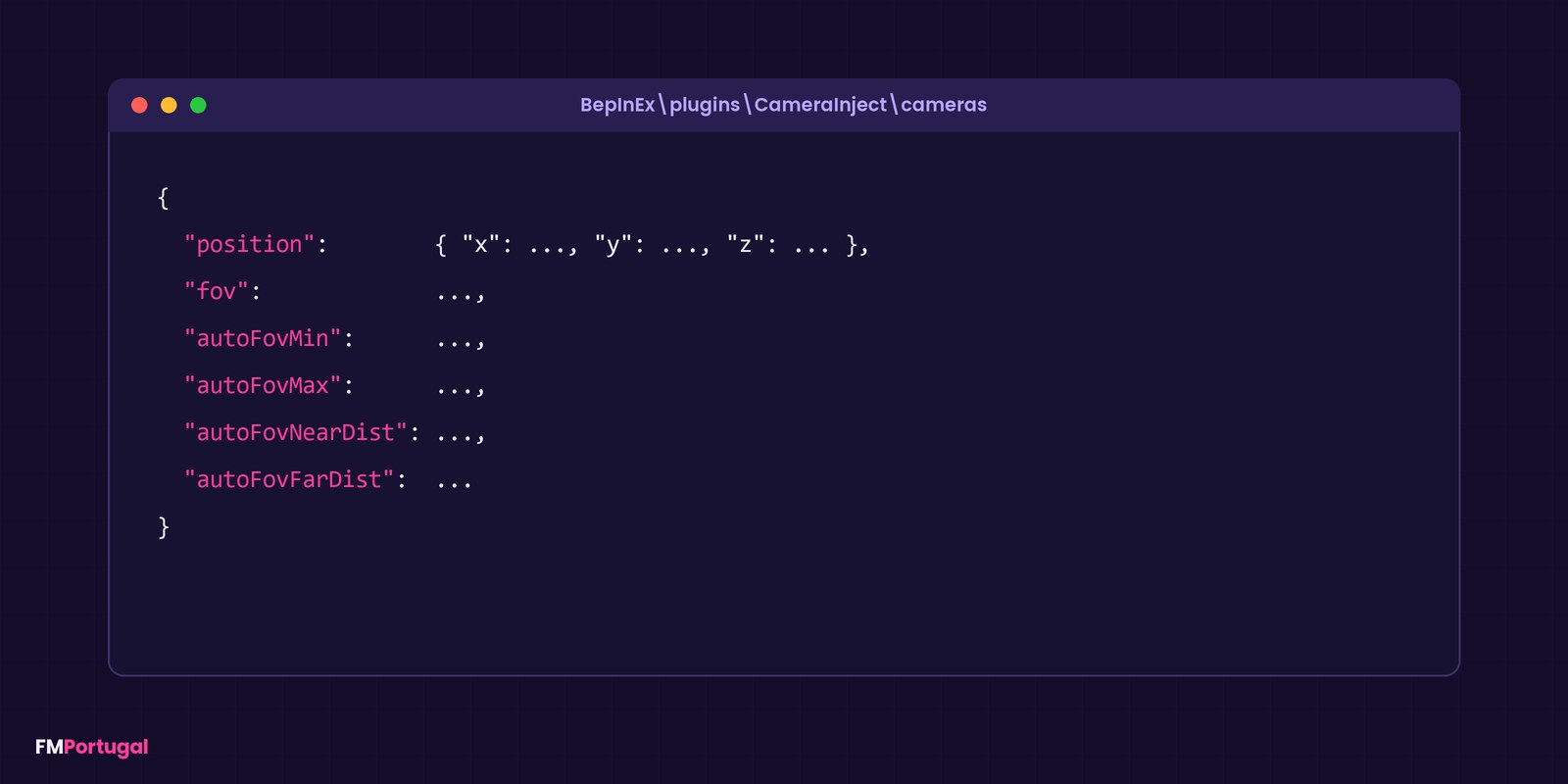
The fields each camera file sets (Image: FMPortugal)
Who it is for
It is for anyone playing with BassyBoy’s stadium megapack who wants matches that look like a broadcast. It also helps if you lost the cameras after editing files and do not want to download the whole pack again. If you like this style, Broadcast Suite FM27 by the same author adds automatic directing, replays and a TV channel. On the other hand, 3D Live Action Cam is another way to give matches a TV feel.
Download FM27 Broadcast Cameras
The file is cameras.zip, from 5 November, at about 265 KB. It runs through BepInEx and BassyBoy’s CameraInject plugin, so it is for the Windows version of the game. However, the author only updates this file once several new cameras have piled up.
- First, make sure BassyBoy’s stadium megapack is installed, with the CameraInject plugin.
- Then close FM27 and extract
cameras.zip. - Next, copy all the
.jsonfiles intoBepInEx\plugins\CameraInject\cameras, inside the game folder. - Finally, agree to replace the files and start a match at a megapack stadium.
Things to watch
Replacing the files wipes any cameras you made or tweaked before. So keep a copy of the cameras folder if you have edited it. Also, the cameras will most likely not work in stadiums outside the megapack.
One player asked whether the FM26 pack update works in FM27. The author thinks not, and noted that the public FM27 release of the pack was only days away. Finally, to remove the cameras, delete the .json files from the folder or restore the copy you kept.
The files are hosted by their original authors. FMPortugal only points to the official download page — all credit goes to their creators.
Did you make this download? Manage it on FMPortugal →