Football Manager 27 Editor is a free, open-source real-time editor for FM27. With the game running, you change players, staff, clubs, nations and much more, straight in the memory of fm.exe. It is by Jackhamerp24, who built it for the Game Pass and Steam versions. Also, every change goes into a history with Undo, so you can step back when you get something wrong.
What Football Manager 27 Editor does
- Players: attributes, positions, personality, CA and PA, reputation, height, date of birth and nationality. Also contracts, bonuses, clauses, career plans, languages, injuries, bans and promises.
- Transfers: move a player with a fee and sell-on, send him on loan or set up a future transfer on a given date, with instalments and other terms. You can also swap two players, release one or pick captains.
- Staff: attributes, CA and PA, personality, contract, knowledge, formations and a move to another club in a new role.
- Clubs: information, finances, debt, club vision, kits and colours, staff and squads.
- Nations, stadiums, cities and competitions: each has its own screen. For example, you can change a competition’s prize money or a city’s weather.
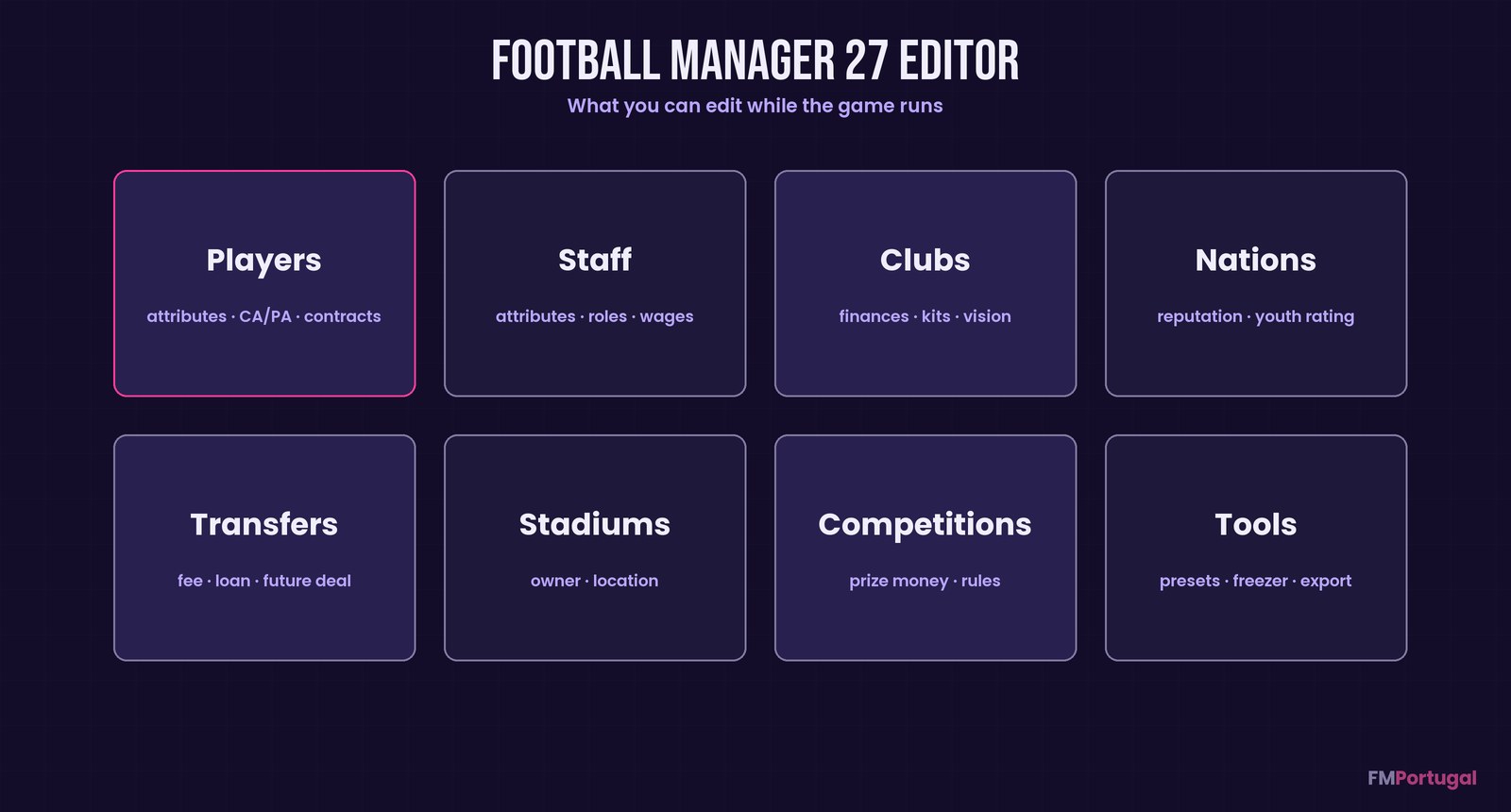
The areas you can edit while the game runs (Image: FMPortugal)
The extra tools
There are squad-wide presets with a preview and Undo: heal, fitness, morale, lift bans, max attributes or prevent retirement. You also get a value freezer, CSV and JSON export, advanced filters and favourites. Finally, there is an FMRTE-style mass edit, opened with Ctrl+M.
The editor loads the roughly 50,000 players in the database in under a second. However, FM only redraws a screen after you press Continue, even though the change is already made.
How it protects your save
Before each write, the editor checks that the object at that memory address is still the same one and that the value has not changed. After writing, it reads the value back. If anything does not match, it writes nothing and reports the error. So the risk of corrupting data by accident drops a lot.
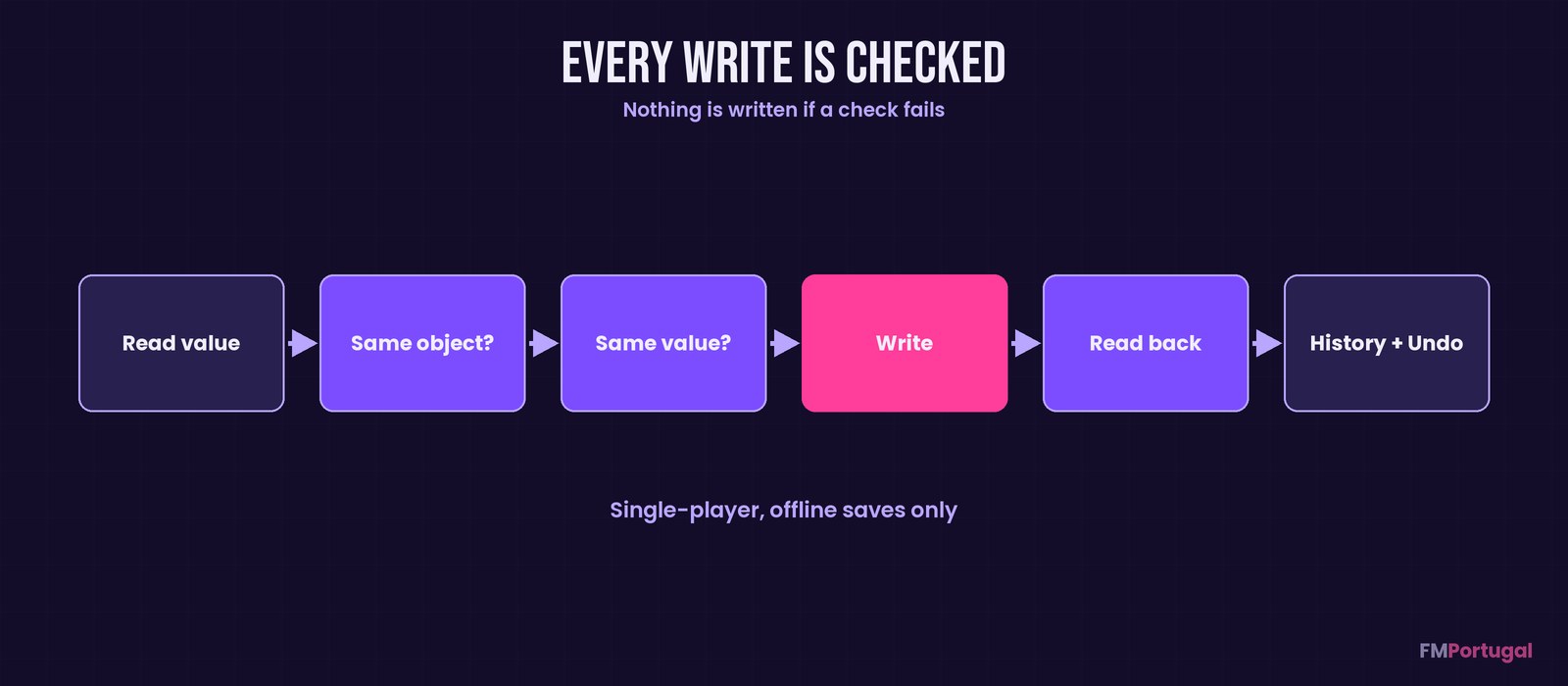
The checks run on every write (Image: FMPortugal)
Who it is for
It is for anyone who wants a full, free editor, especially on Game Pass, where every screen was measured. It also appeals to open-source fans, because each release is built on GitHub from the published code. If you already use FMRTE 27, the mass edit will feel familiar. For other free, open options, see FMLibreEditor or Touchline 27.
Download Football Manager 27 Editor
The latest version is 1.1.0, from 9 November. It runs on 64-bit Windows 10 and 11, with FM27 build 27.0.0+2493426 on Game Pass or Steam. Most people only need Fm27Editor.exe, at about 104 MB. Fm27Editor.Tools.exe, at about 76 MB, adds command-line tools for advanced users. If the editor helps you, you can support the author on Ko-fi.
Download – Editor Download – Tools
- First, save your career in FM27 and back up the save file.
- Then download
Fm27Editor.exeand put it in any folder you like. Nothing needs installing, not even .NET. - Next, start FM27 and load your career.
- Finally, run
Fm27Editor.exe. It does not ask for administrator rights.
Want to check the file? Compare the output of Get-FileHash Fm27Editor.exe with the SHA256SUMS.txt on the release page.
Things to watch
Only use it in single-player, offline careers, never online or in shared saves. Also, leave women’s football alone: those teams, players and competitions are not supported and edits to them are untested. Some actions also add rows to the game’s own lists, such as a new promise or a future transfer, so keep a backup of the save first.
The editor only attaches to FM27 builds it has a profile for. So if a game update changes the build, it refuses to connect until a new version comes out, rather than writing to the wrong places. On Steam, not every screen has been clicked through yet. To remove it, just delete the exe and the %LOCALAPPDATA%\Fm27Editor folder, where it keeps its settings.
The files are hosted by their original authors. FMPortugal only points to the official download page — all credit goes to their creators.
Did you make this download? Manage it on FMPortugal →