If you watch matches on Full Match in FM27, you never reach the screen between highlights, with the heat map, the pass map and the dugout messages. So Match Data Buttons FM27 adds buttons to the match screen that open those same panels while the match keeps playing in 3D. The mod is by cleakj, it is free, and the panels keep updating while they are open.
What Match Data Buttons FM27 brings
Six buttons appear at the top right of the match screen: Dugout, Opposition, Heat Map, Pass Map, Avg Positions and Formations. Also, the score at the top becomes clickable.
- Maps and positions: first, the heat map, pass map, average positions and formation open the game’s own cards for your team.
- Opposition: the Opposition button switches those four buttons to the other team. Then the same button reads My Team, so you can switch back.
- Dugout: the Dugout button shows your assistant’s messages under the top bar. So you can apply the suggestion with Do it or dismiss it with the X.
- Goal replays: finally, clicking the score opens the match events list, and from there you can replay any goal.
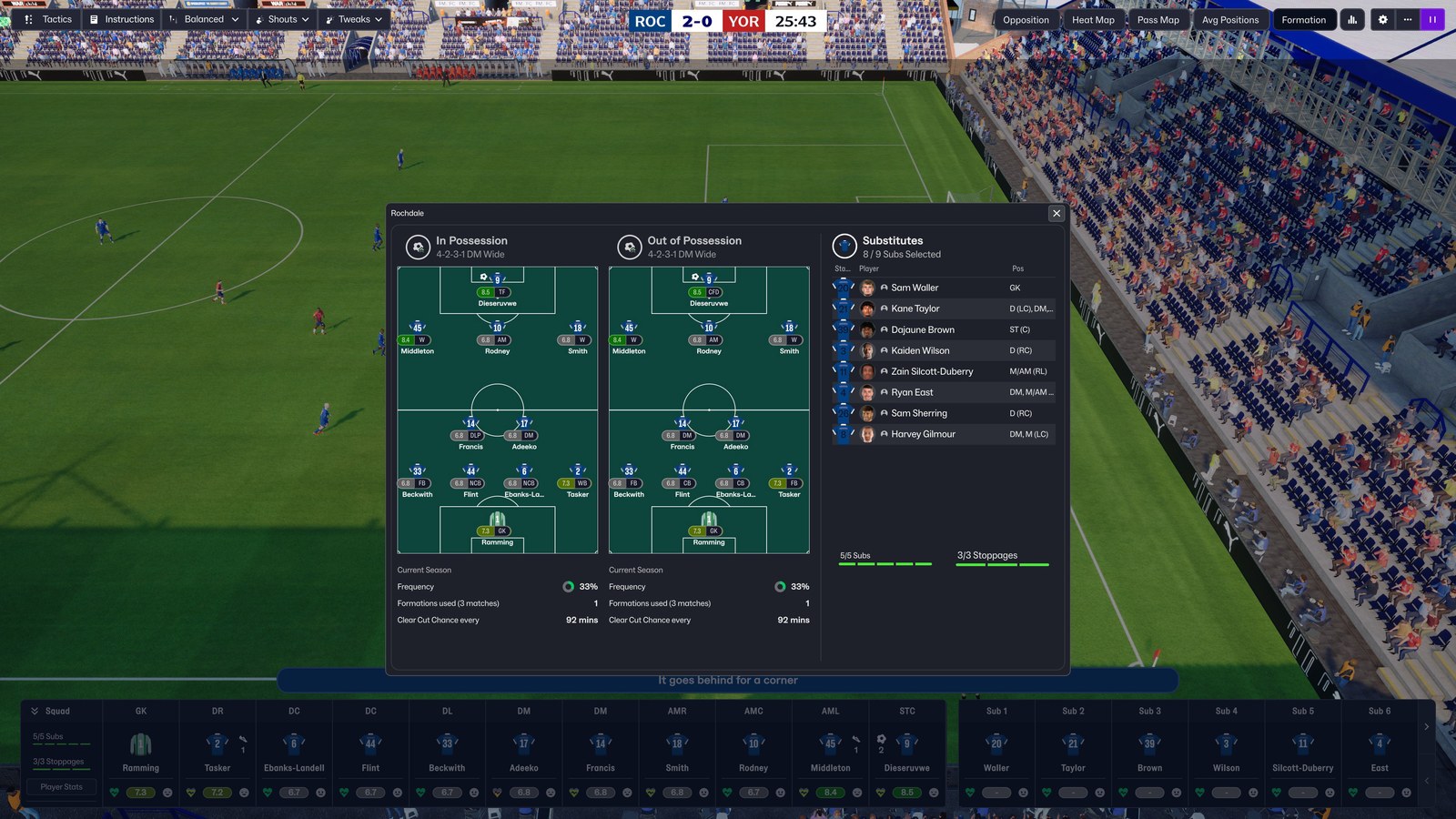
The formation open mid-match, with the buttons at the top right (Image: cleakj)
How the replays work
To replay a goal, click its minute or the ball icon in the list. The replay starts shortly before the goal and goes back to live play by itself after about half a minute. However, the match does not stop during the replay, so you miss that stretch of live play. You also cannot change tactics until the match is live again.
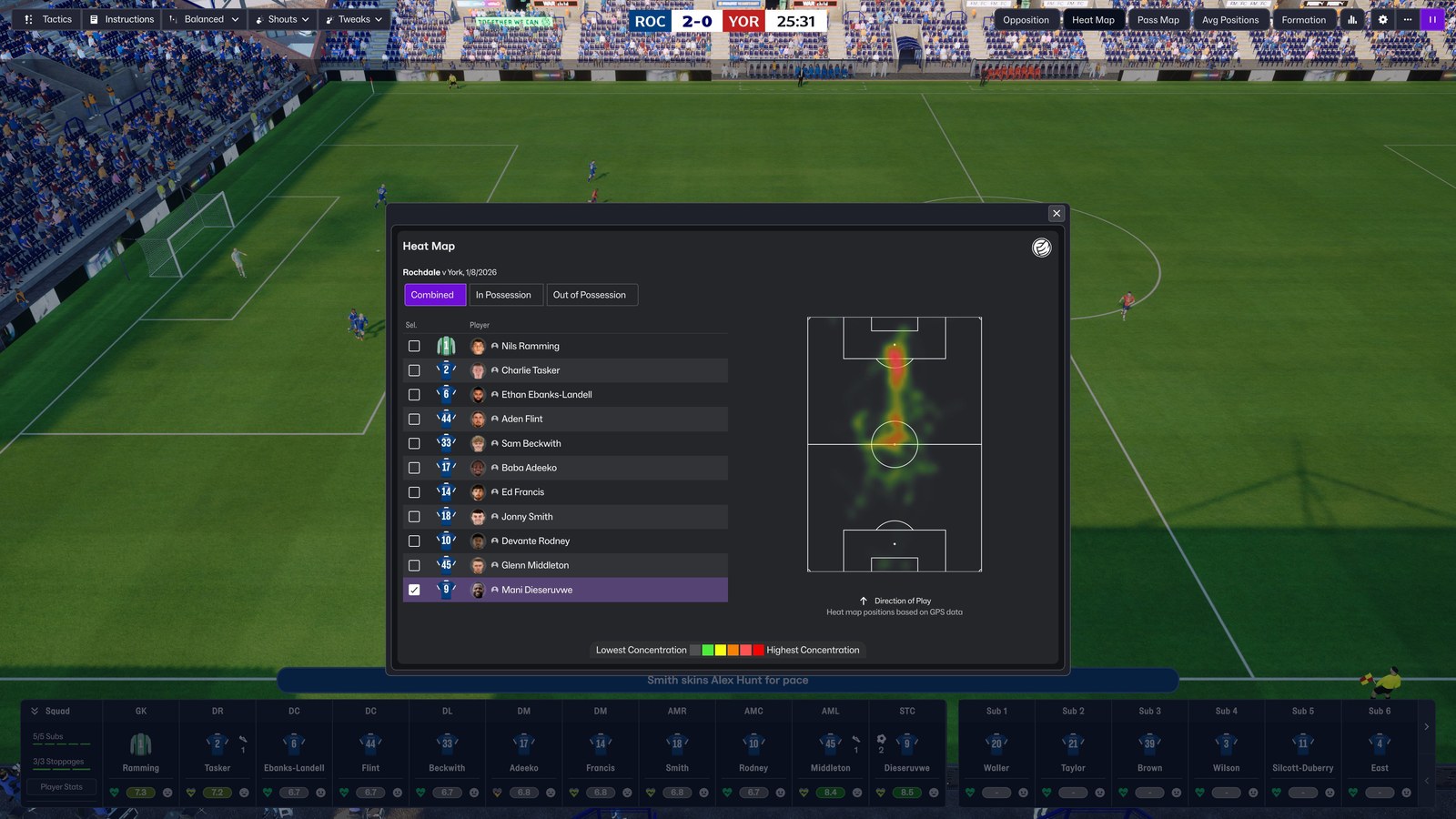
The heat map, without stopping the match (Image: cleakj)
The mod is made for Full Match, but the author also tested it on Extended, Comprehensive and Dynamic highlights, even switching mode mid-match. In those modes, the buttons stay on the data screen between highlights, a little further right. However, the dugout button and the match events list hide there, because that screen already has them.
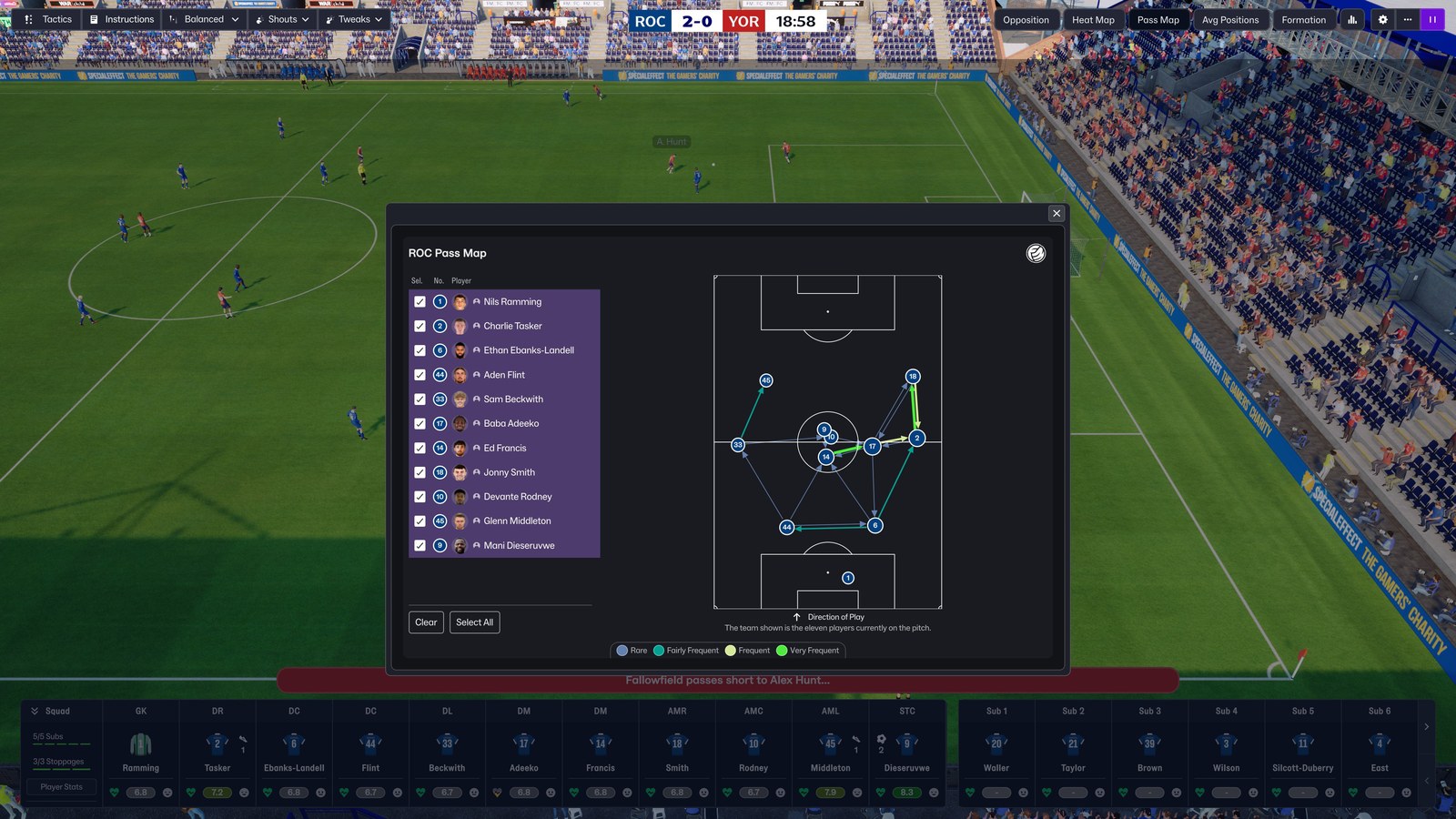
The team pass map (Image: cleakj)
Match Data Buttons FM27 download
The version is 1.1, from 6 November, which adds the dugout button and the clickable score. It works on FM27 on Steam, on Windows, with the 2 November update (build 26340721). The installer checks this and changes nothing on any other version.
Download – Match Data Buttons FM27 v1.1
- First, close FM27. If you have 1.0, run
Uninstall.batfrom its folder first. - Then extract the whole folder anywhere and keep it, because
Uninstall.batneeds the backup the installer makes. - Next, double-click
Install.bat. It finds FM27, checks that the file is the original, backs it up and copies the mod in. If Windows shows a blue warning, click «More info» and then «Run anyway». - Finally, start FM27 and play a match.
Later, if you want to remove it, close the game and run Uninstall.bat. If you lost the folder, use Steam’s «Verify integrity of game files» option. But be careful: it restores every game file, so it also removes your other skins and mods.
Things to watch
The mod changes a single file of the match screen. So it does not work with skins that change that same file, such as the Comeback Skin. In that case, the installer warns you and changes nothing, and you have to pick one of the two. Face, kit and logo packs are not affected. Also, after an FM27 update Steam may restore the file, and the buttons disappear until a new version comes out. Finally, the buttons are English only, the mod is Windows only and it was tested on a 16:9 screen at 3840×2160. For another mod that brings more match data, see Hardcore Light FM27.
The files are hosted by their original authors. FMPortugal only points to the official download page — all credit goes to their creators.