fmsave reads your FM27 saves and shows every player in your world, with all attributes, CA and PA, hidden attributes and this season’s stats. Made by rhiever, it is free, open source and, for most players, needs no install: just open a page in your browser and drop your save on it. Also, the save is read on your computer and never sent to any server.
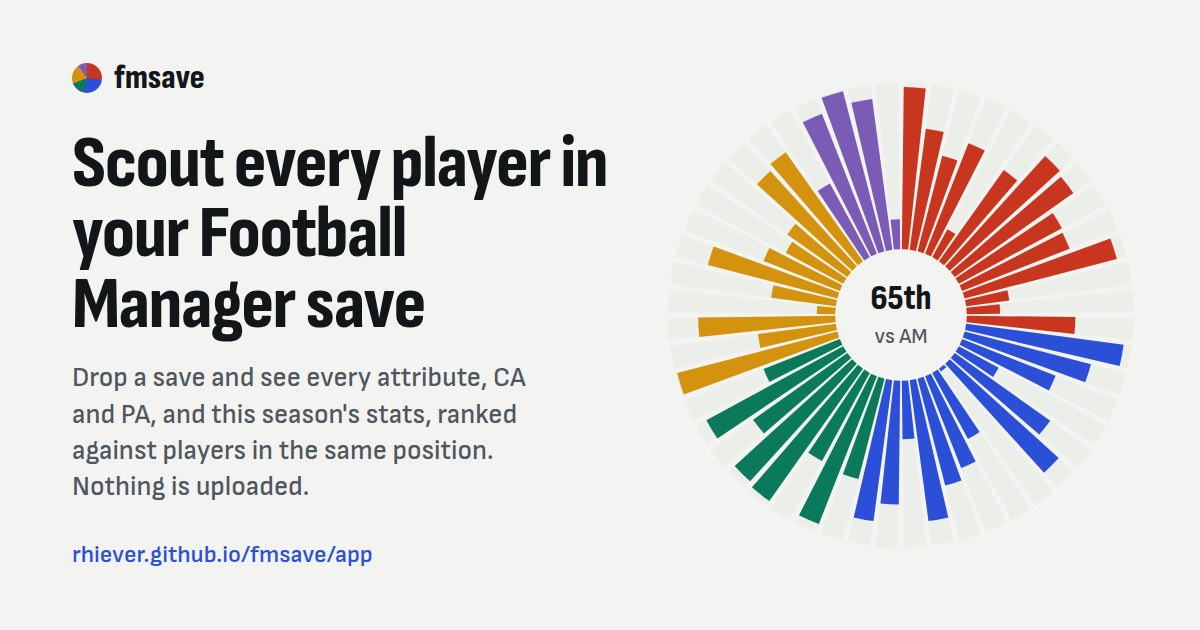
The wheel with each player’s 52 attributes (Image: rhiever)
What fmsave does
- Every player in the save: first, you get your squad, a list of every player and a shortlist of your own.
- CA, PA and hidden attributes: for example, consistency, dirtiness, important matches, injury proneness and versatility.
- Ranked by position: each value is compared with players in the same position, and the best ones are highlighted.
- Filters and rules: also, search by name, club, position and age, and build rules on any of 197 columns, such as «potential ability at least 150».
- Player profile: value, wage, contract, preferred foot, positions on a pitch, personality and season stats.
- CSV export: finally, save the list on screen, your squad or every player, to open in Excel.
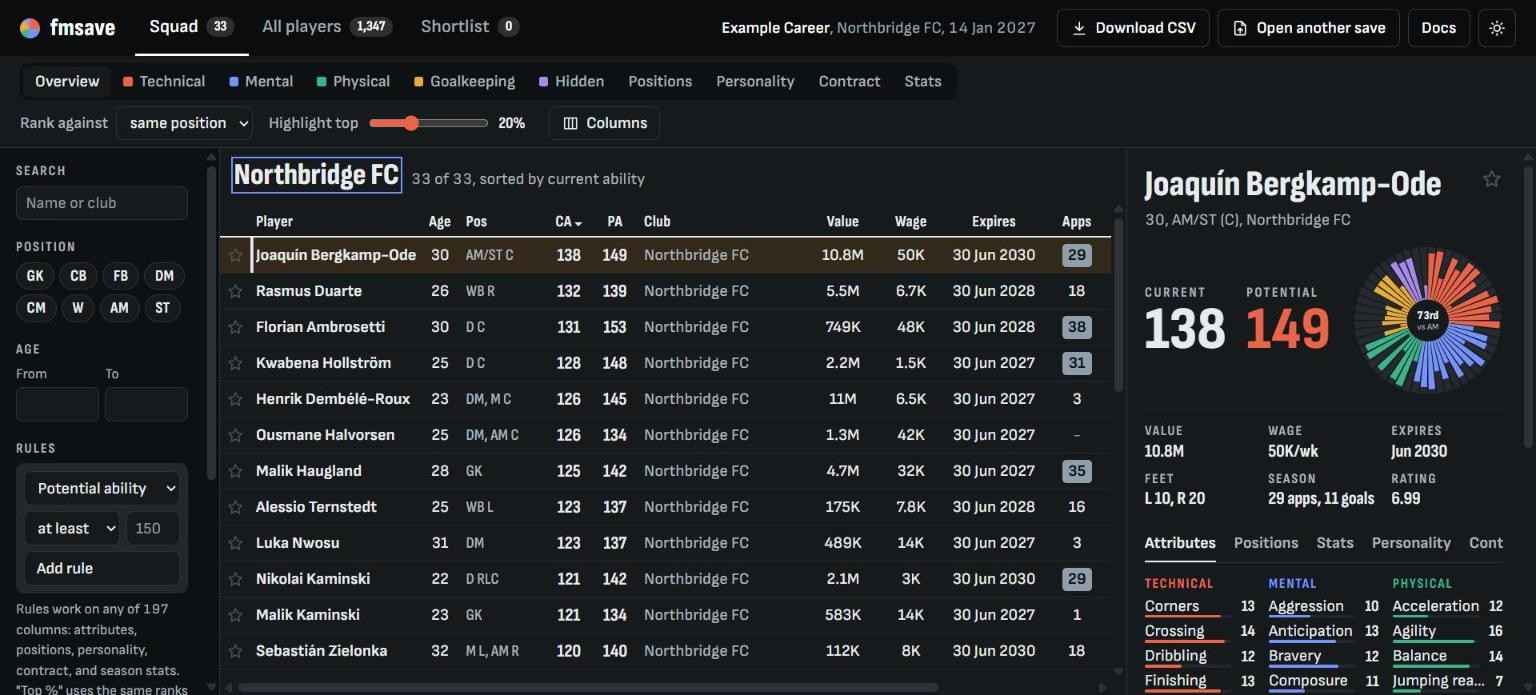
The squad in demo mode, with made-up players (Image: FMPortugal)
Who it is for
The browser version is for anyone who wants to see player potential without installing anything or touching the game. So it works on Windows, Mac and Linux. On the other hand, if you can code, there is also a Python library and a command line. With them, you export 30 tables from the save, such as players, contracts, clubs, finances, fixtures, league tables and injuries, to CSV, JSON or pandas.
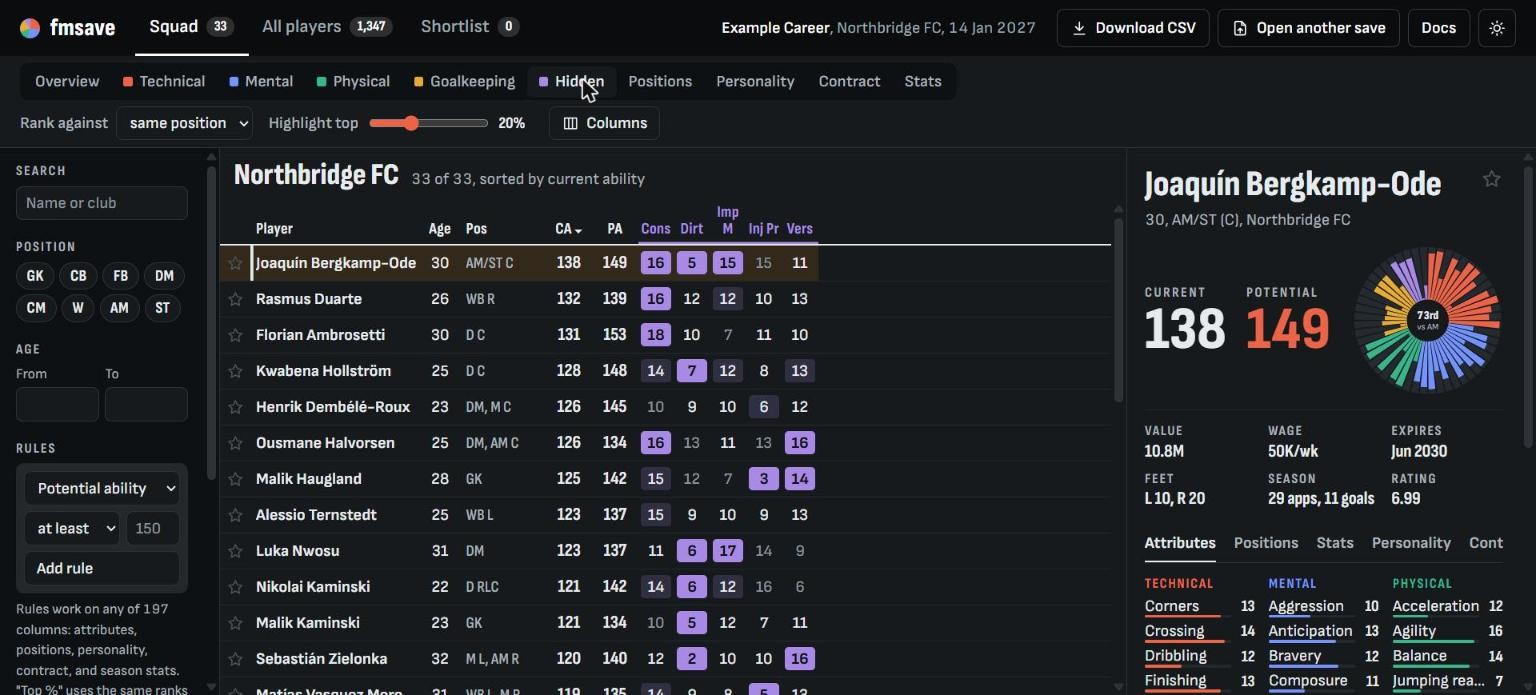
Hidden attributes, with the best values highlighted (Image: FMPortugal)
fmsave download
The latest version is 0.9.3, from 2 November. To use it in the browser, open the page below and drop your save on it. If you do not have a save to hand, click «Or look around with made-up players» to try it with made-up players. The Python library needs Python 3.12 or newer.
Download – fmsave (browser version)
Python library – fmsave on GitHub
- First, save your game. If FM27 is open, copy the save and use the copy.
- Then open the fmsave page and drop the
.fmfile on it. On Windows, saves are usually inDocuments\Sports Interactive\Football Manager 27\games. - Next, wait while the page reads the save. A big save can take a while.
- Finally, pick the «Squad» or «All players» tab and use the filters. For the Python version, install it with
pip install fmsave.
Things to watch
FM27 support is very new. So only build 27.0.0+2486695 is confirmed, and on other builds some parts of the save may not open. The author also warns that the meaning of some FM27 fields is not confirmed yet. fmsave only reads: it never changes the save, makes no network connections and does not read game memory. However, using hidden data in a shared online career may break the rules. Finally, if you prefer an installed app, see FMSuperScout or FMPT Chief Analyst, which reads your career straight from the game.
The files are hosted by their original authors. FMPortugal only points to the official download page — all credit goes to their creators.