The FM27 Grok Skin is the Korean skin everyone is talking about in the first days of the Launch Preview. It was made by Kwon (권순태) from the FM Korea community, and it keeps FM27’s look while making it tidier and easier to read. It also brings back ideas many people missed, such as the sidebar and the FM24 inbox.
What the FM27 Grok Skin changes
The author says it is an early version and will keep improving it. Even so, four updates have come out in just a few days, and the list of changes is long:
- Player profiles: a photo card on the left, current and potential ability stars, preferred foot and a traits panel.
- Numbers instead of icons: condition and match sharpness show from 0 to 100 with colours, and staff attributes are no longer just text.
- Tactics screen with photos: players show their faces instead of kits.
- Squad hierarchy: turned into photo cards with captains and personality.
- Sidebar: v1.4 brought back a left-hand bar with 24 menus and your next match always in view.
- Club page: kits, key people, trophies, rivals and league history on one screen.
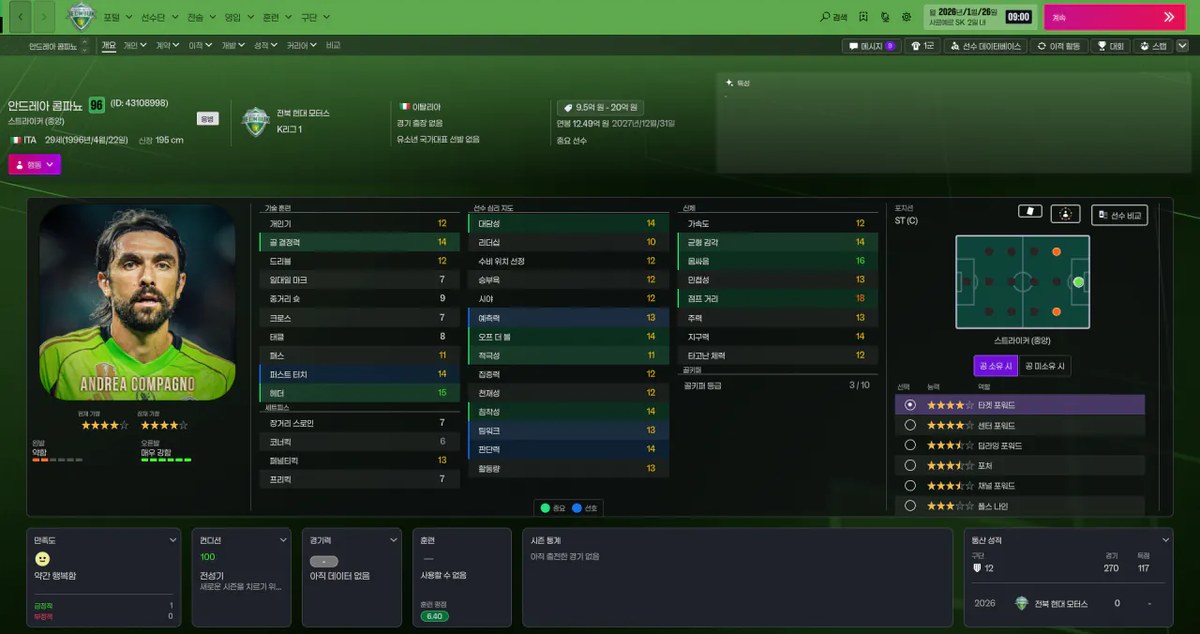
The player profile with the Grok Skin, here with the game in Korean (Image: Kwon / FM Korea)
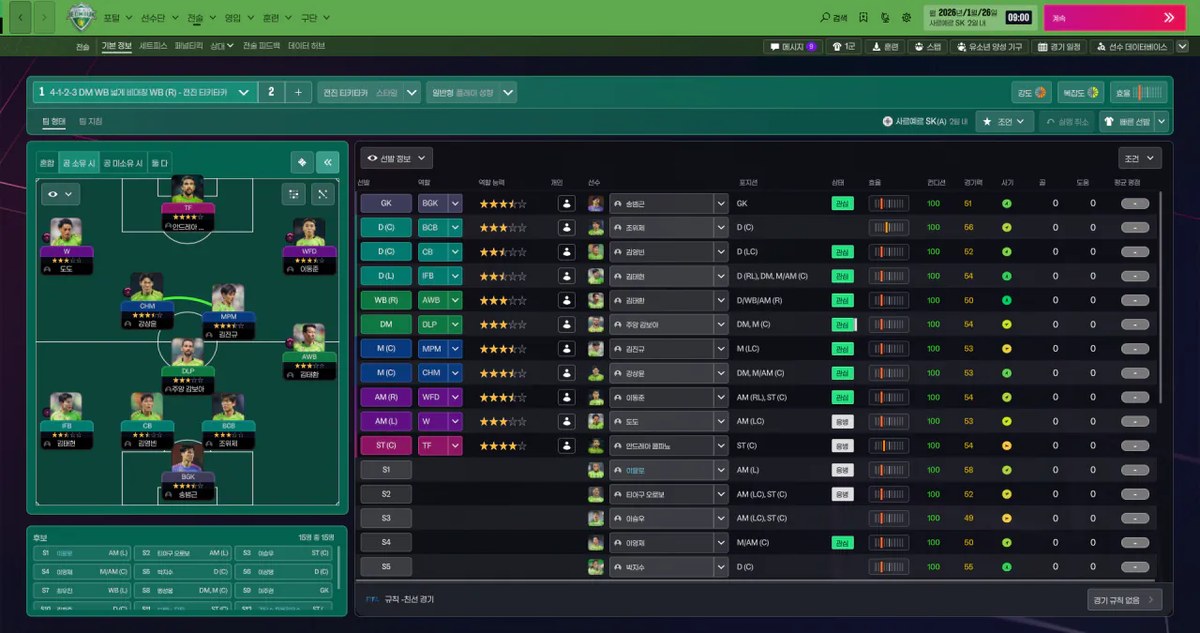
Tactics with player faces and condition as numbers (Image: Kwon / FM Korea)
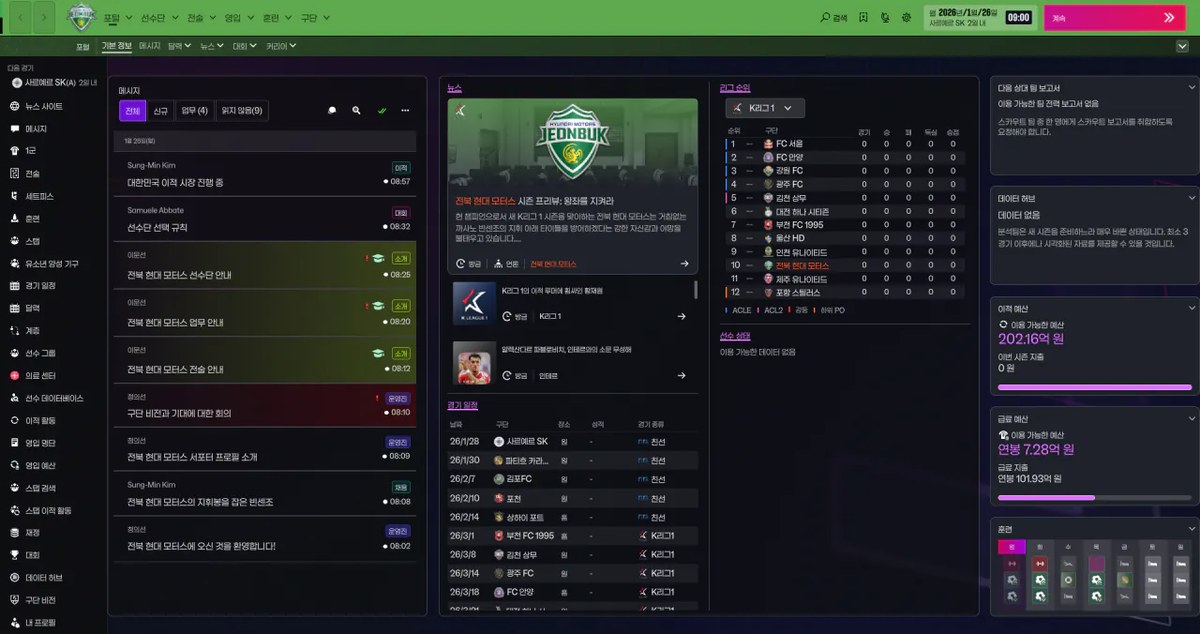
The v1.4 sidebar, with the menus and your next match (Image: Kwon / FM Korea)
FM27 Grok Skin download
The latest version is on the author’s FM Korea page. There is also a v1.3 mirror on MediaFire in case you cannot download from the Korean site.
Download – Grok Skin v1.4 (FM Korea)
Download – Grok Skin v1.3 (MediaFire)
- First, close FM27 completely.
- Extract the .zip to a folder of your choice.
- Open
설치하기.bat(«install») and choose option 1. The installer finds FM27 in your Steam library and backs up the original files. - If you prefer to do it by hand, copy the 4 files from the
bundlesfolder intoSteam\steamapps\common\Football Manager 27\fm_Data\StreamingAssets\aa\StandaloneWindows64and accept replacing them, but back up the originals first. - Finally, open the game.
Going back and things to watch
To remove the skin, open 설치하기.bat again and choose option 2. If you have no backup, use Steam’s «Verify integrity of game files» option and the game restores everything.
There are a few things to keep in mind:
- The skin was made for the Launch Preview, so it may stop working when the game is updated. If so, wait for the new version.
- It cannot be used together with other skins that change the same files, such as the FM27 Retro Skin.
- To see player and staff photos you need a facepack, such as the DF11 faces.
- Real current and potential ability (CA/PA) values do not show, as the game does not provide them.
The files are hosted by their original authors. FMPortugal only points to the official download page — all credit goes to their creators.