Updated version: FM26 real names fix
Step 1
If you are playing an FM23 save inside FM24, this fix also needs to be installed in every folder listed in this thread that applies to your installation.
Open the folder:
Program Files (x86)\Steam\SteamApps\common\Football Manager 2024\data\database\db\2400
Delete only the folders dbc, edt and lnc.
Note: \Program Files (x86)\ may appear as \Program Files\, depending on your installation. If you play through Game Pass, Epic Games, Mac, Xbox or Steam Deck, the path to the 2400 folder depends on the platform, but the structure of the dbc/edt/lnc folders inside it is the same.
Step 2
Copy the folders dbc, edt and lnc from the pack you downloaded.
Step 3
Paste them into each of the matching folders mentioned in step 1.
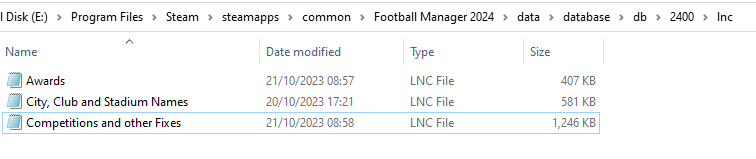
This is how the folder structure should look inside the folder 2400:
dbc:

dbc/permanent:

edt/permanent:

lnc:
Steps 4 and 5 don't apply to the beta version.