The FMG logos FM27 are here. Football Manager Graphics has released five megapacks for FM27, each with more than 102,000 club and competition logos. So the only difference between them is the style, and you pick the one that suits your skin best. The packs are by Derek, with a team of more than 30 researchers, and they are free.
What the FMG logos FM27 bring
Each pack has the official logos, which FMG calls «Normal». Also, it has alternative logos, which clubs wear on their shirts, in other colours or in anniversary editions, but always based on the official ones. There are also fantasy logos, great for future saves or for Create-A-Club. Finally, history fans get a selection of retro logos from many clubs and competitions.
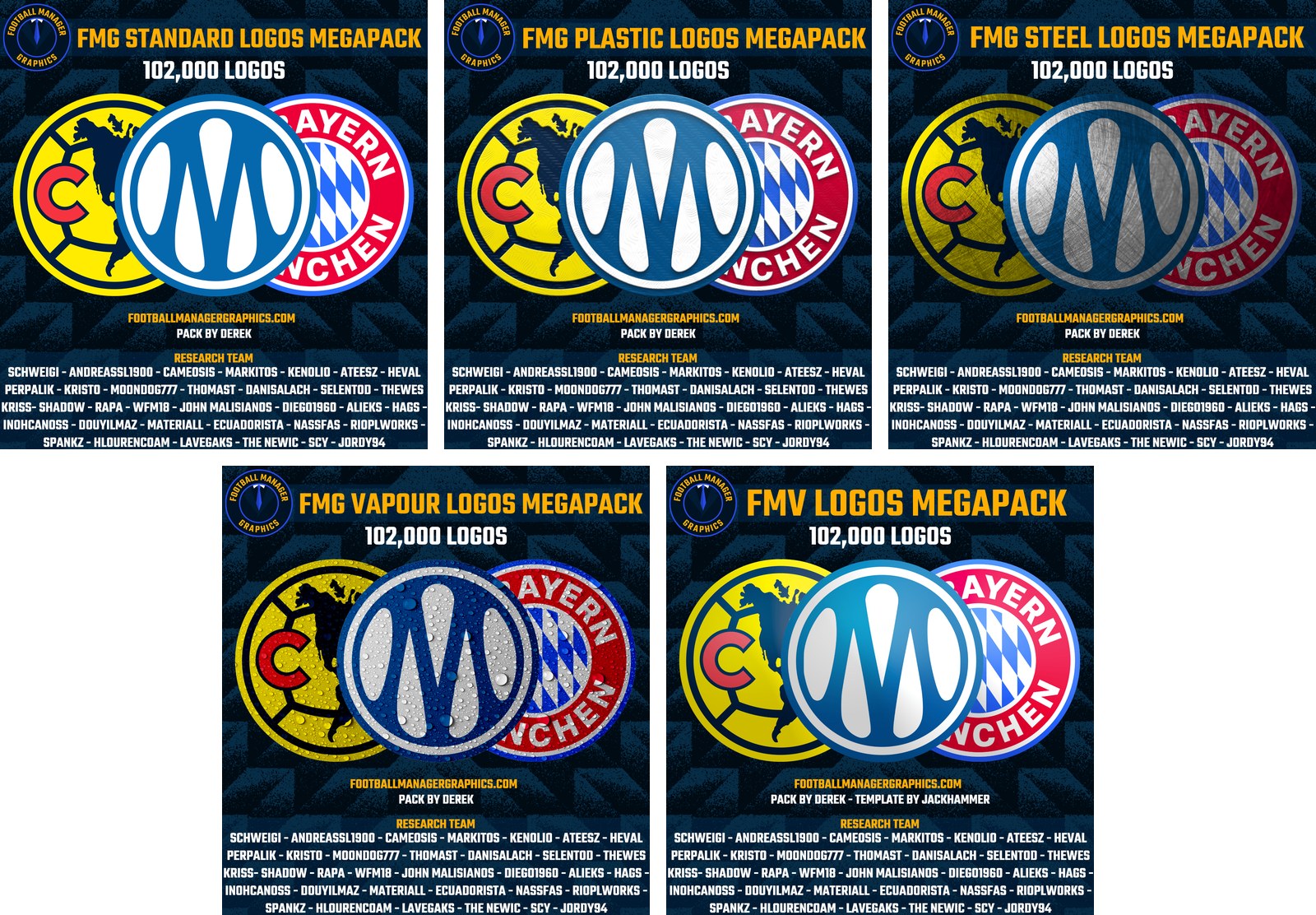
The five styles, with the same sample logos (Image: Football Manager Graphics)
The five styles
- Standard: first, clean logos, as the clubs use them. It is the most downloaded pack.
- Plastic: a shiny raised effect, as if they were made of plastic.
- Steel: logos with a metallic finish, made to look like steel.
- Vapour: an effect of water drops over the logo.
- FMV: finally, a style of its own, with the template made by Jackhammer.
FMG logos FM27 download
All the packs are on version 2027.00, from 5 November. However, you need a free Football Manager Graphics account to download them. So the buttons take you to each pack’s official page, where you sign in or create the account.
- Standard: Download – FMG Standard Logos FM27
- Plastic: Download – FMG Plastic Logos FM27
- Steel: Download – FMG Steel Logos FM27
- Vapour: Download – FMG Vapour Logos FM27
- FMV: Download – FMV Logos FM27
- First, download the pack you prefer and extract it with WinRAR or 7-Zip. On Mac, FMG recommends Keka.
- Then copy the extracted folder.
- Next, paste it into the game’s
graphicsfolder, in lower case. If it does not exist, create it. On Windows, it isDocuments\Sports Interactive\Football Manager 27\graphics. On Mac, it is~/Library/Application Support/Sports Interactive/Football Manager 27/graphics. - Finally, start the game. If it was already open, close it and start it again, and the logos show up.
Things to watch
Install only one of the five packs, because they all cover the same clubs and would compete with each other. Also, if you already have another logo megapack, remove it first or pick one of the two. The packs are big, so the first time the game reads them may take a while. Finally, for another collection, see the TCM27 logos, and for player faces add the DF11 faces.
The files are hosted by their original authors. FMPortugal only points to the official download page — all credit goes to their creators.