Want to plan your squad for the seasons ahead without spreadsheets? GafferBoard is a free Windows app that reads your FM27 save and brings squad depth, transfers and a club analysis together in one place. It was made by janrobpvs, needs no registration and has no ads. It also never changes your save: it only reads it.
⬇️ Jump to the download: GafferBoard 1.0 (portable)
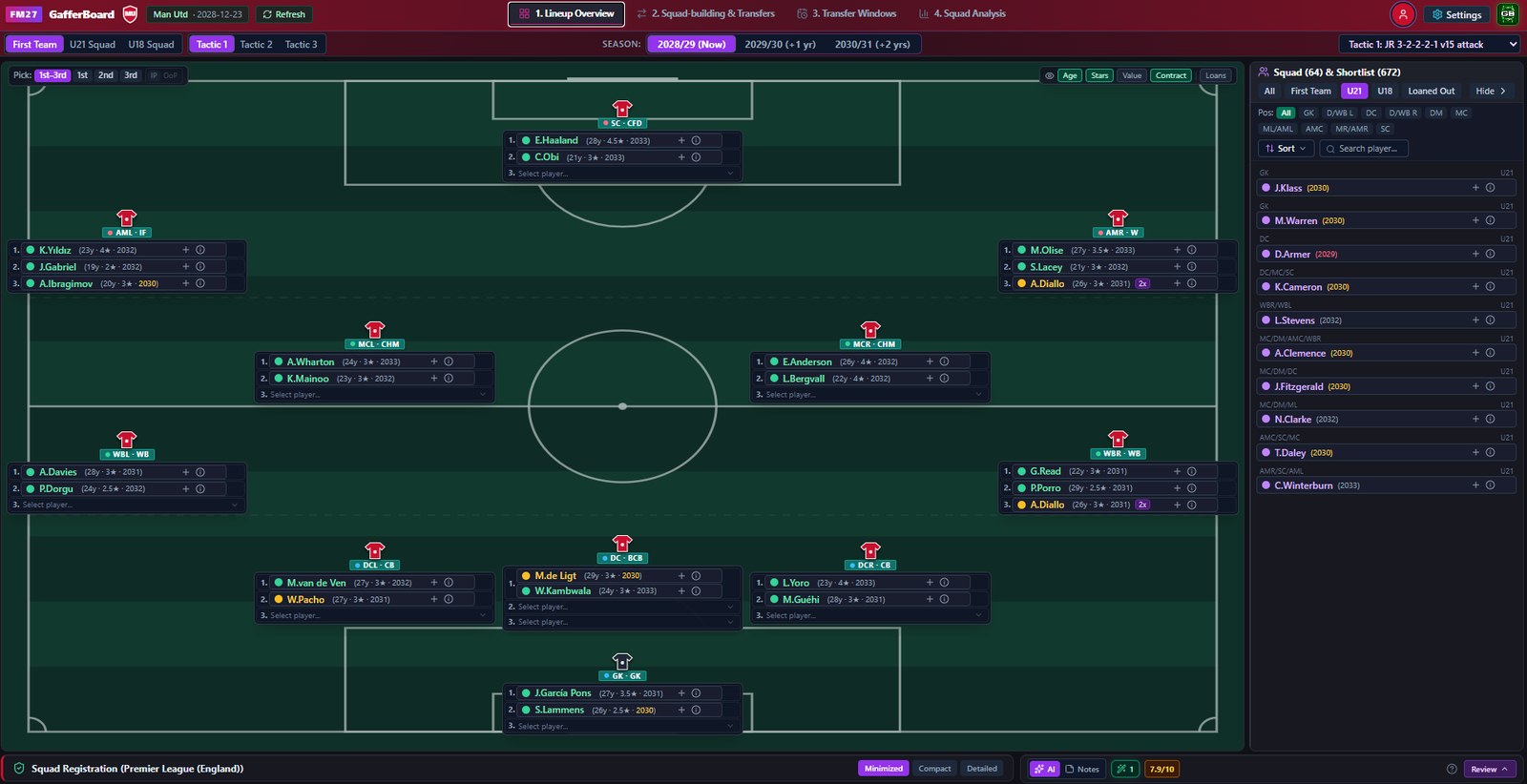
The line-up view, with up to three players per position (Image: janrobpvs)
What GafferBoard does
First, you load your save and your shortlists, with no manual exports. Then you see your first team, U21 and U18 squads on the pitch, across up to three tactics and the next three seasons. Next to each name you can show age, star rating, value or contract end. So you can quickly answer questions like «do I have cover on the left?» or «which youngster is closest to the first team?».
Transfers with your real budget
In the squad-building view, each position is a row: who is there, who is out on loan, who you plan to sell and in which window. You mark each player to keep, loan out, consider or sell, and pick the replacement from your shortlist or academy. Also, the budget comes from your save, so every plan is checked against the club’s real finances, window by window.
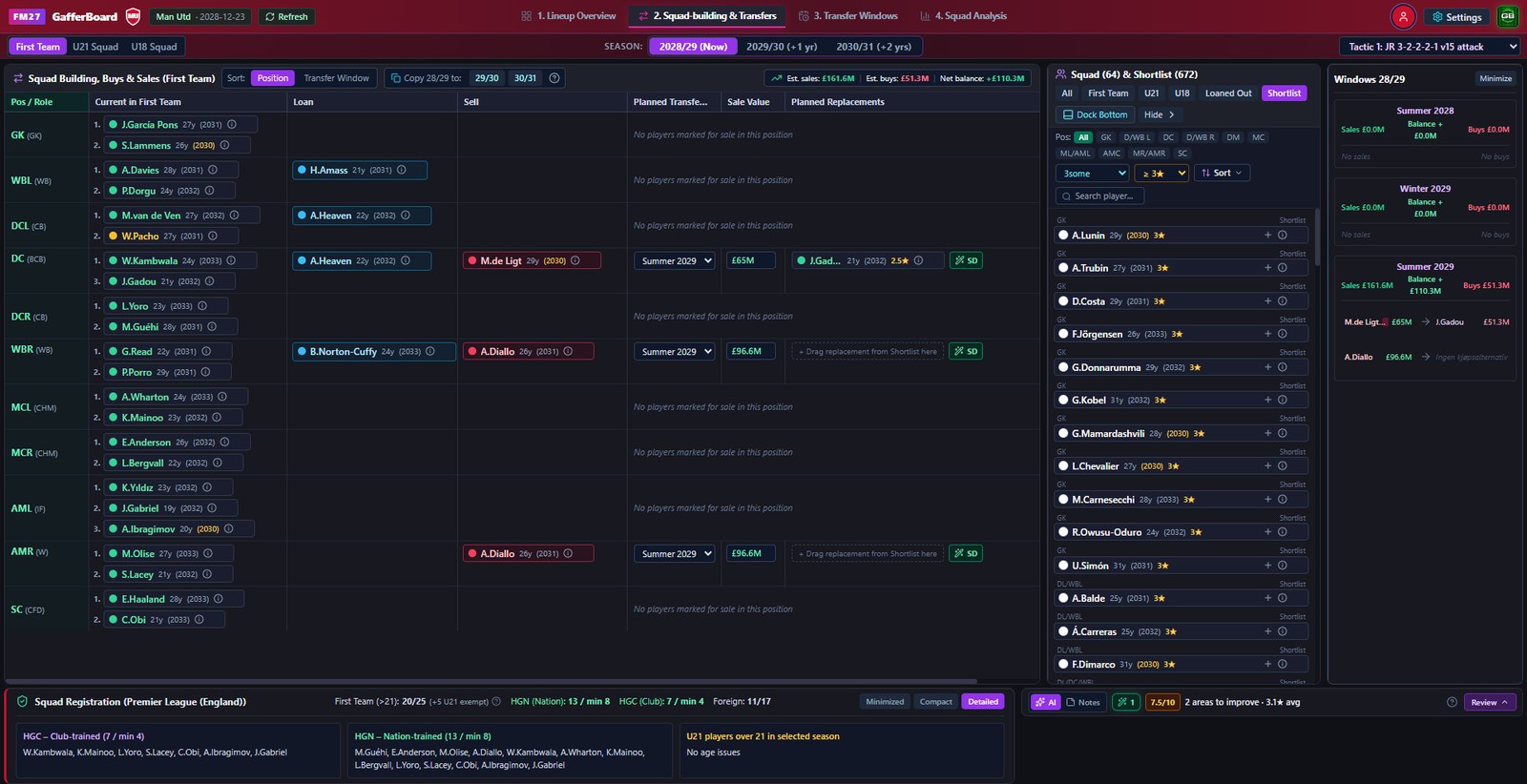
Planned sales, loans and replacements, position by position (Image: janrobpvs)
Analysis and sporting director
The analysis page shows squad quality, potential, ages, contracts and the club-trained and association-trained rules. There is also a sporting director that flags risks, such as expiring contracts or departures with no replacement, and ranks the best replacements from your shortlist. If you want a written report, you can use your own Google Gemini key or a local Ollama model, but that is optional. Finally, the manager profile tracks your own attributes season by season.
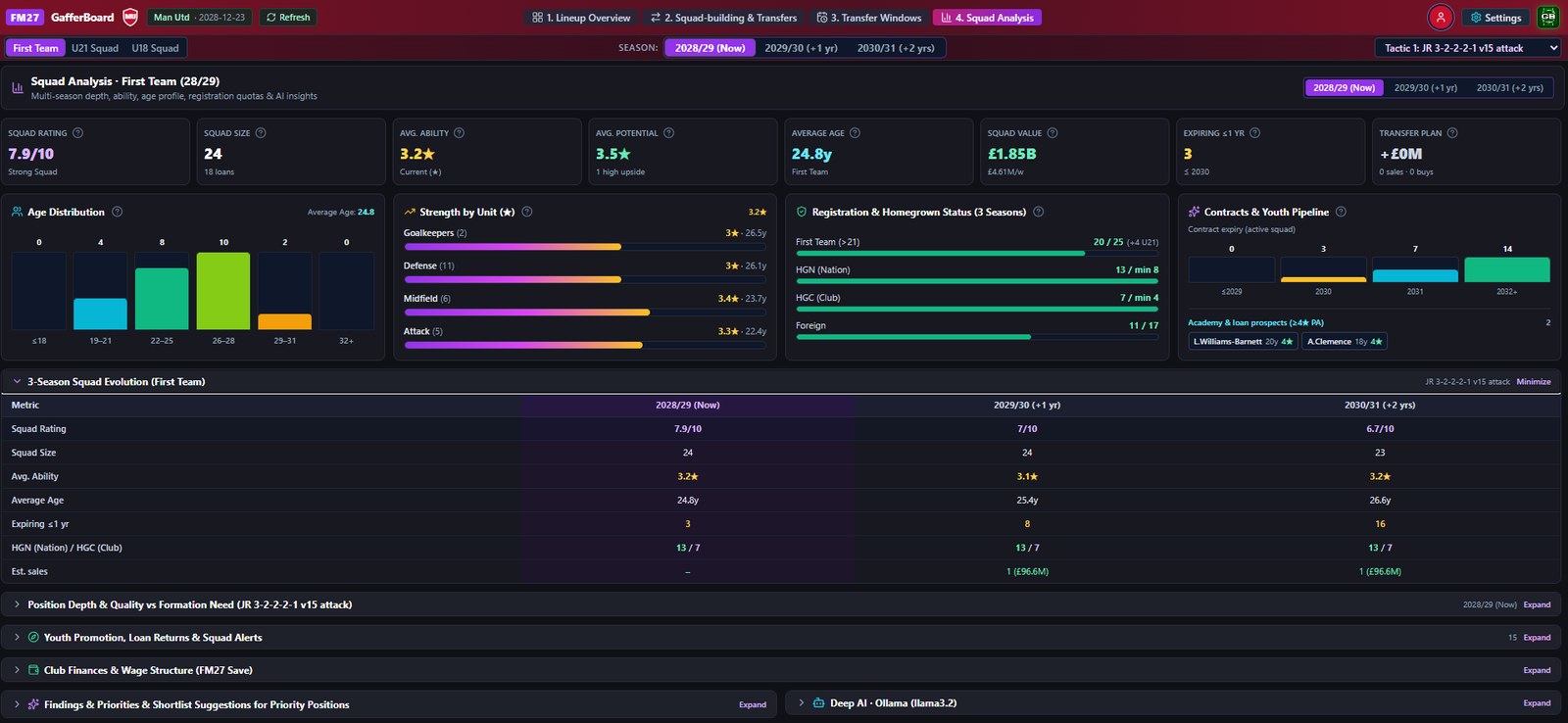
The squad analysis, with how it changes over the next three seasons (Image: janrobpvs)
Who GafferBoard is for
It is for anyone who likes to plan a career in the medium term and currently uses paper or spreadsheets. If you would rather take notes inside the game itself, see FM Transfer Notes too. To search for players in your save, try our own FMPT Chief Analyst.
GafferBoard download
The version is 1.0, from 22 November, for FM27 on Windows. There are two ways to get it: the portable version, in a 19 MB ZIP you just extract, or the installer, the same size. Both are on the creator’s GitHub.
Download – GafferBoard 1.0 (portable) Download – Installer
- First, extract the ZIP to a folder or run the installer.
- If Windows shows the unknown publisher warning, click «More info» and then «Run anyway».
- Then open GafferBoard, go to Settings › Load Data and pick your FM27 saves folder and your shortlists folder.
- Finally, choose your club and start planning.
Things to watch
The app has no paid code-signing certificate, so Windows warns you on first launch. Also, on VirusTotal, 5 of 71 antivirus engines flag the installer, and the creator says these are false positives common with new unsigned programs. The source code is not public, but the creator publishes the SHA-256 of each release so you can check the file. Finally, because it reads your save, a big FM27 update may mean waiting for a new version.
The files are hosted by their original authors. FMPortugal only points to the official download page — all credit goes to their creators.
Did you make this download?