FM Transfer Notes puts the notebook where you always jotted down transfer targets, who to sell and how next season’s squad should look right inside FM27. Instead of alt-tabbing to Notepad, you click a small round button or press Ctrl+Shift+T and the notebook opens. The plugin is by codexx01, the author of Menu Remove Overlay and FM Manager 3D Head.
What FM Transfer Notes does
The window can sit anywhere on screen. Then, when you click back into the game, it tucks itself away. Inside there are five tabs, each for one part of the market:
- Incoming: needs by position in three priorities (must have, nice to have and optional). Targets come from your shortlists, from the profile you are looking at or from a name you type. You can also link a signing to a sale.
- Outgoing: who to sell, loan or release. The plugin follows what happens in the game and, if you want, puts a player on the transfer list, but it always asks first.
- Pitch and analysis: this season’s and next season’s squad on your formation, a registration plan for every cup and an analysis with expiring contracts, surplus players and youngsters ready to step up.
- Staff: coaches, medical staff and scouts against your club’s limits, with a plan for the free places.
- Scratchpad: a blank page for tactics ideas or reminders.
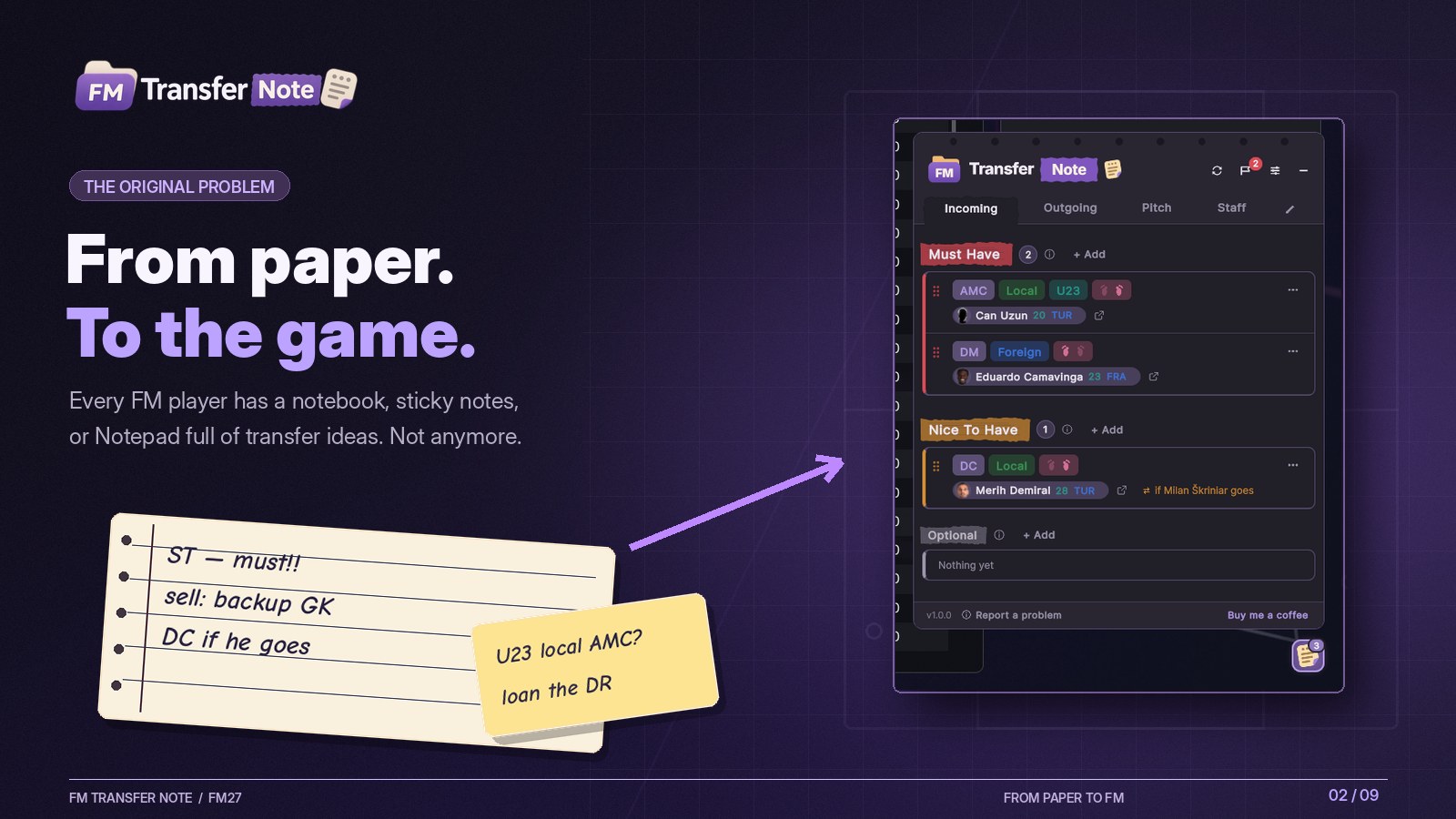
From paper into the game (Image: codexx01)
League rules and next season’s squad
The most useful touch is the rules check. In other words, foreign and homegrown quotas are counted the way the game counts them, including the moves you are planning. So you know straight away whether a signing would break your league or cup rules.
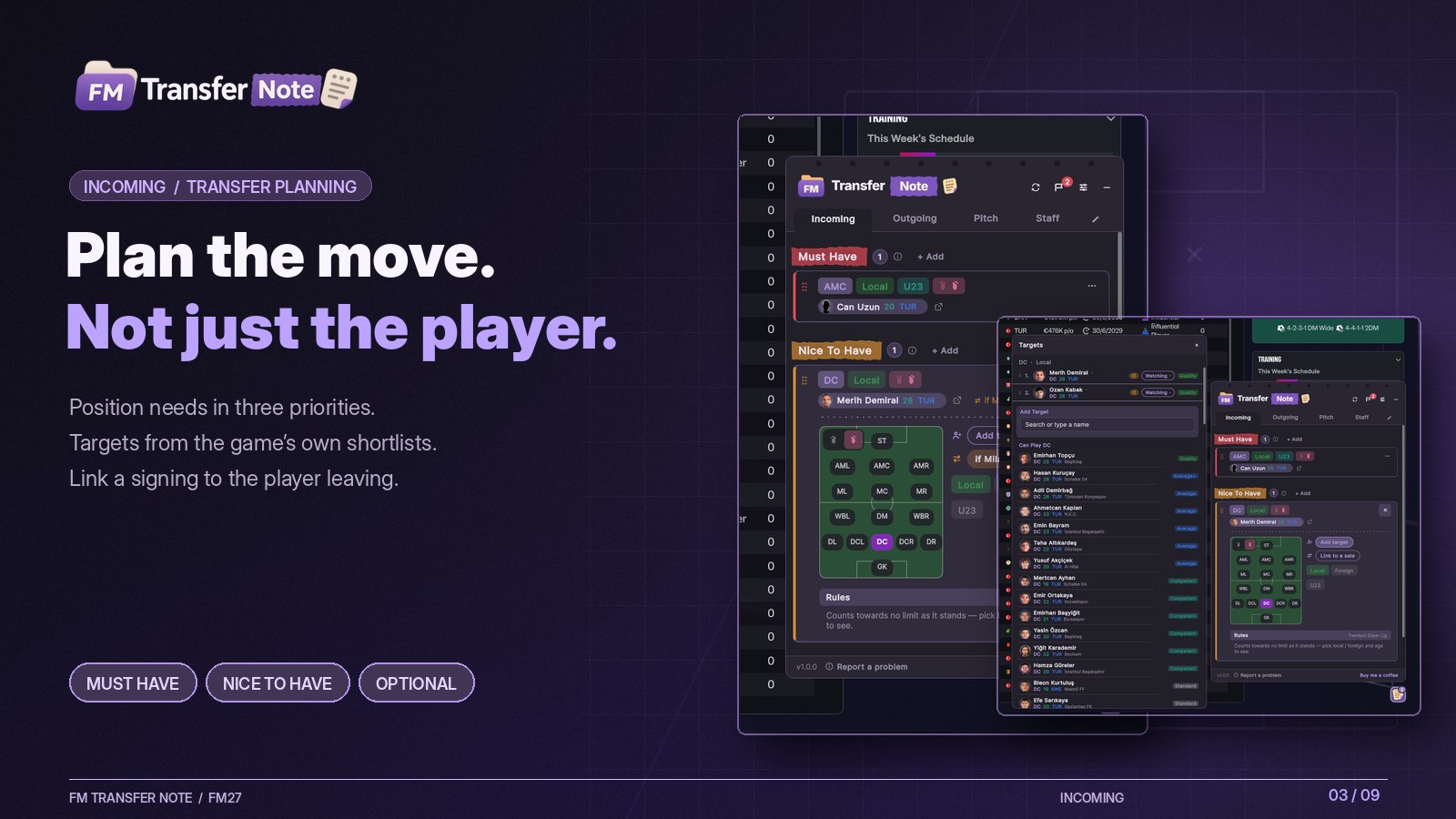
Incoming, with three priorities per position (Image: codexx01)
On the other hand, the pitch tab lets you build next season’s eleven before the window closes. That way, you can see where backups are missing and where you have too many players.
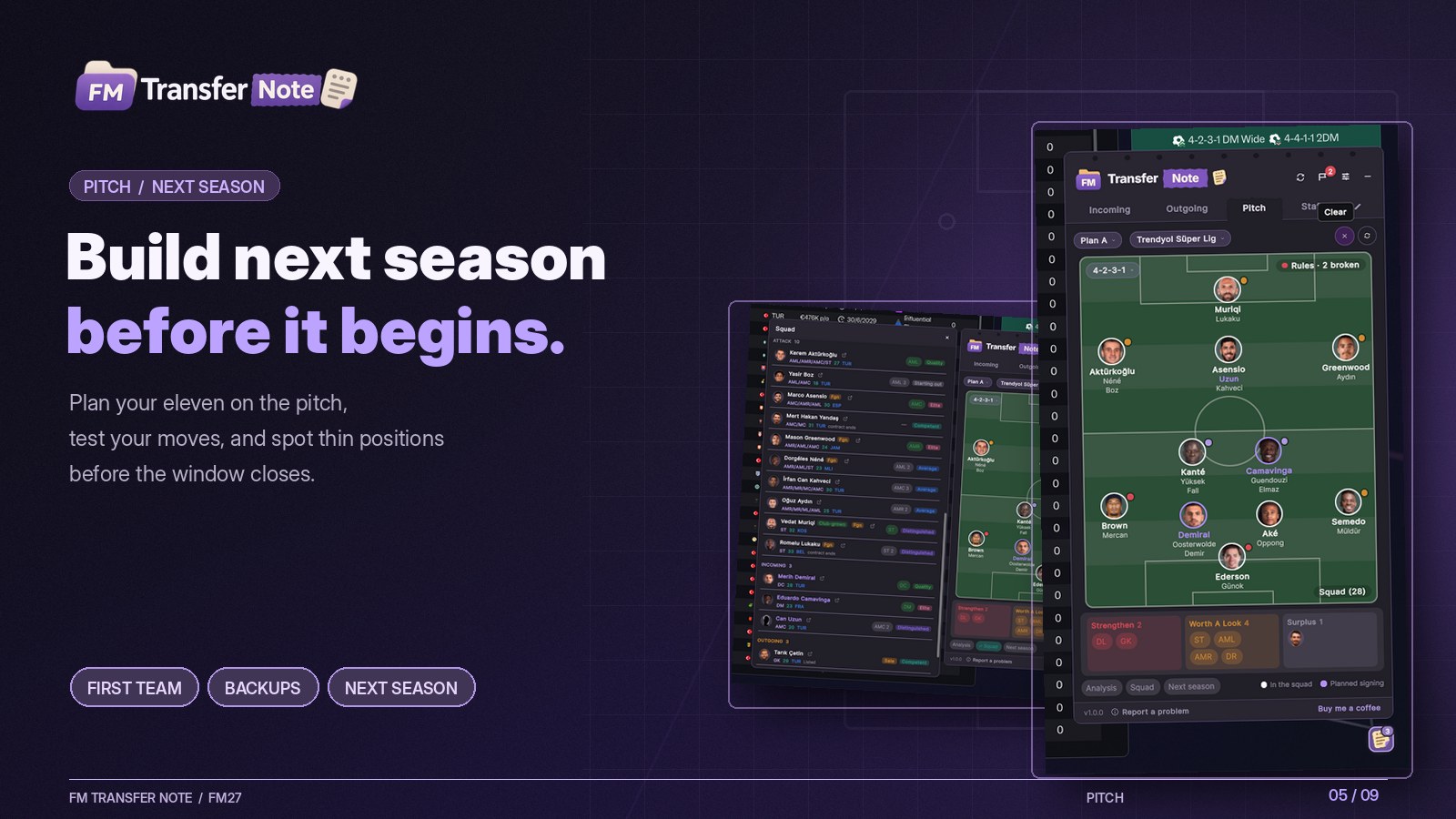
Next season’s squad on your formation (Image: codexx01)
Who is it for
It is for players who go the natural way, trusting their scouts rather than numbers. The plugin never shows CA or PA and does not search the database for you. Instead, it only works with your shortlists and your squad, and shows just a broad level such as Competent or Distinguished, which you can switch off in the settings. If you would rather see every number, our FMPT Chief Analyst is FMPortugal’s free scout and editor.
FM Transfer Notes also comes in eight languages, Portuguese included. Notes are kept per career, each in its own folder, and there is a light and a dark theme.
FM Transfer Notes download
The version is 1.0.0, from 12 November, in a zip of about 5 MB. It works on Windows and Mac, but needs BepInEx 6 (IL2CPP) installed in FM27.
Download – FM Transfer Notes v1.0.0
- First, make sure BepInEx 6 (IL2CPP) is in your FM27 folder.
- Then copy the
BepInExfolder from the zip into the game folder. You should end up withBepInEx\plugins\FMTransferNotes\FMTransferNotes.dll. - Finally, start the game, load a career and click the round button or press
Ctrl+Shift+T.
Things to know
The plugin only reads the game. It does not touch FM27’s files or your save. The one exception is the transfer and loan list, and only after you click Yes. When a new version is out, the plugin’s footer tells you. To update, just replace the DLL, and your notes stay as they are. If you do not have BepInEx yet, the 3D Live Action Cam article has one ready for FM27.
The files are hosted by their original authors. FMPortugal only points to the official download page — all credit goes to their creators.
Did you make this download? Manage it on FMPortugal →