FMSidebar FM27 brings back the FM24 navigation sidebar that many players have missed since the new menu arrived. It is not a skin: it is a mod that runs on its own through BepInEx, so it works with whatever skin you already use. It is by fmsidebar, it is free and it is Windows only.
What FMSidebar FM27 does
The mod adds a column on the left of the screen with 18 shortcuts: Inbox, Squad, Tactics, Training, Scouting, Transfers, Finances and more. The page you are on stays highlighted and every icon has a tooltip. Also, the bar can collapse, and it scrolls when everything does not fit.
During matches, the sidebar hides itself and comes back once the game is over. If you want to hide or show it at any other time, just press F8.
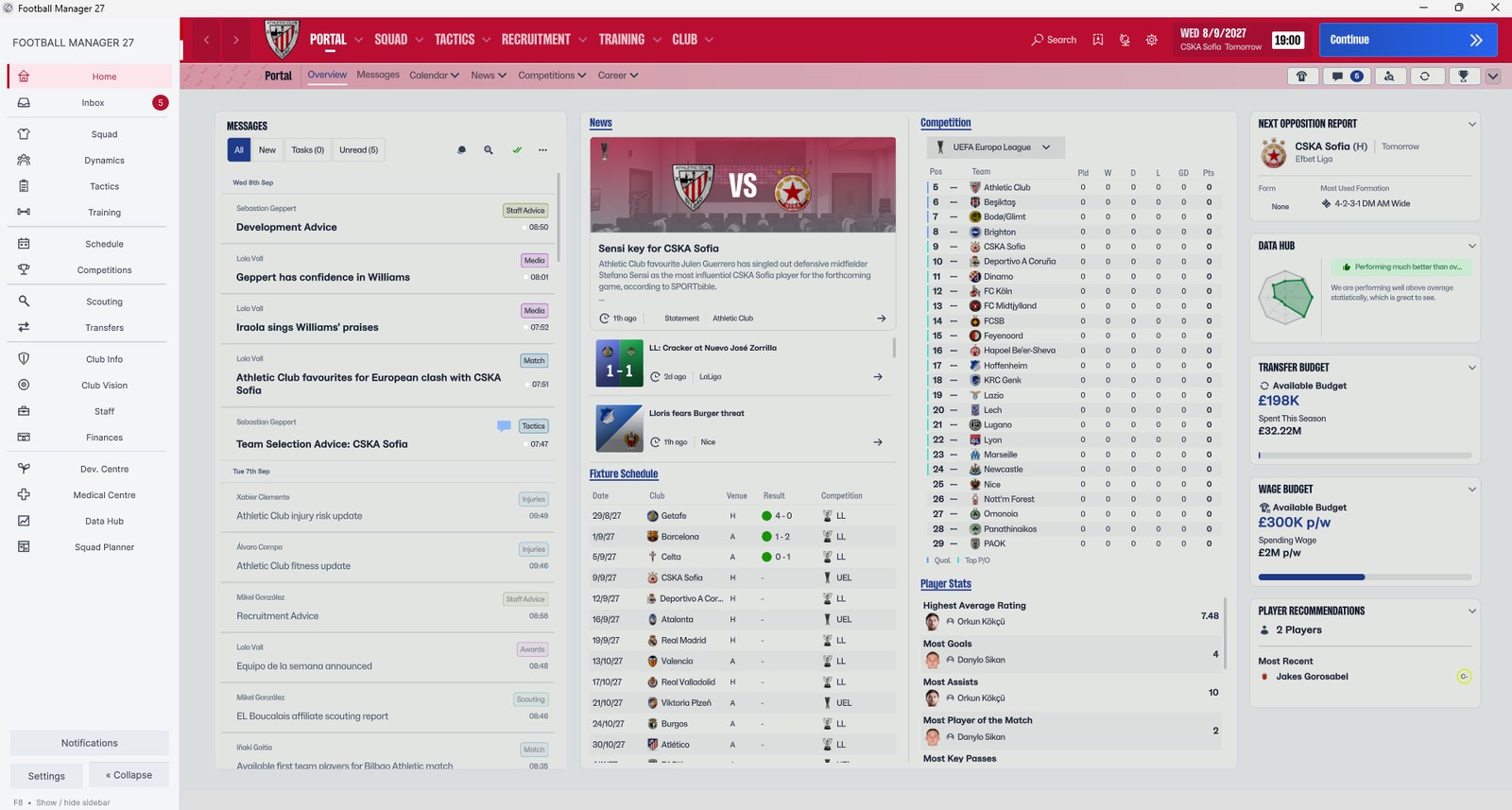
The light sidebar on the FM27 Portal (Image: fmsidebar)
Notifications and looks
The sidebar also tells you what is waiting. For example, it shows how many unread messages you have and how many transfer offers need a reply. You can also switch on pop-up alerts for when those counts go up, and there is a panel with recent notifications. However, the alerts stay quiet during matches.
Then there is an in-game settings panel, with a live preview and Save and Cancel buttons. There you pick the light or dark theme, an accent colour (red, blue, green, purple and others) or your own HEX code. You can also set the bar’s width, text size and spacing, and choose to show icons, labels or both. Finally, your choices are saved for the next time you play.
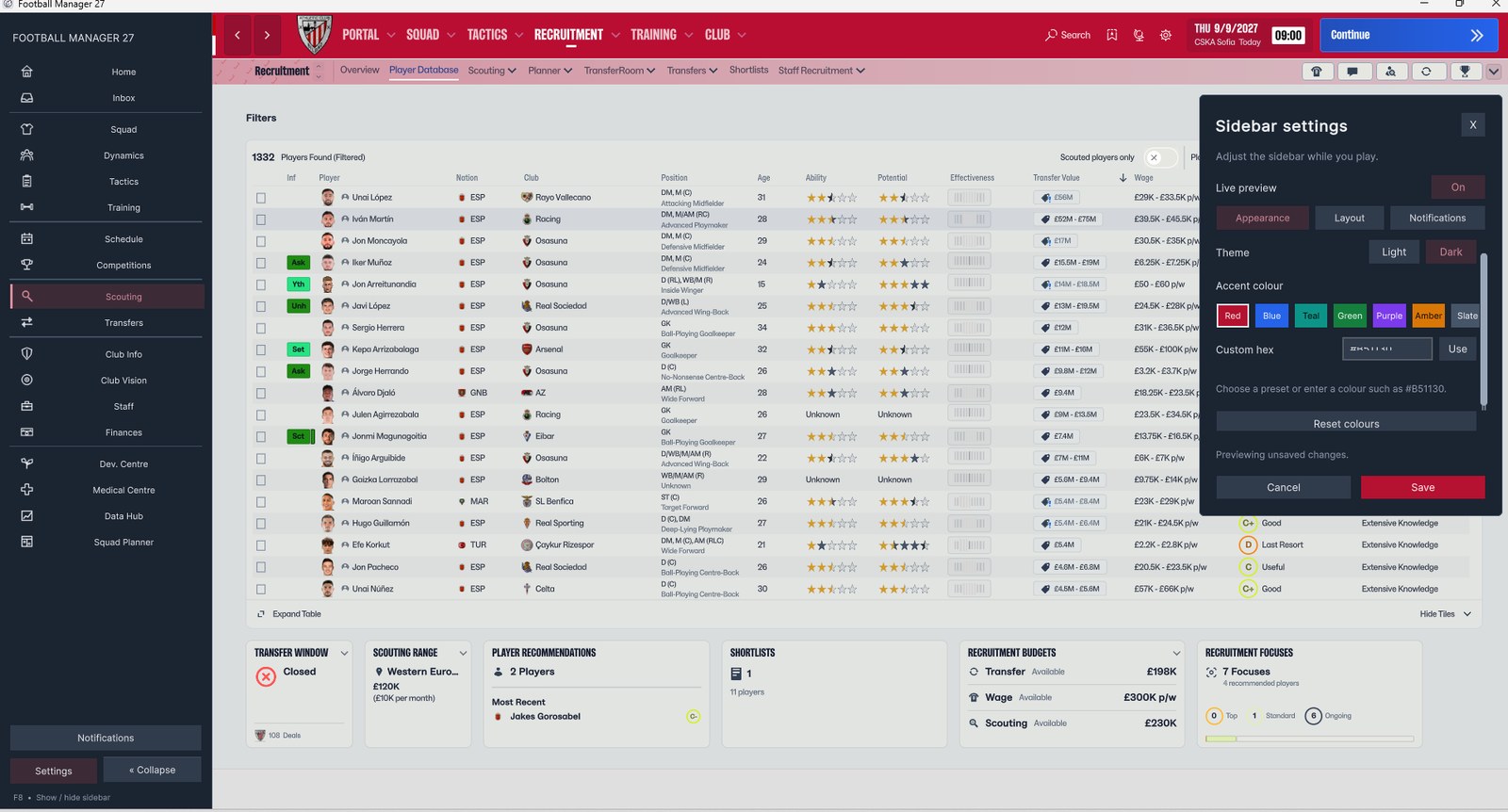
The dark theme and the accent colour options (Image: fmsidebar)
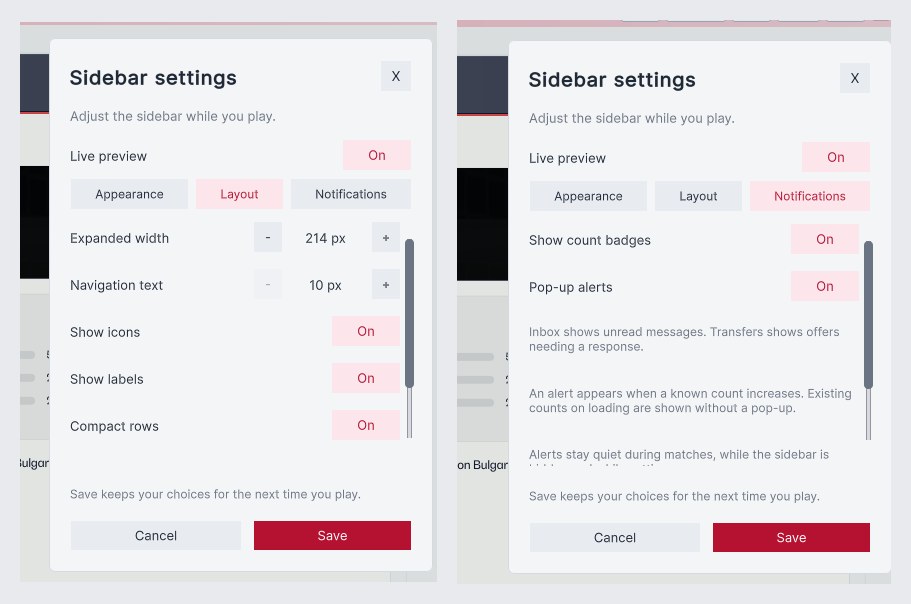
The layout and notification options (Image: fmsidebar)
Who it is for
It is for anyone who got used to the sidebar in earlier games and keeps getting lost in the FM27 menus. Since the mod works separately, you can pair it with your favourite skin. To install and switch skins without hassle, use our FMPT Skin Manager. If you would rather have the sidebar built into a skin, the Comeback Skin takes a different route. You can also browse every option in our FM27 skins index.
Download FMSidebar FM27
The current version is V4 beta (v0.4.4). It only works with FM27 on Windows; Mac is not tested or supported. Also, you need BepInEx, which is not included. The download is in the «Download Free» section of the official site.
Download – FMSidebar (official site)
The mod is free for good, with no paid tier. If you like, you can tip the author on Ko-fi.
- First, download the ZIP and extract the whole package.
- Then close FM27 and run
Install.bat. If asked, pick the FM27 folder that holdsfm.exe. - If BepInEx is missing, the installer opens the
Setup.htmlguide that comes in the package. Follow it to install the compatible BepInEx build by hand. - Next, start FM27 once so BepInEx can create the files it needs, and close the game.
- After that, run
Install.batagain. - Finally, start FM27 and load a save. The sidebar appears on its own.
Things to watch
The installer checks your game version and warns you about unsupported versions or modified files. So after an FM update, you may need to wait for a new version of the mod. Since it is still a beta, it is best to try it on a save you do not care about first. To remove it, close FM27 and run Restore.bat from the package: it puts back the files the installer backed up.
See all FM27 skins in our FM27 skins index: dark, light, sidebar and retro looks.
The files are hosted by their original authors. FMPortugal only points to the official download page — all credit goes to their creators.
Did you make this download? Manage it on FMPortugal →