FM Creation Center 27, or FMCC27, is a free Windows app that brings your FM27 save’s players, clubs, staff and graphics together in one place. Made by FMCC, it lets you pick player faces from a gallery, change badges and 2D kits and edit attributes with the game open. The public version will also stay free.
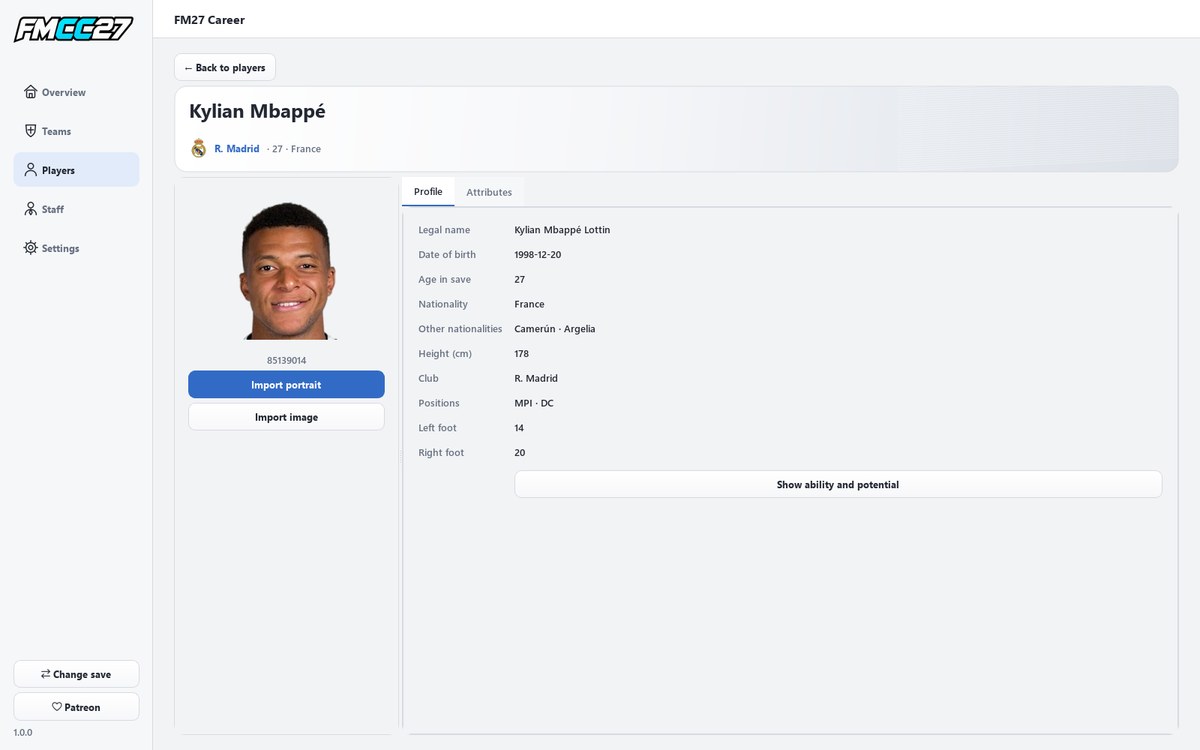
A player profile, with the option to change the portrait (Image: FMCC)
What FM Creation Center 27 brings
- Players, clubs and staff: separate sections, with search, filters, profiles and squads.
- Face gallery: for example, pick one of the available images for each player or import your own, with the right proportions.
- Badges and 2D kits: change badges and import home, away and third kits.
- Attributes and positions: technical, mental and physical attributes, the position map and the key attributes for each role.
- Attribute editing: you can also edit player and staff attributes with FM27 open.
- No spoilers: ability and potential stay hidden until you choose to see them.
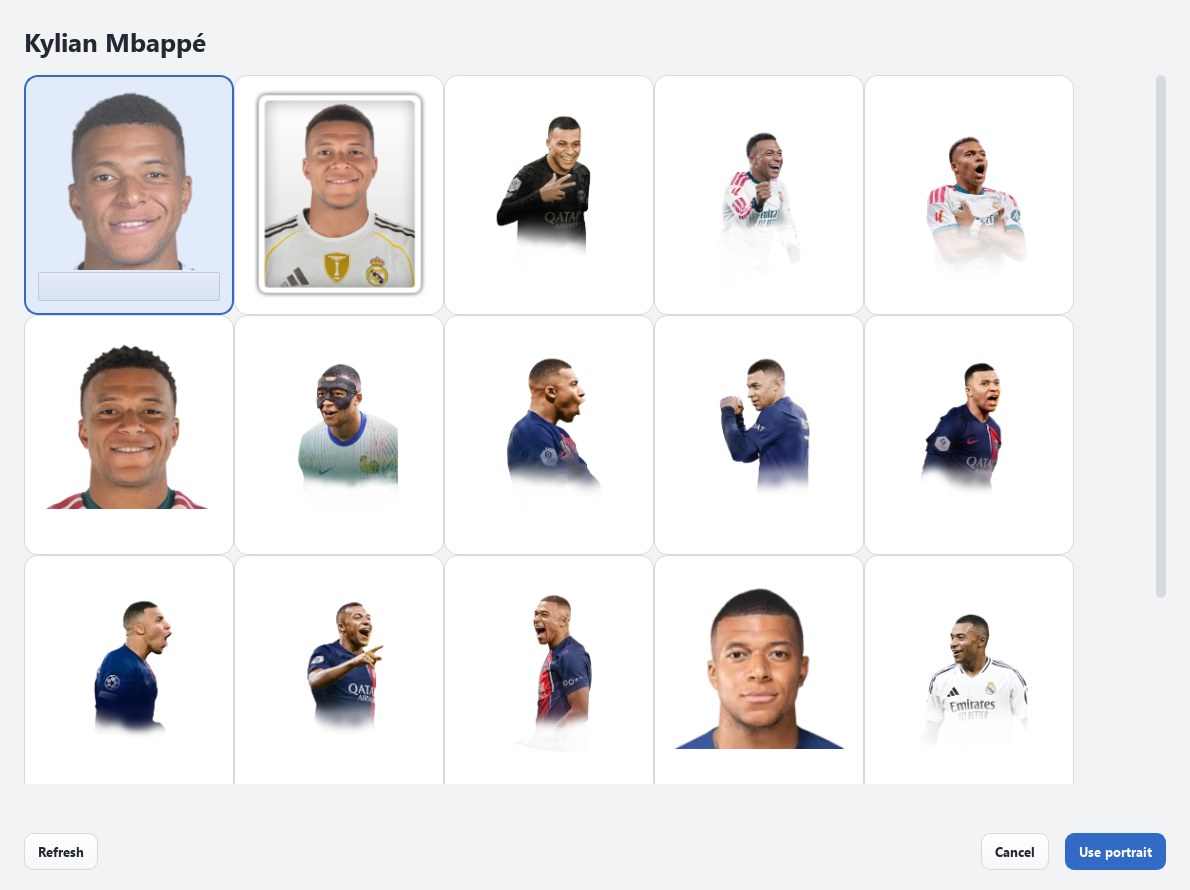
The face gallery, to pick each player’s image (Image: FMCC)
There is also a history of the images you picked and the attributes you changed, light and dark themes and five languages, Spanish included. Finally, the app tells you when a new version is out.
FM Creation Center 27 download
The version is 1.0.0 and the installer is about 31 MB. The author publishes it on Patreon, in a free post, so you do not need to pay anything. However, there is an optional 10-dollar tier for anyone who wants to test beta versions first.
Download – FM Creation Center 27 v1.0.0
- First, download
FMCC27-1.0.0-Setup.exefrom the Patreon post and run the installer. - Then open the app, pick your language and load your FM27 save.
- Next, choose the
graphicsfolder in the game’s documents and wait for the first load to finish. - Finally, to edit attributes, keep FM27 open and paused, with the same save loaded. Go to Attributes, click the pen, change the values and click the pen again.
Things to watch
After editing attributes, save the game inside FM so you keep the changes. However, after changing graphics, you need to close FM27 completely and open it again. Also, this is a first version, so back up your save before editing. Finally, attribute editing needs a compatible game build, and 3D kits are not confirmed yet.
The files are hosted by their original authors. FMPortugal only points to the official download page — all credit goes to their creators.