If you play FM27 on a 1080p screen, you know the interface is big and you are always scrolling. Resolution Unlocked FM27 adds a new resolution to the game’s list, with three interface sizes to choose from. It was made by Jake Coombes (J4K3AFC on X), it is free and it works as a small BepInEx plugin. Also, the normal resolutions are still there, so you lose nothing.
⬇️ Jump to the download: Windows (Steam) v1.1
What Resolution Unlocked FM27 does
Once installed, a 1920×1080 Unlocked option shows up in the preferences. When you pick it, the game lets you choose between three interface sizes:
- Large: the normal FM27 sizing at 1080p.
- Medium: more information on screen. It also adjusts the screens that allow it, so you scroll the whole page less.
- Small: the most compact interface. So you see more without switching panels.
On the other hand, the usual resolutions stay in the list, including 2560×1440. In other words, if you do not like it, you go back to yours in two clicks.
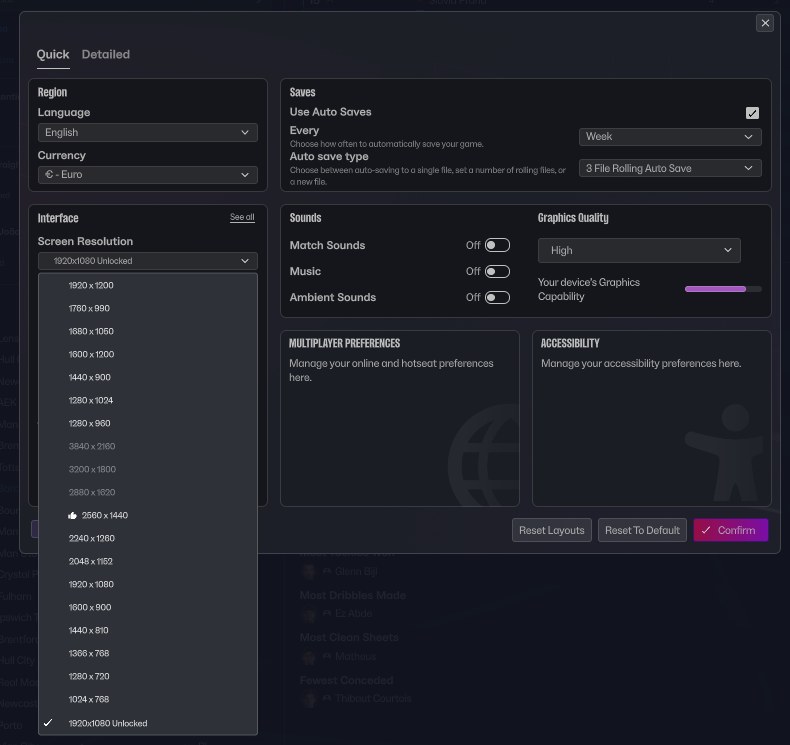
The 1920×1080 Unlocked option at the end of the resolution list (Image: Jake Coombes)
The difference on screen
The player profile is the best example. At Large, the profile fills the screen with big text and empty space around it. At Small, however, the attribute chart, training and form all fit at once. The Portal also shows more fixtures and more messages without scrolling.
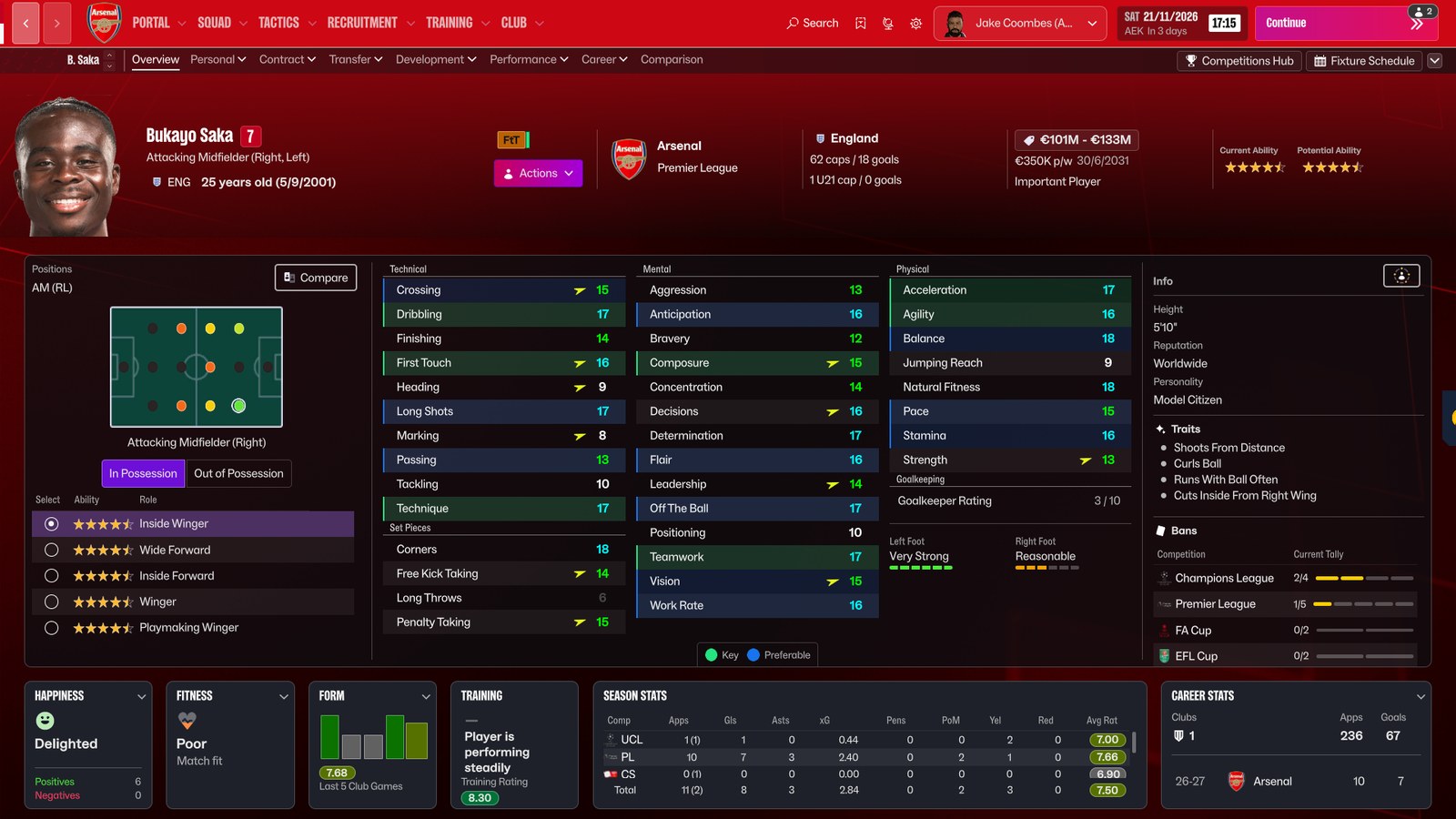
The player profile at Large (Image: Jake Coombes)
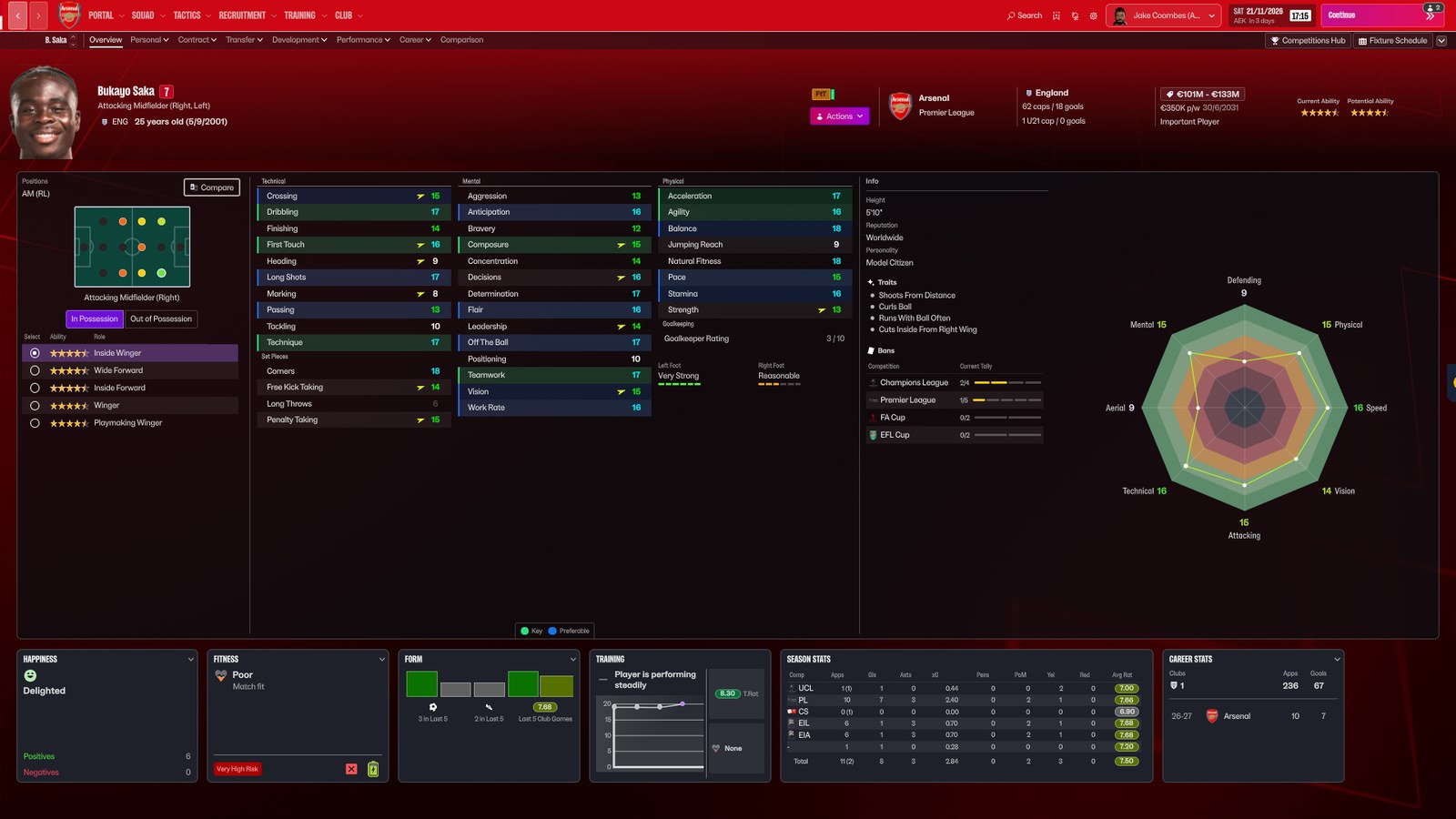
The same profile at Small, with much more information (Image: Jake Coombes)
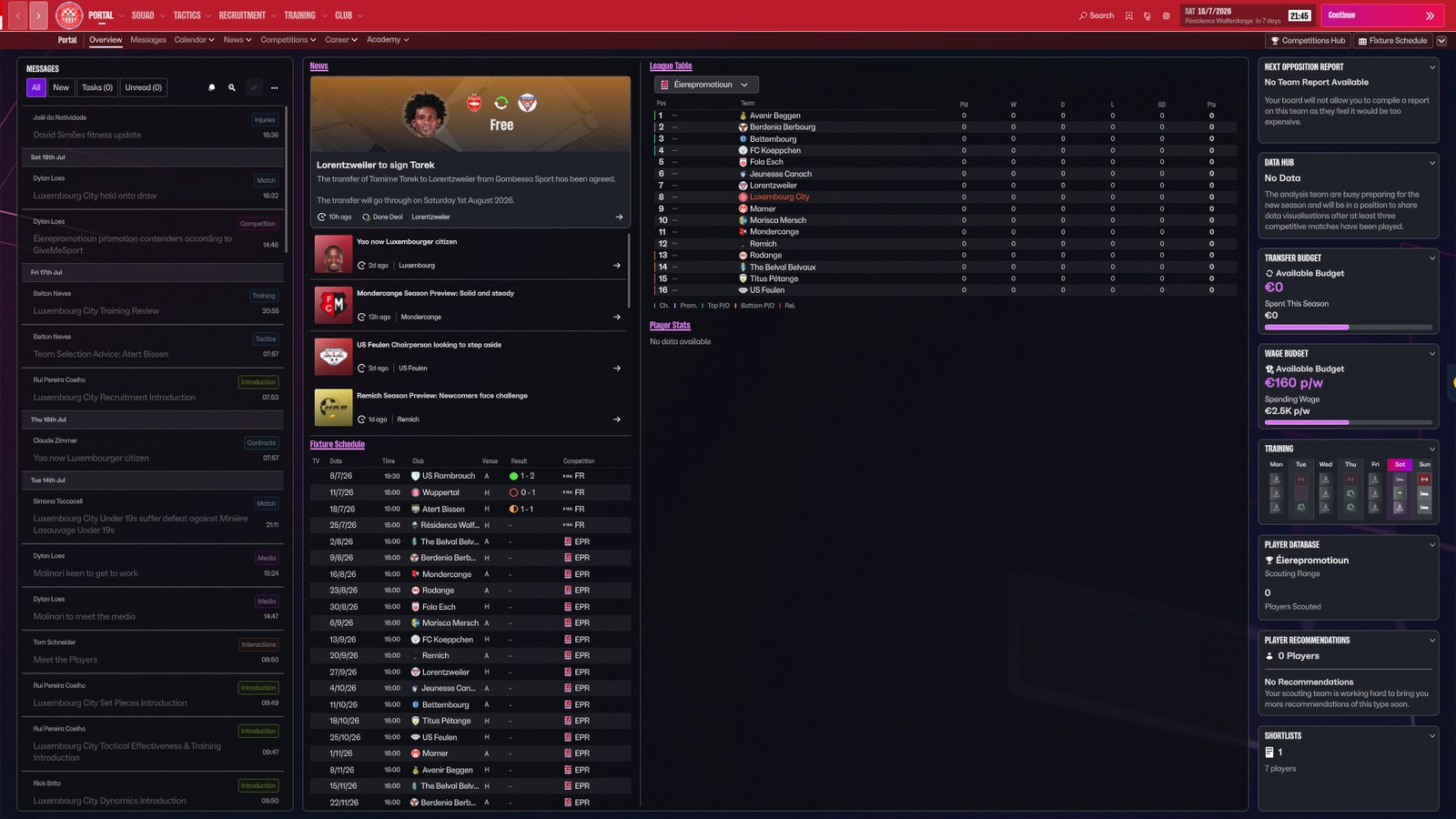
The Portal at Small (Image: Jake Coombes)
Who it is for
It is for anyone with a 1080p monitor or laptop who feels FM27 wastes space. It also suits players who like lots of data at once, as in older FM games. If you use skins, note that the author only tested it with the base skin and a skin of his own still in progress. So manage yours with FMPT Skin Manager and switch back to the base skin if something looks off. Then pick another one from our FM27 skins index. Finally, for wide screens, the ultrawide views also help you use the space.
Download Resolution Unlocked FM27
The Windows (Steam) and Game Pass files are version 1.1, from 15 November, which stops laptop screens getting stuck in windowed mode when the mod is on. The Mac file is from 14 November. They are tiny: 13 KB for Windows (Steam), 18 KB for Game Pass and 15 KB for Apple Silicon Macs. However, the author warns that the Mac and Game Pass builds have had less testing.
Download – Windows (Steam) v1.1
Playing on Game Pass or Mac? Use the file made for your setup:
Download – Game Pass v1.1 Download – Mac (Apple Silicon)
The mod needs BepInEx 6, which is not in the ZIP. If you do not have it yet, also download this package, ready to copy into the game folder:
- First, close FM27. The mod needs BepInEx, the mod loader the other FM27 plugins use, and BepInEx is not in the ZIP. If you do not have it yet, install it first with the package above.
- Then open the game folder and go into
BepInEx\plugins. - Next, extract the ZIP there. With the Steam version, you should end up with a
ResolutionUnlockedUniversalfolder withFM27.ResolutionUnlocked.Universal.DLLinside. - Now start the game and open the preferences. Under Screen Resolution, choose 1920×1080 Unlocked.
- Finally, pick the interface size (Large, Medium or Small) and click Confirm.
Things to watch
On Game Pass, do not use the Steam file: one player who tried it got a Steam manifest not found error. With other skins, results may vary. For example, one player found the Priisek skin profile still scrolled at 1080p on Large. The author also asks skin makers to get in touch so he can improve compatibility. If something goes wrong on Mac or Game Pass, you can contact him on X. To remove it, switch back to a normal resolution first, then delete the mod’s folder from BepInEx\plugins.
The files are hosted by their original authors. FMPortugal only points to the official download page — all credit goes to their creators.
Did you make this download? Manage it on FMPortugal →