FM Tactic Generator opens your FM27 save and suggests up to three tactics built for the players you actually have. It is made by alanaw, and it starts from a simple question: what is the best way to play with this squad? It also goes beyond the starting eleven, because it explains every choice and lets you change anything on the pitch.
What FM Tactic Generator does
First, you load a .fm file from your computer and search for a club. You can analyse your own team or the first team of any other club in the save. Since version 0.026, you can also pick men’s and women’s national teams and work with the players called up.
Then you click Suggest Tactic and choose a philosophy. There are broad options such as Attacking, Balanced or Defending, plus specific styles like Gegenpress, Tiki-Taka, Wing Play or Route One. Not sure? Let the app decide, and it will test every style against your squad.
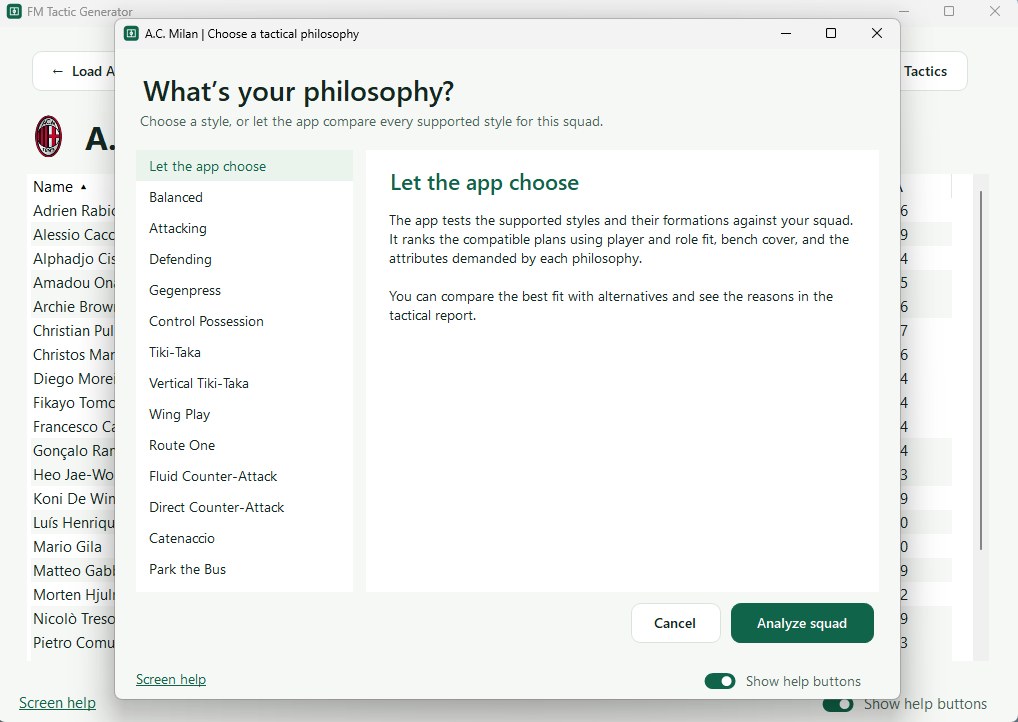
Picking a philosophy, or letting the app choose (Image: alanaw)
Finally, you get up to three suggestions side by side. Each one shows the eleven, the in-possession and out-of-possession shapes, the roles, the team instructions and a recommended bench. You can also lock a player into the side, rule another out through injury or force a position, and then run it again.
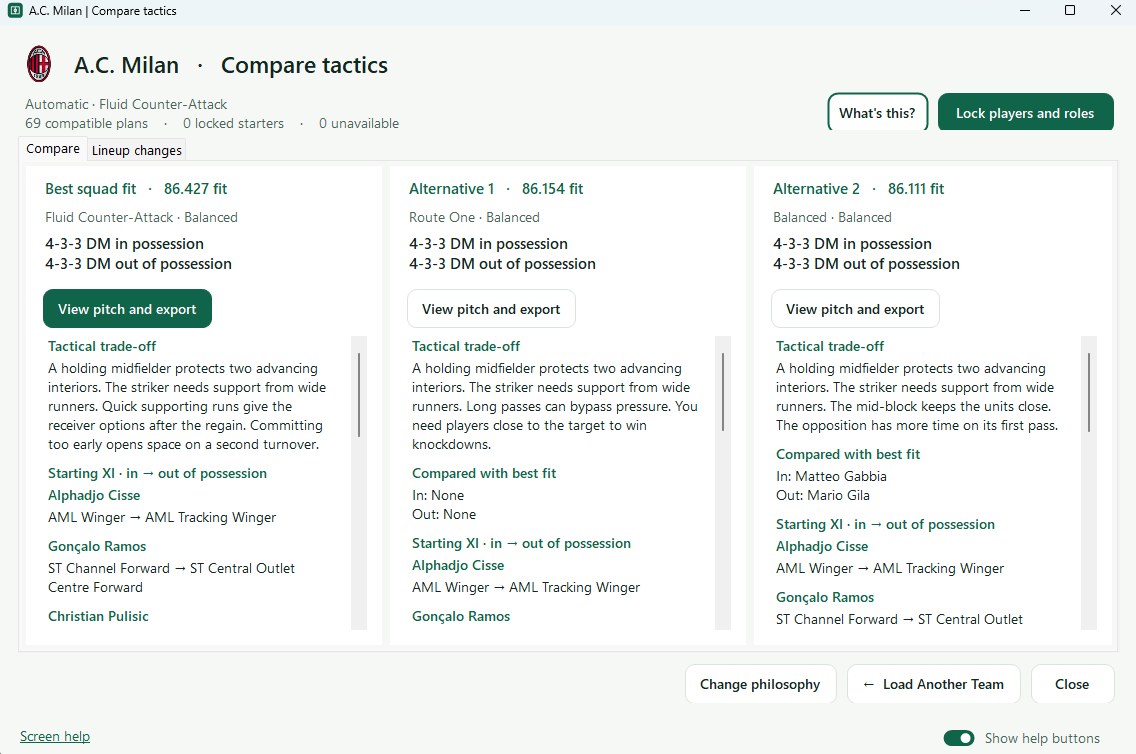
The best fit and two alternatives, each with its own score (Image: alanaw)
How it builds the tactic
The app combines two things. On one side, there is a catalogue of FM27 positions, roles and instructions, split between In Possession and Out of Possession. On the other, there is a coaching library drawn from UEFA, FIFA and English FA material. So it checks things like playing out under pressure, the press and cover on the flanks.
Every player gets a score for the job he is given. In that sum, positional familiarity across both phases counts for 46%, with extra weight on the weaker phase. Then come the role attributes (26%), Current Ability (18%) and the overall profile (10%). As a result, the app may prefer a more balanced eleven over one with higher-CA players.
The author is upfront about this: the score is an estimate. In other words, it gives you a good reason to try something, but only matches in FM will tell you if it works.
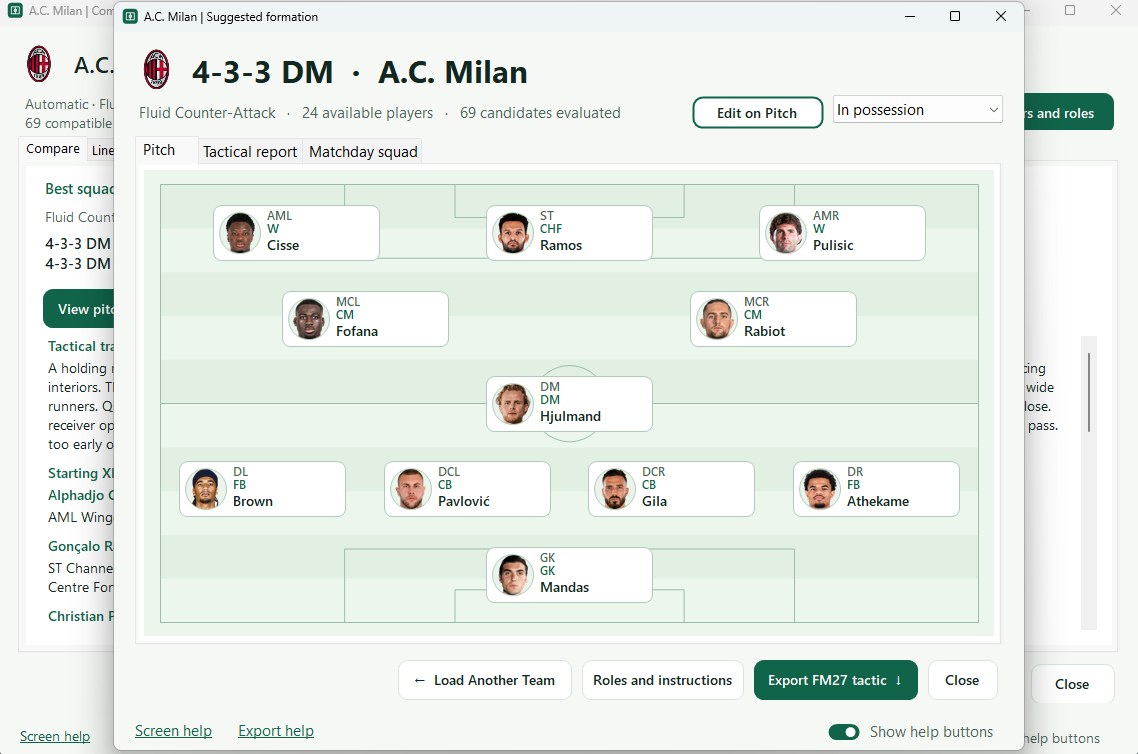
The suggested eleven, with each player’s position and role (Image: alanaw)
Edit, save and export
In Edit on Pitch, the original tactic sits on the left and your version on the right, each with its own score. You drag players to swap positions, change roles and open the team instructions. The Why this score? button also shows what pushed the score up or down. Then you save your versions in My Tactics, for example one for home games and another for away trips.
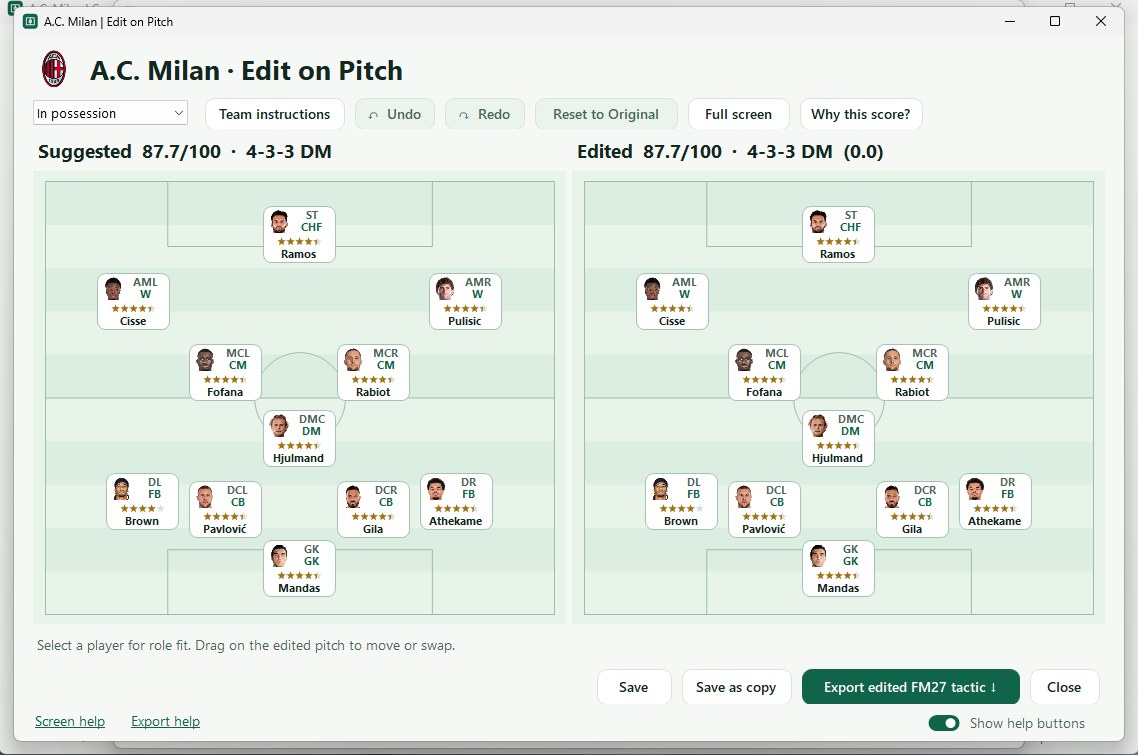
The suggested tactic and your version, side by side (Image: alanaw)
Windows users get a few extras. The app can grade a .fmf tactic you already use and try to improve it while keeping its shape. It also exports tactics as .fmf files, ready to load in FM27. Finally, Improve my squad tells you what kind of player you are missing and scouts your save for candidates in a given role.
Who it is for
It is for anyone who wants a tactic shaped around their squad and, above all, wants to understand why it works. If you would rather have a full report with instructions and set pieces, also try FM27 Tactic Builder by Dixnnn, which is a different tool. Then, to test the tactic against the match engine, look at FM Tactics Lab. And FM27 Trainer helps you tune training for the new system.
Download FM Tactic Generator
The version is 0.033, from 12 November 2026. With it, the Mac build can export suggested and edited tactics as .fmf files, with the formation, roles and instructions for both phases. Before that, 0.032 redesigned all 46 team and player instruction cards, and 0.031 added individual instructions for each player, based on attributes, role and team setup. To see them, click the player’s portrait.
The 64-bit Windows installer is about 15 MB. The Mac build, however, is still a preview: it is about 74 MB, runs on Apple silicon and Intel and needs macOS 15 or later. The app also checks for updates by itself when it starts.
Download – Windows v0.033 Mac (preview) v0.033
Windows
- First, run
FM-Tactic-Generator-0.033-Setup.exeand follow the installer. - Then open the app, click Load Save Game and pick your
.fmfile. - Next, search for the club, load it and click Suggest Tactic.
- Finally, to take the tactic into the game, export it as
.fmf. In FM27, use Load Tactic, open the file and pick the players shown in the app’s eleven.
Mac
Unzip the download and open Install FM Tactic Generator. Then follow steps 2 and 3. On either system, press F1 (or Help → Guide) for the in-app guide.
Things to watch
On the first day, some antivirus tools flagged the installer as a trojan. The author says it is a false positive from automated detection and that he is working to get rid of it. Still, if you are not comfortable with that, wait for a newer build.
There were also export errors on Steam and Xbox Game Pass, which the author says an update has fixed. So close the app and open it again to let it update. However, grading a tactic you already have does not yet work with the 12 November FM27 build. To uninstall on Windows, remove the app in Settings → Apps, like any other program.
The files are hosted by their original authors. FMPortugal only points to the official download page — all credit goes to their creators.
Did you make this download? Manage it on FMPortugal →