Have you ever wondered whether that higher press really wins games or whether it was just luck? FM Tactics Lab, by lqf0624, answers with numbers. It uses the original FM27 match engine, which you already have installed, to play hundreds of matches with your tactics. So you can compare goals, xG, shots, possession and passing between two versions of the same tactic. It is free, open source (MIT licence) and runs on Windows.
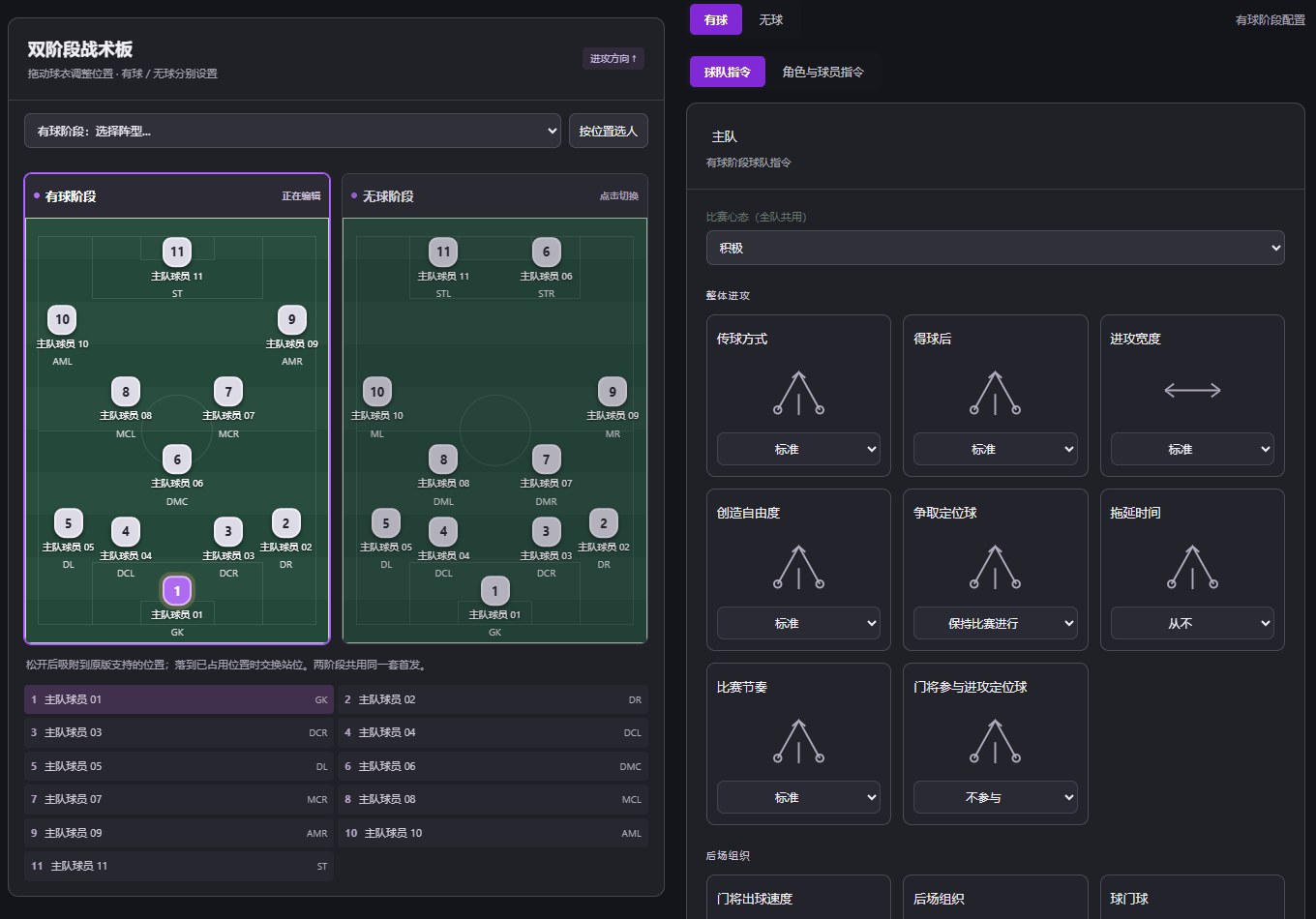
The tactics board, with the in-possession and out-of-possession phases side by side (Image: lqf0624)
What FM Tactics Lab does
- The game’s own engine: first, it loads the engine from your FM27 install and plays complete matches in the background, without showing the pitch.
- Import tactics: open
.fmffiles for both teams and keep editing them, with the In Possession and Out of Possession phases handled separately. - Your own setup: drag shirts to change positions, pick roles and individual instructions, and adjust mentality, passing and pressing. Also, set pieces have their own tab.
- Editable squads: for example, change each player’s attributes and positional familiarity on both sides, and save everything to a JSON file.
- Batch tests: set the starting seed, the number of matches per variant and how many matches run at once.
- Results and export: finally, see averages, single matches and the engine’s own stats, and export each result to CSV.
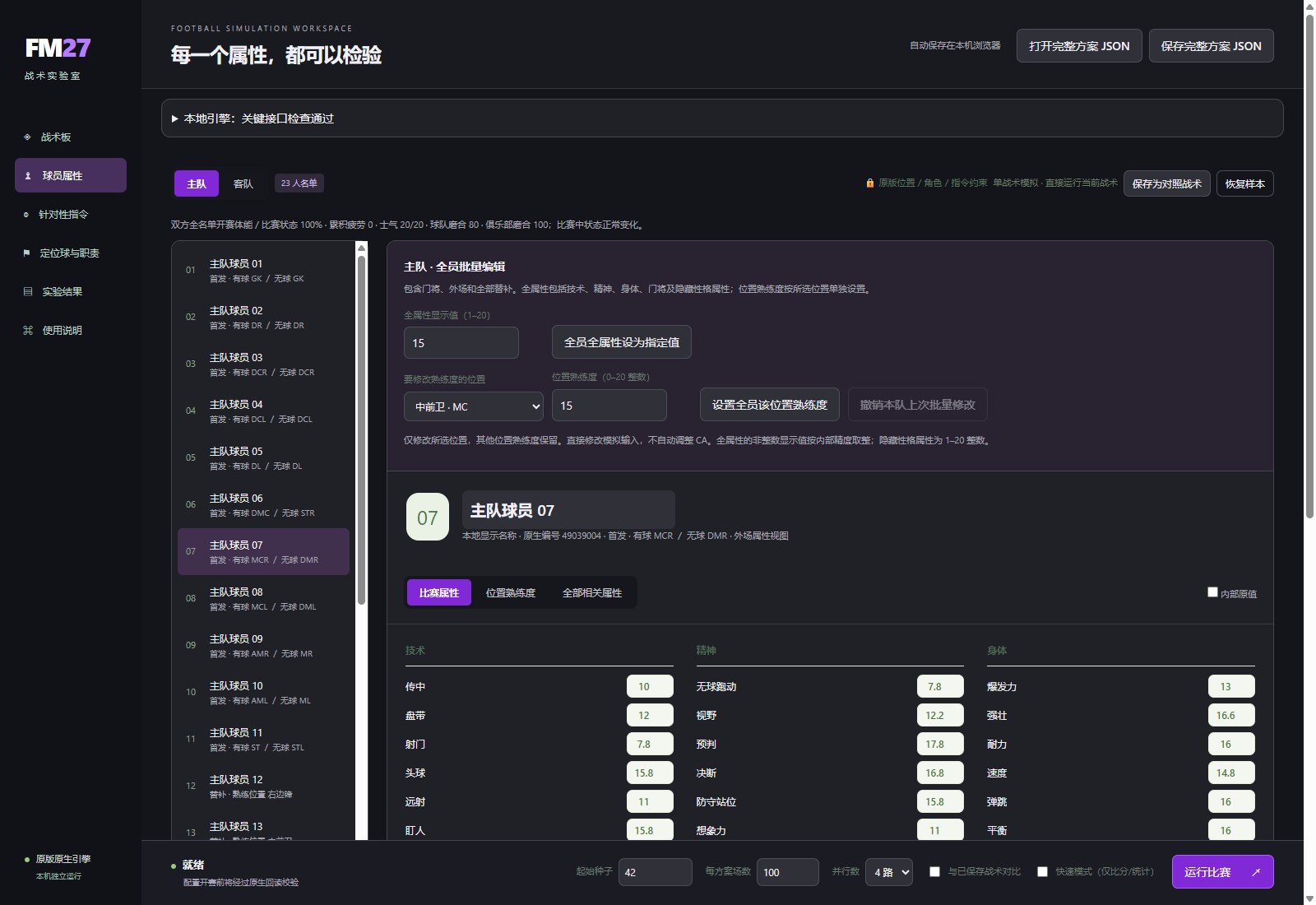
Editing player attributes and positions (Image: lqf0624)
How a comparison works
The trick is in the random seeds. When you compare your saved tactic with an edited version, both play with the same seeds. So the difference really comes from the change you made. For example, to test more pressing, save the original tactic, raise the pressing and turn on the option to compare with the saved tactic. With 100 matches per variant, the tool plays 200 matches in total.
There are two modes. Quick mode plays complete, detailed matches but collects fewer player events. Full mode also gathers scorers, assists and cards. In both, the teams start with condition and sharpness at 100%, top morale and fixed cohesion. In other words, the comparisons are fair, but in your career fatigue, injuries and morale still matter.
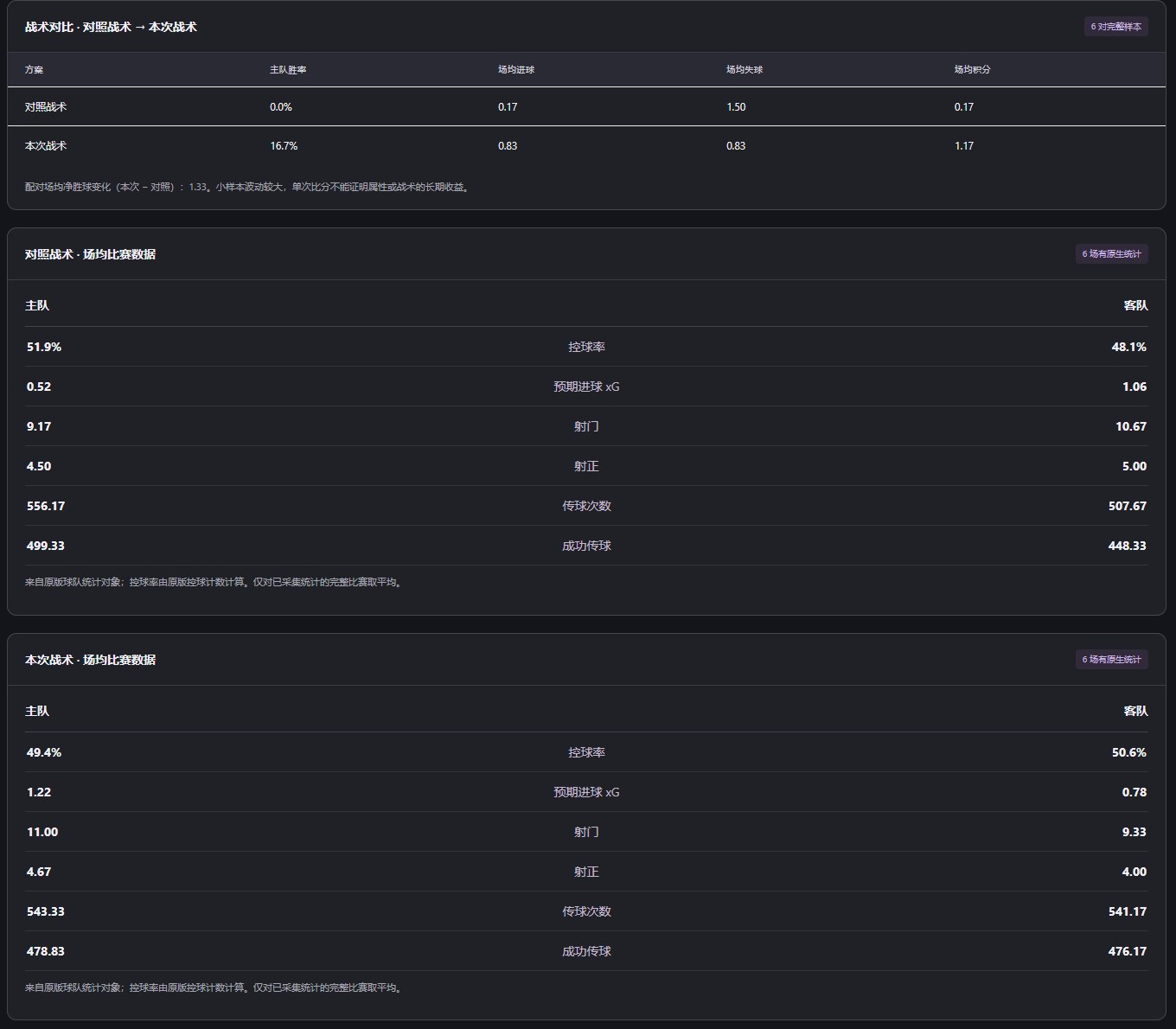
Two tactics compared over six matches each, with xG, shots, possession and passing (Image: lqf0624)
Who it is for
It is for anyone who likes building tactics and wants proof before taking them into a career. So you stop changing everything after one defeat and start checking whether an edge holds over many matches. But be aware: the interface is in Chinese. The author has an English guide that explains every control, with the Chinese labels next to them, so it is still easy to use. Even so, it is not for in-game changes, because each match runs from start to finish without interventions.
FM Tactics Lab download
The latest version is v1106, from 6 November, a 12 MB .exe for 64-bit Windows with Python bundled. It fixes the status that got stuck on «Checking local engine» and lets you pick the game folder by hand again. You need FM27 installed and Steam open with the account that owns the game. The reference build is 27.0.0+2493426.
Download – FM Tactics Lab v1106
English guide – FM Tactics Lab on GitHub
- First, open Steam and sign in with the account that owns FM27.
- Then download
FM27-Tactics-Lab-v1106.exeand open it. If you had an older version, close it completely, including its tray icon. - Next, confirm the game folder. The tool finds it on its own, but you can pick the folder containing
fm_Dataandsharedin the engine settings at the top. - After that, import your tactic in 战术板 (Tactics Board) and choose both starting line-ups.
- Finally, set the number of matches and click 运行比赛 (Run Matches). Start with a small batch to check everything is right.
Things to watch
The tool is very new. So an FM27 update may stop the engine from starting until a new version comes out. Also, the mode for playing against a team from a career save is not available yet. Results from a few matches vary a lot. So use several seed sequences and other opponents, and swap home and away, before drawing conclusions. The SHA256SUMS.txt file on the releases page lets you verify the download. If you would rather analyse the players in your save, see fmsave.
The files are hosted by their original authors. FMPortugal only points to the official download page — all credit goes to their creators.