FM2FC swaps player faces in FM27 for an FC-style card, with the overall, position, six face stats, nation flag and club badge. Made by Bunhgi, it works the card out from the player’s current attributes, so it changes as they develop. The game’s awards also unlock EA’s special cards, such as Team of the Week or the Ballon d’Or.
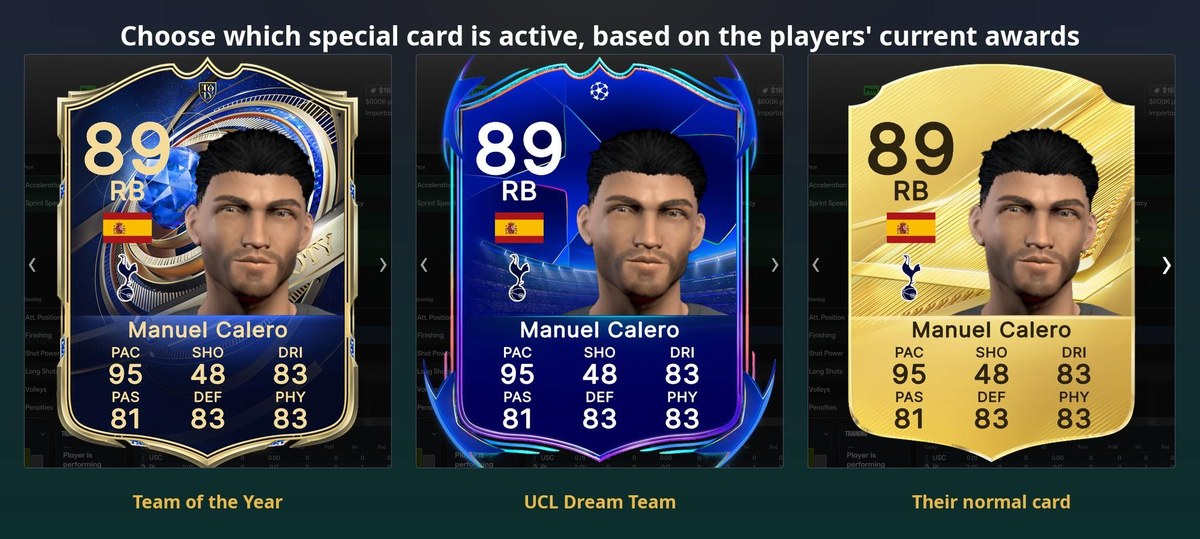
Special cards, linked to each player’s awards (Image: Bunhgi)
Where FM2FC cards show up
- Player profile: in the Player Report and in the pop-up you get when you hover over a name.
- Tactics pitch: for example, a small card per player, with an FC-style team rating.
- During matches: the card shows next to goal, booking and substitution banners.
- FC stats: an FC button next to the attributes swaps them for the detailed FC stats.
- Player lists: you can also add columns with the FC overall and stats and sort by them.
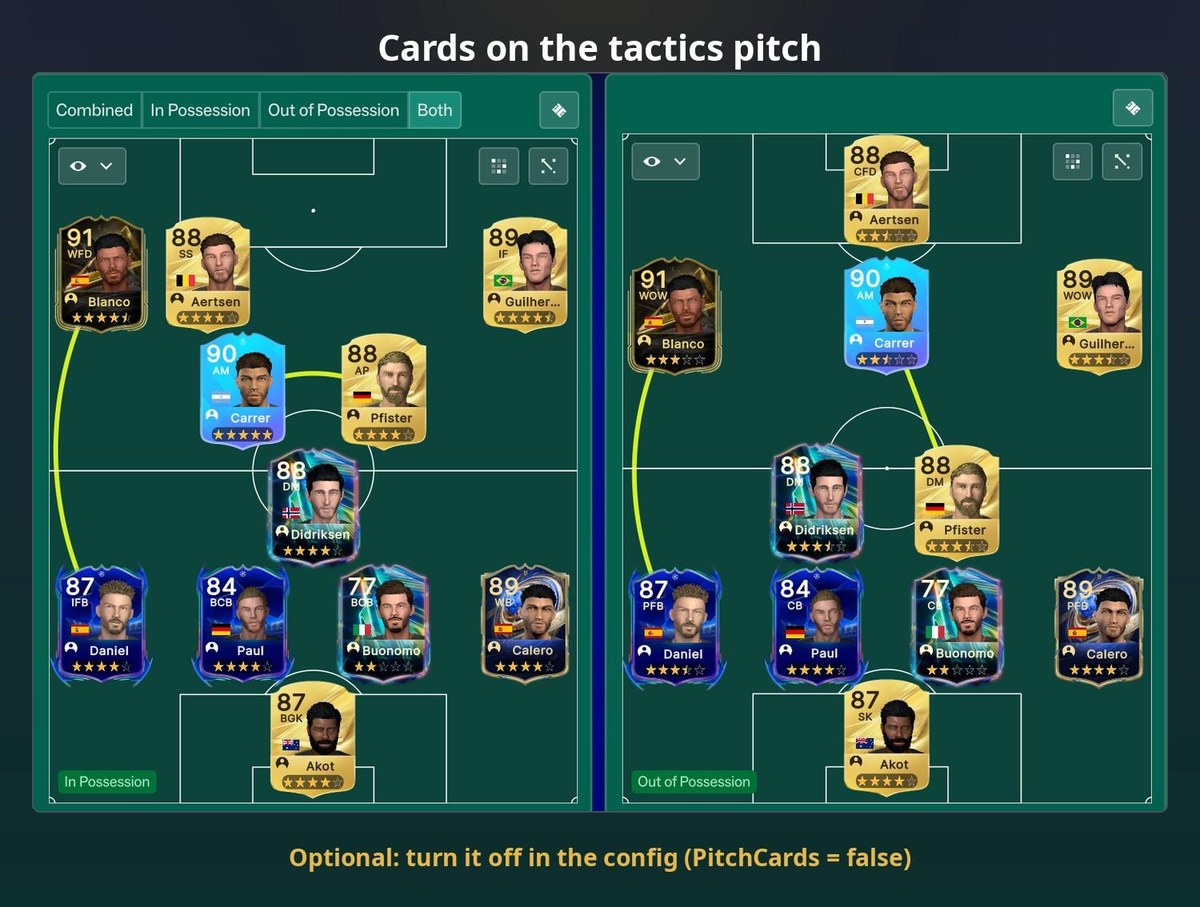
Cards on the tactics pitch, in and out of possession (Image: Bunhgi)
How the cards are worked out
The author matched more than 11,000 real players who are in both games. So each FC stat comes from a mix of FM attributes, and the overall follows FC’s formula for each position. However, the card only uses what the game shows you. In other words, for lightly scouted players you see ranges or a grey card, so it does not give away hidden attributes.
FM2FC download
Version 2.0.0 is the FM27 one. If you still play FM26, use 1.3.4. The mod needs BepInEx 6 IL2CPP, which is not included, and it never touches game files or saves.
Download – FM2FC v2.0.0 (FM27)
BepInEx 6 IL2CPP – official page
- First, if you do not have BepInEx 6 yet, download the «BepInEx-Unity.IL2CPP-win-x64» file and extract it into the game folder, next to
fm.exe. In Steam, you get there by right-clicking FM27, Manage, Browse local files. - Then start the game once, wait for the main menu and quit.
- Next, extract FM2FC and copy the
FM2FCfolder intoBepInEx\plugins. You should end up withBepInEx\plugins\FM2FC\FM2FC.Mod.dll. - Finally, start the game and open a Player Report. The face should now be an FC card.
Things to watch
If nothing shows up, look for the BepInEx\LogOutput.log file. If it does not exist, BepInEx is not loading, and if it does not mention FM2FC, the folder is in the wrong place. Also, in BepInEx\config\fm2fc.mod.cfg you can turn off the columns, the pitch cards, the banner cards and the special cards. Finally, flags, badges and faces come from the graphics you already have installed.
The files are hosted by their original authors. FMPortugal only points to the official download page — all credit goes to their creators.