FM Player Analyzer is a free, open-source app that takes your FM27 player list and tells you your best possible XI, where you need signings and who is worth buying. Made by developer ElectroHugin, it works with FM View Exporter, a plugin by the same author that brings back the list export SI removed from FM27. So you press F9 in the game and take your squad into the app.
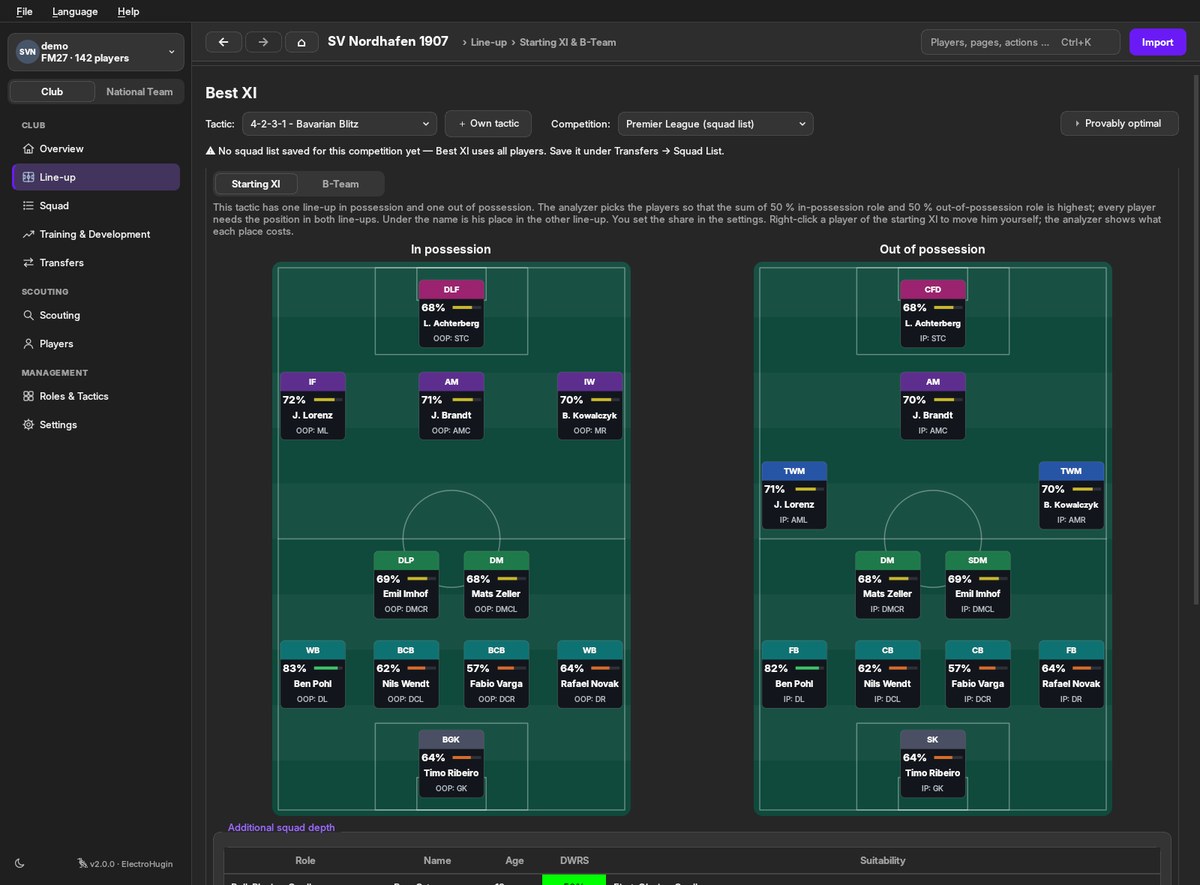
The best XI, in and out of possession, side by side (Image: ElectroHugin)
What FM Player Analyzer does
- Rating per role: every player gets a 0 to 100 rating for every role, which you can compare across positions.
- Guaranteed best XI: the starting XI and B team are worked out together with an exact mathematical method. In other words, no other XI built from your players is stronger.
- Signing advisor: for example, it tries the best players your budget allows in your squad and shows how much each one improves your XI.
- Tactics and scouting: it ranks tactics by how well your squad fits them, and your whole scouting database by the role you need.
- Talent and training: a talent score for youngsters and the training that raises each player’s rating in his role the most.
- Registration: it also helps you register your squad under the rules of eleven leagues and the European competitions.
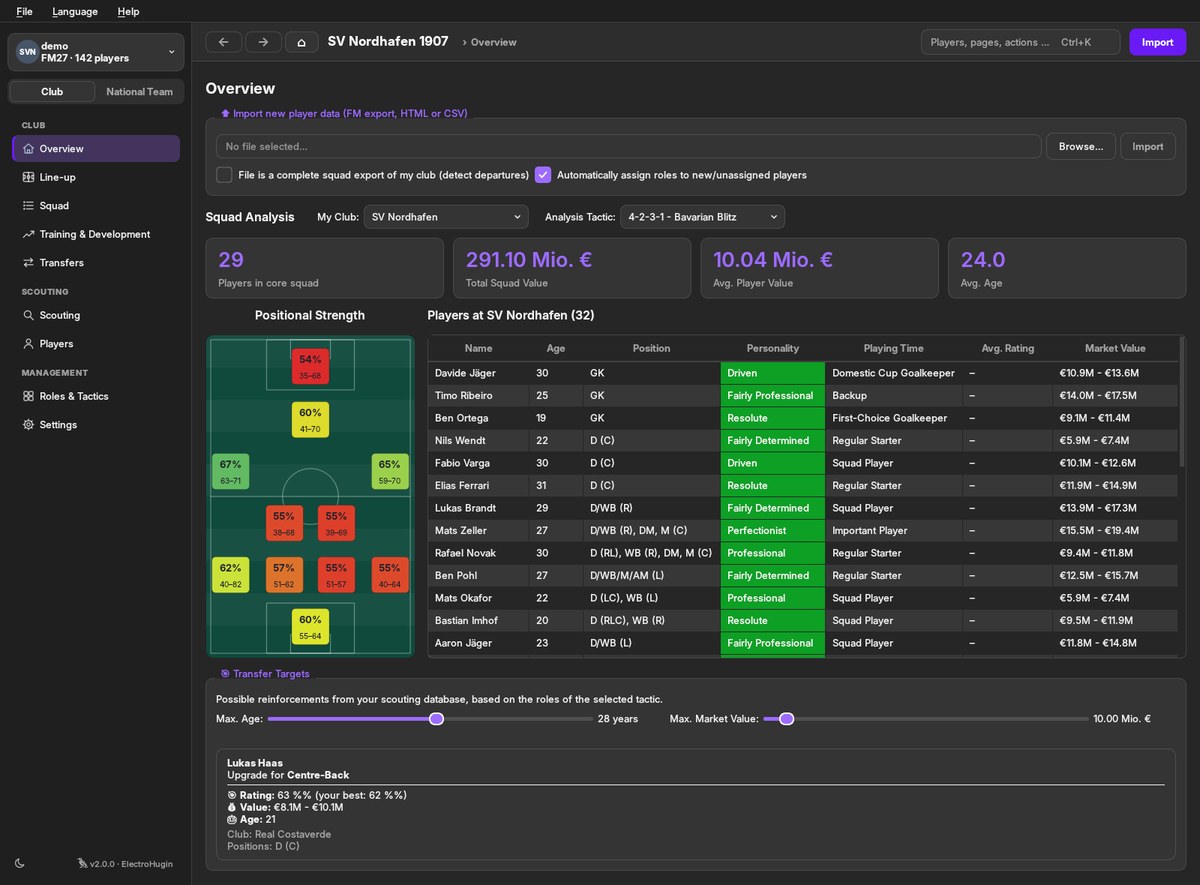
The dashboard, with squad strength in each position (Image: ElectroHugin)
FM View Exporter
Since FM26, the game no longer exports player lists. So FM View Exporter, a BepInEx plugin, reads the table you have open and saves it as CSV and HTML. Just open your squad, the player database or a shortlist and press F9. The plugin also scrolls through the list on its own, exports only what you see in the game and never touches your save. It is handy for taking data into Excel too, even without the Analyzer.
FM Player Analyzer and FM View Exporter download
FM Player Analyzer is on version 2.0.4, from 2 November, and FM View Exporter on 1.0.1. Both are for FM27 on Steam on Windows 10 and 11, and the Analyzer also works with FM24 and has a Linux version. The links come from the author’s GitHub.
Download – FM Player Analyzer v2.0.4 (Windows)
Download – FM View Exporter v1.0.1 (plugin)
- First, run the FM View Exporter installer. It finds FM27 on Steam and installs BepInEx and the plugin.
- Then install FM Player Analyzer. Its installer can put the author’s matching views into your FM27
viewsfolder. - Next, start the game. The first launch takes a few minutes while BepInEx sets itself up. In your squad, load the Analyzer view and press F9, without clicking anything until it finishes.
- Finally, in the Analyzer, go to «Dashboard», «Import new player data» and pick the file, which is in
Documents\Sports Interactive\FM View Exporter.
Things to watch
The installers are not signed, so Windows may warn you the first time. Also, some antivirus tools distrust BepInEx, which hooks into the game through the winhttp.dll file. If the game stops starting, delete or rename that file in the FM folder. However, neither app connects to the internet or touches your save. Finally, FM27 only fills about 255 columns per view, so put the ones you need first.
The files are hosted by their original authors. FMPortugal only points to the official download page — all credit goes to their creators.