fm-editor is a free, open-source live editor for FM27, FM26 and FM24. Made by developer barak14, it attaches to the game while you play, finds every player, staff member and club in your save and lets you edit them. It also runs on Windows and Linux, and every change can be undone.
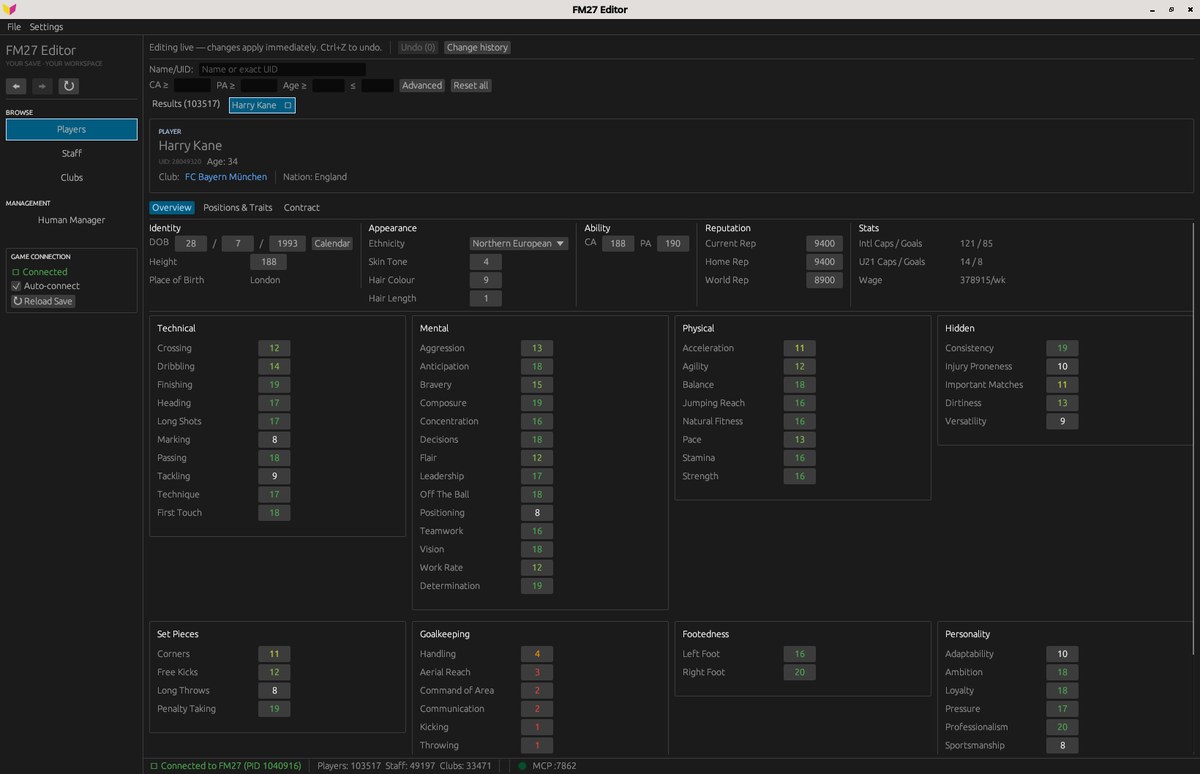
A player profile, with grouped attributes (Image: barak14)
What you can edit in fm-editor
- Players: attributes, positions, CA and PA, personality, reputation, date of birth and traits, plus contract, wage and asking price.
- Staff and manager: for example, coaching, mental and knowledge attributes, job, club and contract. You can also edit your own manager.
- Clubs: facilities, supporters, reputation, balance, transfer and wage budgets, ticket price and stadium.
- Search and compare: search by name, ID or filters, and compare two players side by side.
- Undo: every change goes into a list and you undo them one at a time.
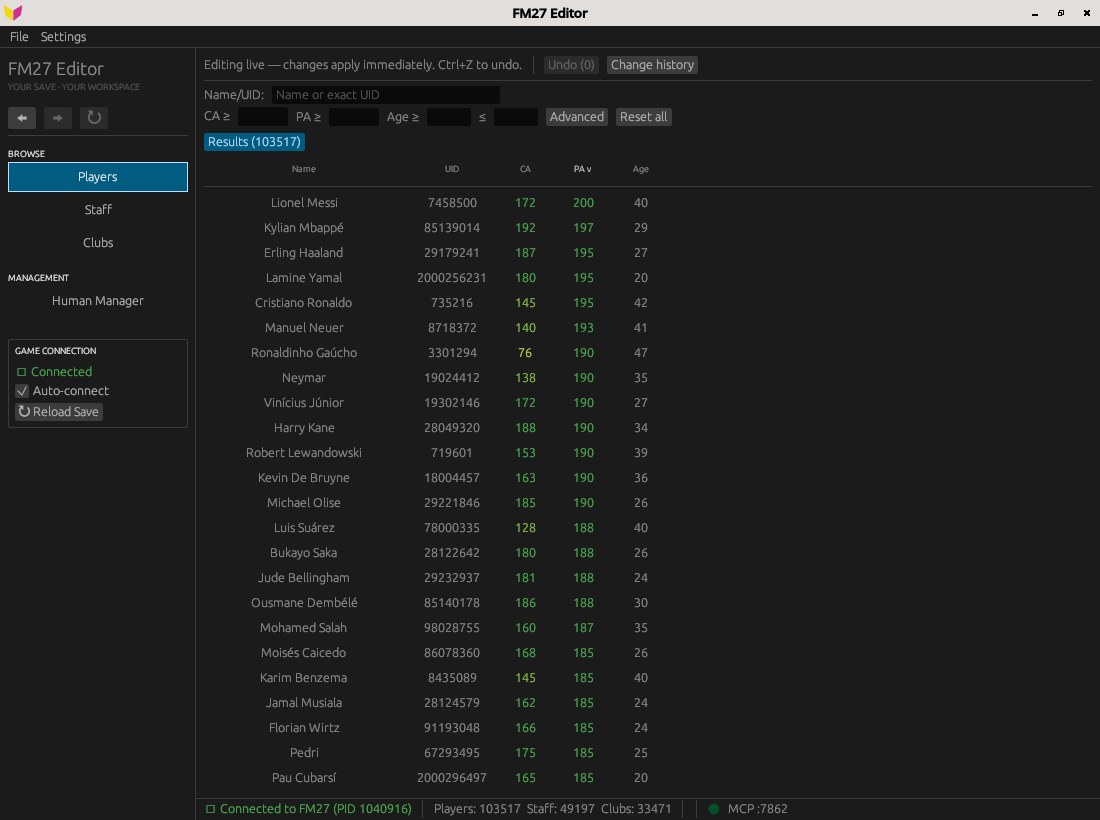
Player search, with current ability, potential and age (Image: barak14)
What is new in version 0.4.0
In FM27, 0.4.0 brings back each staff member’s role ratings. Also, staff profiles now show languages, coaching licence and preferred formations. You can now change the name of a player or staff member too, by picking a name that already exists in the game. Finally, there is a read-only comparison between two players.
fm-editor download
The latest version is 0.4.0, from 1 November, and it is still a preview. In FM27, it works with the Steam version, and most fields have been checked against a real save. However, it has not been tested on the Game Pass version yet. The links come from the author’s GitHub.
Download – fm-editor v0.4.0 (Windows)
Linux version – fm-editor v0.4.0
- First, make a copy of your save.
- Then install fm-editor. On Windows, run the installer. On Linux, extract the file.
- Next, open Football Manager and load the save. After that, open fm-editor, which attaches to the game by itself and loads the players, staff and clubs.
- Finally, find who you want, change a value and press Enter. Some changes show at once, others only after the game moves on a day.
Things to watch
The app writes straight into the game’s memory, and changes become part of the save when FM saves. So only use it on offline, single-player saves. Also, the installer is not signed, so Windows may warn you the first time. On Linux, with FM running on Proton, you may need to let the app read memory, as the author explains. Finally, for other free editors, see Touchline Forge 27 and FMLibreEditor.
The files are hosted by their original authors. FMPortugal only points to the official download page — all credit goes to their creators.