FMRTE 27 is out. It is Football Manager’s best-known real-time editor, made by BraCa and the FMRTE team, around since 2008 with a version for every edition of the game. So you open it next to FM27, load your save and edit almost anything while you play. Version 27 also brings player stats, plain-language search and a new screen for picking your XI.
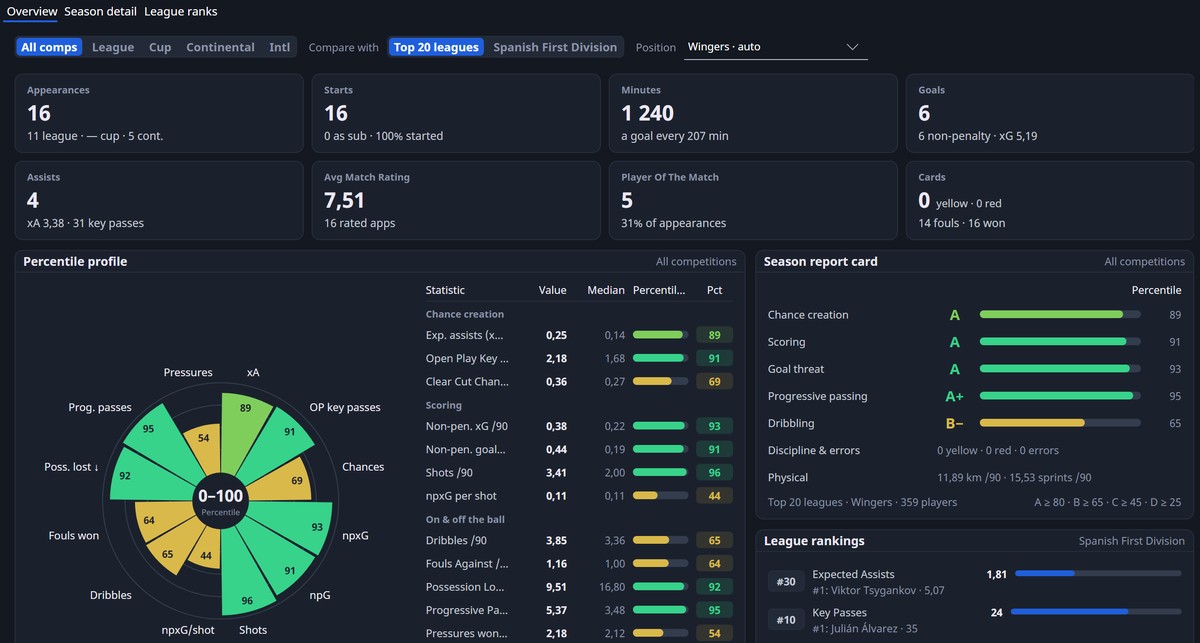
A player’s stats, with the radar and season report card (Image: FMRTE)
What is free and what you pay for
The download is free, and you can view and search everything in your save without paying. However, saving your changes to the game needs a licence. In other words, it costs €7.99 once for FMRTE 27, or €11 a year for a subscription covering every edition. So if you only want to scout players, the free version is enough.
What is new in FMRTE 27
- Player stats: for example, each player’s season in tiles, with a percentile radar, an A to F report card and a comparison with the top 20 leagues.
- Plain-language search: type something like «young left footed winger with good dribbling» and the app turns it into filters, without using AI.
- Team Selection: see the club’s tactic and XI next to FMRTE’s suggested XI, with each player’s in and out of possession role ratings.
- Edit history: every field you change is marked, and you can undo one change or a whole batch.
- More control: work permits, player promises, competition squad limits and your own faces and logos.
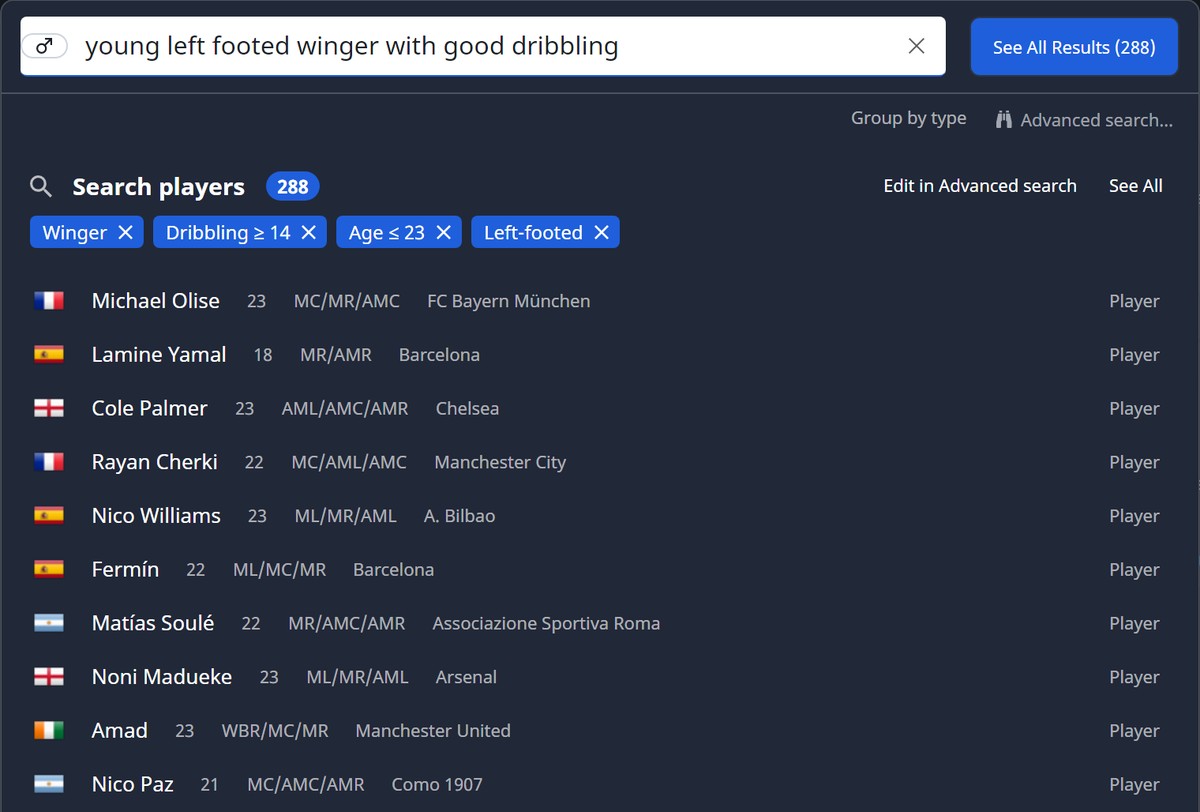
A sentence turned into search filters (Image: FMRTE)
Also, on Mac you no longer need to turn off System Integrity Protection (SIP), something that put many players off in earlier versions. There is also an experimental assistant where you ask questions about your save, but for that you use your own AI provider key or a local model.
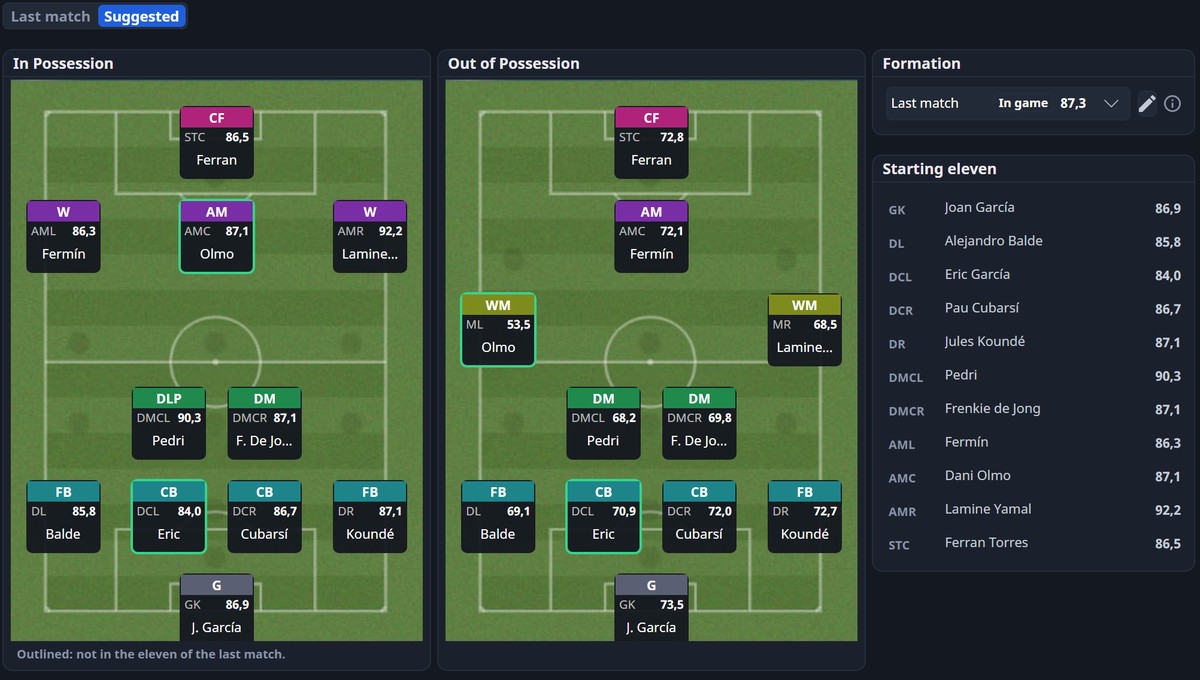
The suggested XI, with in and out of possession roles (Image: FMRTE)
The classic features
The 50-plus classic features are all still there. For example, heal injuries, lift bans or turn a youngster into a wonderkid with one click. You can also change attributes, positions, contracts, budgets, facilities and stadiums, and apply the same change to a whole squad. Finally, you can freeze attributes and compare two players side by side.
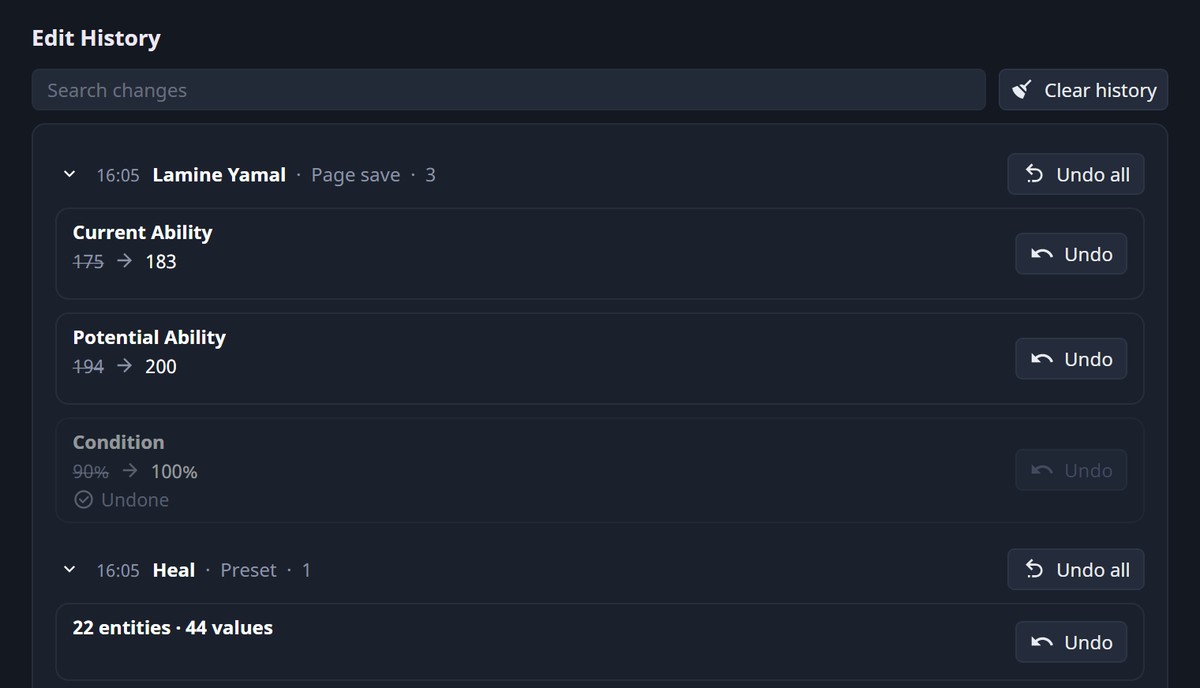
The edit history, with the undo option (Image: FMRTE)
FMRTE 27 download
The latest version is 27.0.0 build 5, which already supports FM27’s 2 November update. It works with FM27 on Steam, Epic and the Microsoft Store, on Windows, Mac and Linux. The links are the official download pages.
Linux and Steam Deck – FMRTE 27
- First, download and install FMRTE 27 for your system.
- Then open FM27 and load your save.
- Next, open FMRTE and click «Load Game». It reads every player, staff member, club and competition.
- Finally, search and edit whatever you like. To save your changes to the game, you need the licence.
Things to watch
Always back up your save before editing. Also, after every FM27 update, wait for a new FMRTE build before editing again. However, if the assistant is on, your save data goes to the AI provider you choose. Finally, if you are looking for a completely free editor, see FMLibreEditor or Touchline 27.
The files are hosted by their original authors. FMPortugal only points to the official download page — all credit goes to their creators.