Looking for a completely free live editor, with no licence keys or paid features? Touchline 27 is an open-source editor for Football Manager 27, made by Gh0stLyfeX. The code is on GitHub under the MIT licence, and there are versions for Windows and Arch Linux.
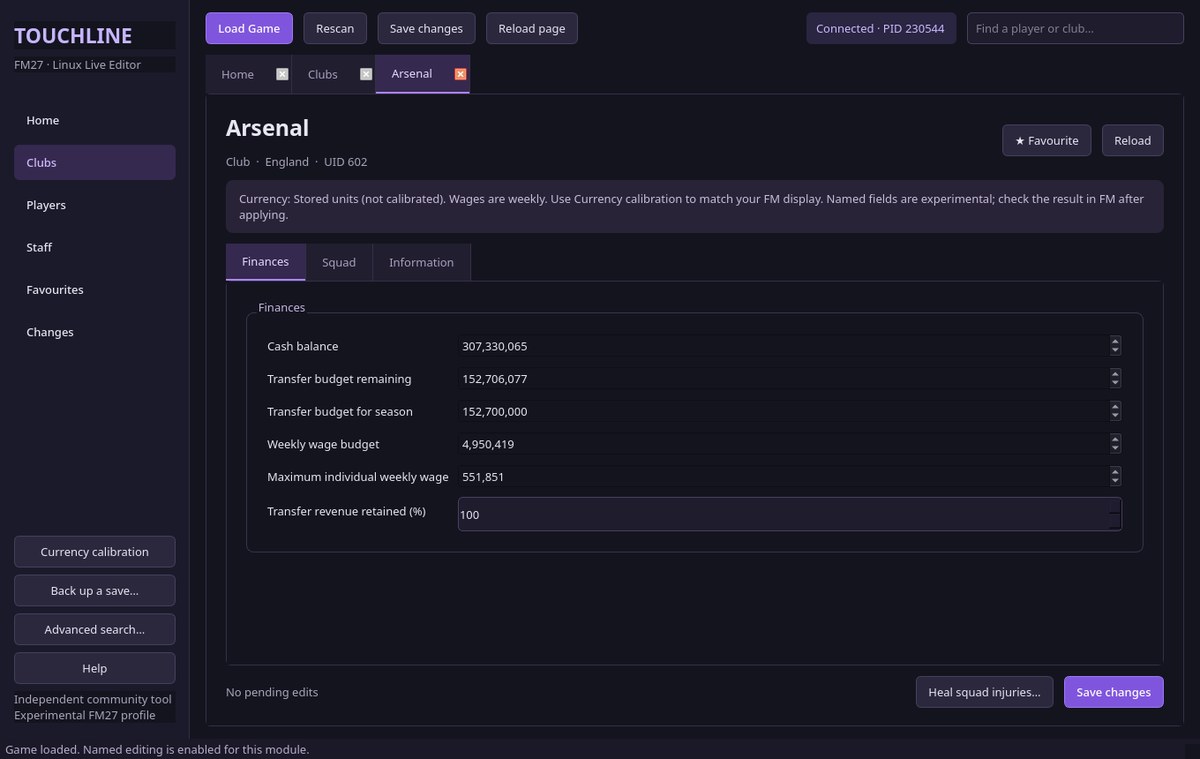
A club’s finances, with the balance and budgets (Image: Gh0stLyfeX)
What you can edit in Touchline 27
- Club finances: balance, transfer and wage budgets, maximum wage and the share of transfer revenue kept for signings.
- Players: technical, mental, physical, goalkeeping, hidden and personality attributes, positions, current and potential ability and reputation.
- Staff: for example, coaching, recruitment, medical and analysis attributes, personality and reputation.
- Contracts: weekly wages and expiry dates for players and staff.
- Lists and presets: favourites, CSV export, comparison of two to four players and reusable presets.
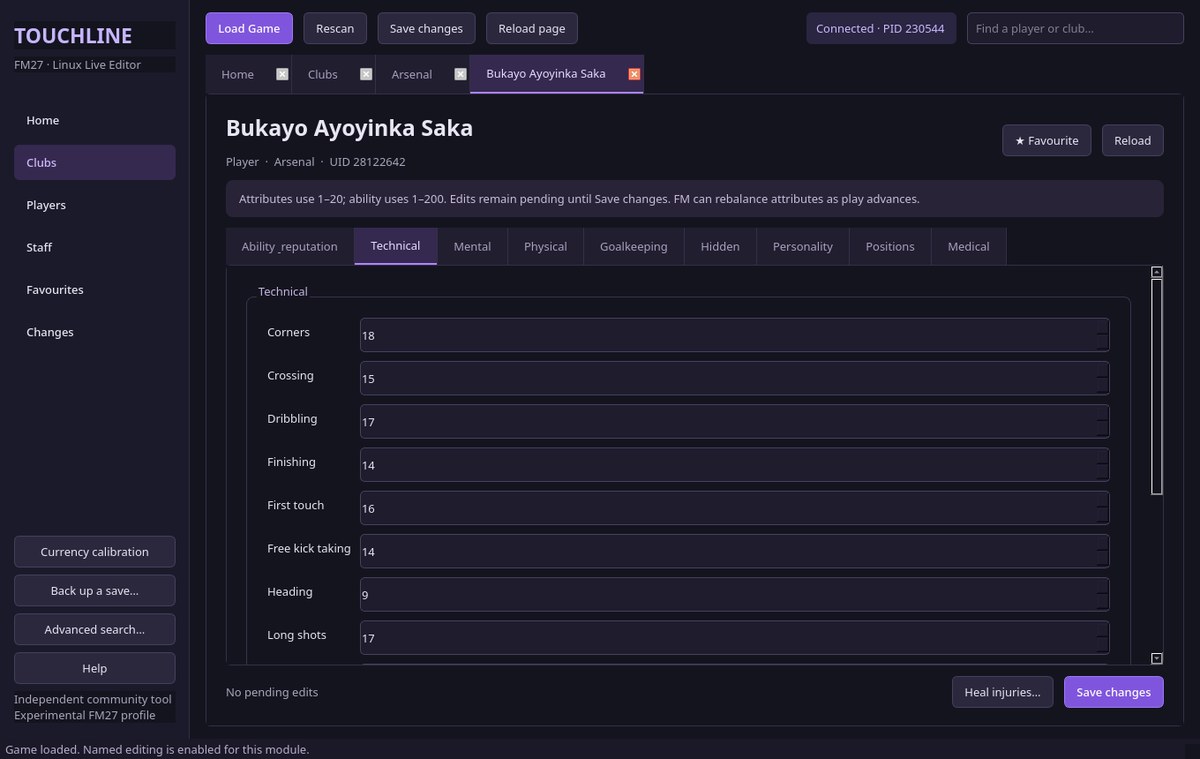
A player’s technical attributes (Image: Gh0stLyfeX)
100% tactical knowledge
One of the most useful features is tactical knowledge. In «Club», «Tactical knowledge», pick the first team or all squads and click «Full tactic knowledge». So players fully learn the instructions and roles they were already learning. However, the app does not create new tactics, so train the tactic in FM first.
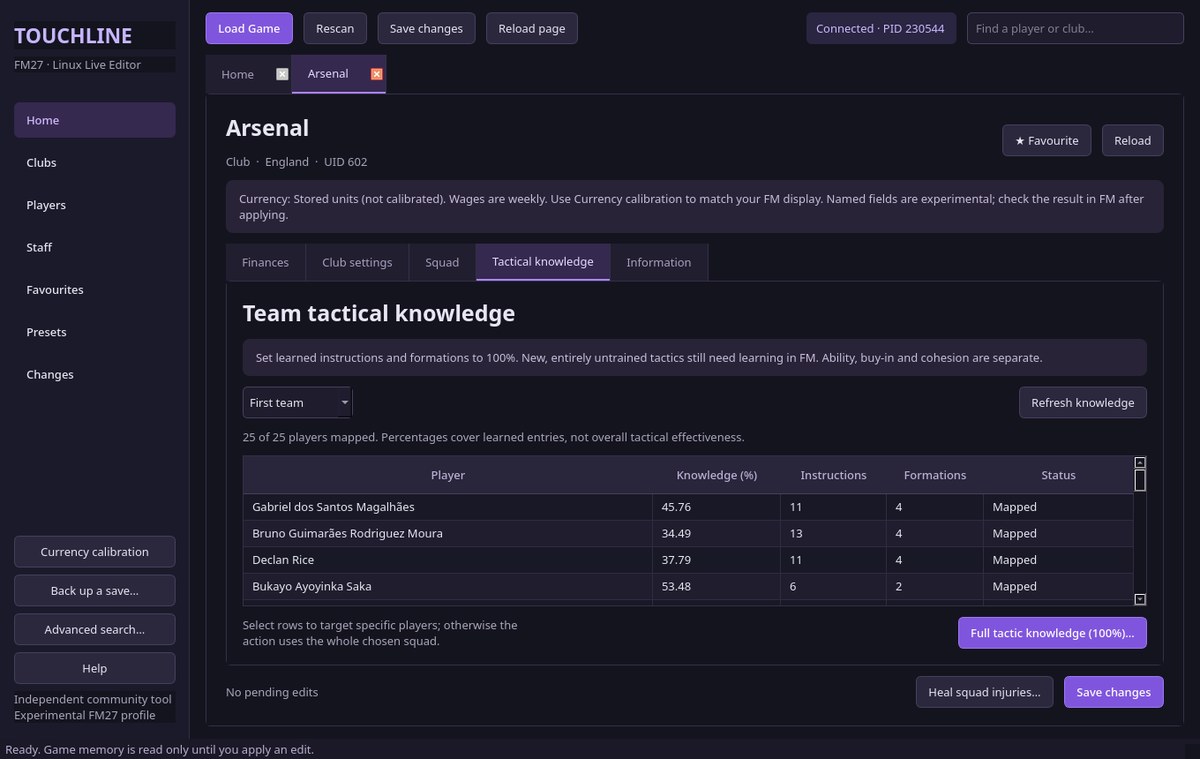
The team tactical knowledge screen (Image: Gh0stLyfeX)
Also, before saving you always see the before and after of every change. Finally, the app keeps a history and lets you undo your edits.
Touchline 27 download
The stable version is 0.3. Meanwhile, the author is already testing 0.4, which shows player value, but that one is still in testing. Both are on the author’s GitHub.
Download – Touchline 27 v0.3 (Windows)
Arch Linux version – Touchline 27 v0.3
Touchline 27 v0.4 (testing) – GitHub
- First, back up your save. Then open FM27, load the save and pause the game.
- Next, open
Touchline27-Windows.exeand choose «Load Game». The first scan can take about a minute. - Search for a club, player or staff member and double-click the result.
- Change the values, click «Save changes» (Ctrl+S), check the preview and apply.
- Finally, save your game in FM so the changes reach your save.
Things to watch
The app is unsigned, so Windows may warn you before it opens. Also, run FM and Touchline under the same account and privilege level. If you switch saves, use «Rescan» before editing again. However, some clubs only have a base balance in the game, and the app does not invent budgets that do not exist. Finally, money values may need calibrating, which is what the «Currency calibration» option is for. If you would rather use another free editor, see FMLibreEditor.
The files are hosted by their original authors. FMPortugal only points to the official download page — all credit goes to their creators.