The 3D Live Action Cam FM27 turns the match engine into a TV broadcast. Goals, walkouts, penalties and cards get cinematic cameras, new replays and studio lighting. The mod is by Joni9, and the big 5.0 update is free for both FM27 and FM26.
What the 3D Live Action Cam FM27 brings
The idea is simple: instead of the usual cameras, the game picks broadcast angles for the big moments. For example, it follows the scorer during celebrations, zooms in on the referee for cards and shows the manager on the touchline.
- Walkouts: pre-match sequences with tunnel views, first-person shots and pans along the line-ups.
- New replays: 20 creative angles, such as SpiderCam, a drone or a goal-line camera, switching every few seconds.
- Player focus: click on a player, manager or referee and the camera follows them with 10 different angles.
- TV lighting: in close-ups, players’ faces are lit like in a real broadcast.
- In-game menu: the 9 key opens a menu to switch each camera on or off without leaving the game.
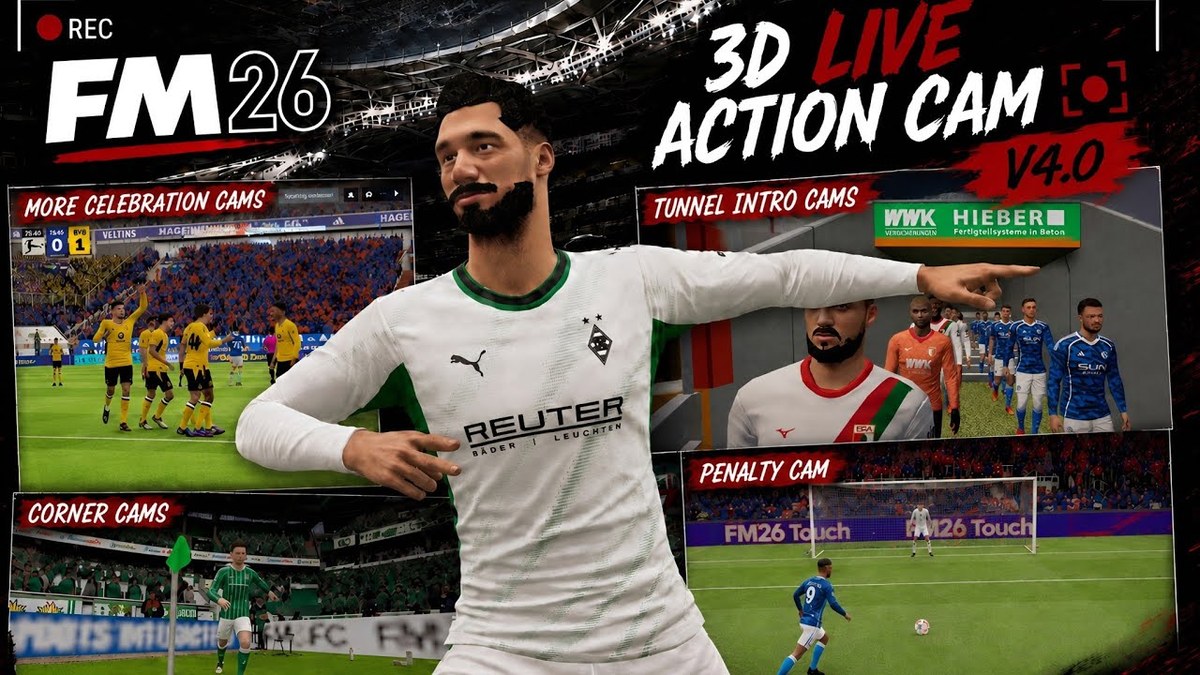
Some of the mod’s cameras, in the FM26 version (Image: Joni9)
The camera also detects each player’s height, so heads are not cut off in close-ups, and moves when someone blocks the view. It hides names and the interface during scenes too, for a clean broadcast look.
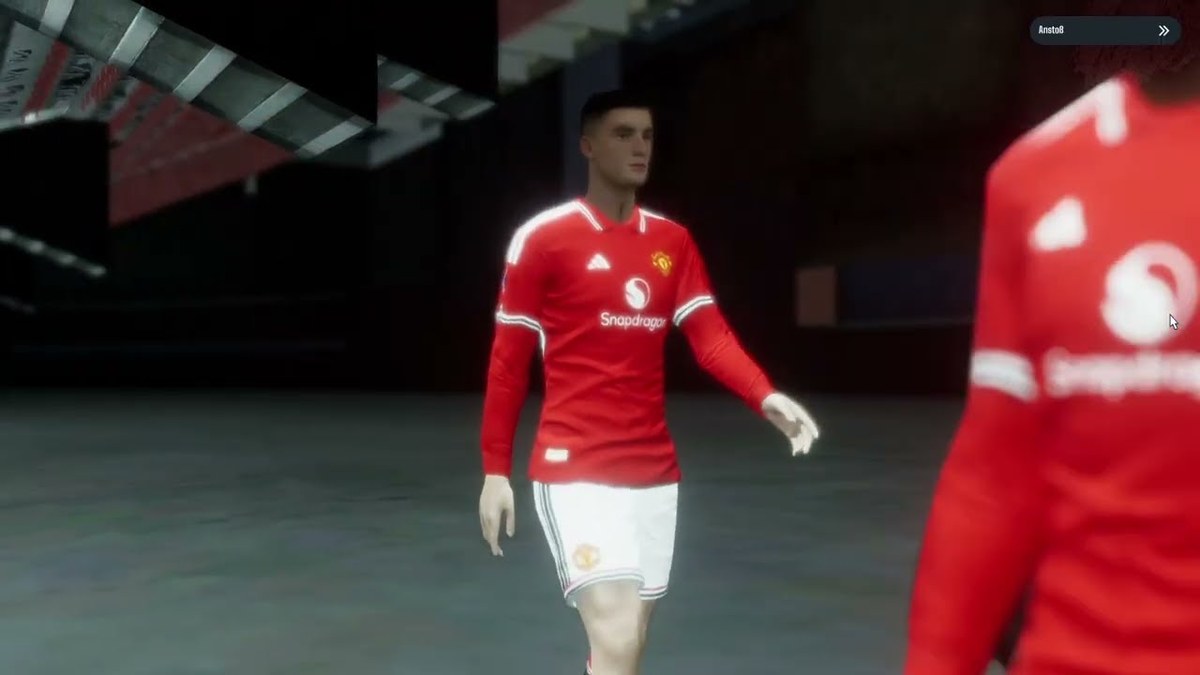
The tunnel camera before kick-off (Image: Joni9)
Watch the trailer
The trailer is from the previous FM26 version, but it shows well what changes in the match engine.
3D Live Action Cam FM27 download
The mod needs BepInEx, a mod loader, so there are two files: BepInEx already set up for FM27, and the mod itself in version 5.1, which fixes the game crashes.
3D Live Action Cam v5.1 – download
- First, extract BepInEx into the game folder,
Steam\steamapps\common\Football Manager 27. Then open FM27 once until the main menu and close it. - Next, extract the mod archive.
- Drag the folder inside it into
BepInEx\pluginsin the game folder. - Finally, open FM27 and watch a match in the 3D engine.
Things to watch
To create your own cameras with the J and I keys, you also need Bassyboy’s FreeCam mod. However, the 3D stadium integration on the club page will only work in FM27 once the FMActionLink.Stadiums3D mod is updated by its author. If you want to support Joni9 and get early access to new releases, there is a Patreon, but the mod is free.
To complete the 3D engine, add the DF11 faces, the FM27 Bootpack and the FM27 real kits.
The files are hosted by their original authors. FMPortugal only points to the official download page — all credit goes to their creators.