FMMatchLens FM27 is a free tool that reads the game’s data while you watch a match and shows it all in a browser dashboard. You get expected goals (xG), momentum, heatmaps, passing networks and a breakdown of player ratings, live and in far more detail than the game gives you. It is made by osnsyc, it is open source, and version 0.7.0 already works with Football Manager 2027.
What FMMatchLens shows
The dashboard opens in a browser tab, next to the game or on another screen. For example, you can keep the match on one monitor and the analysis on the other, or even on a tablet on the same network.
- Timeline and momentum: each team’s spells of pressure, with a map of the pitch areas where each was most active.
- Live xG: how expected goals build up over the match.
- Formations and tactical board: in and out of possession shapes and events on the pitch.
- Full statistics: shots, passes, duels, progressive passes, sprints and much more.
- Replay: each match is saved to a
.fmlensfile you can review later without opening FM.
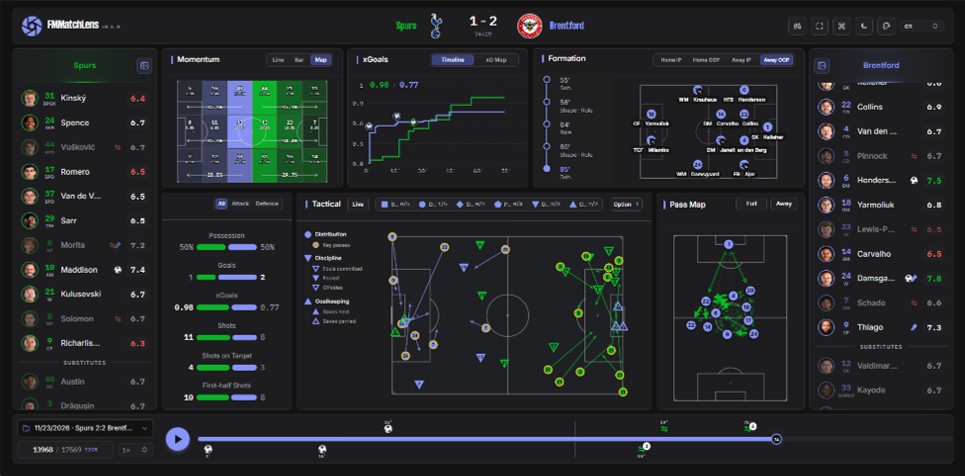
The full dashboard during a match (Image: osnsyc)
What version 0.7.0 brings
As well as FM27 support, this version adds several new kinds of analysis. First, player ratings now come with an explanation: hover over one to see how much shooting, creativity, passing and defending contributed. According to the author, the calculation almost reconstructs the match engine’s rating formula.
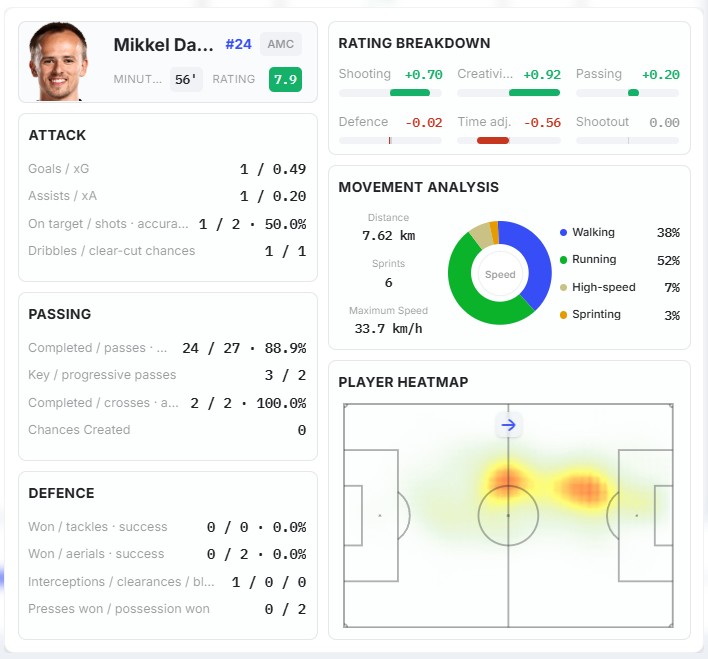
The player card, with the rating breakdown, movement and heatmap (Image: osnsyc)
There is also a card for each player, with statistics, distance covered, sprints and a heatmap. The new pass map shows the most frequent connections between players. Finally, there is a new light and dark theme, and the dashboard now remembers your preferences.
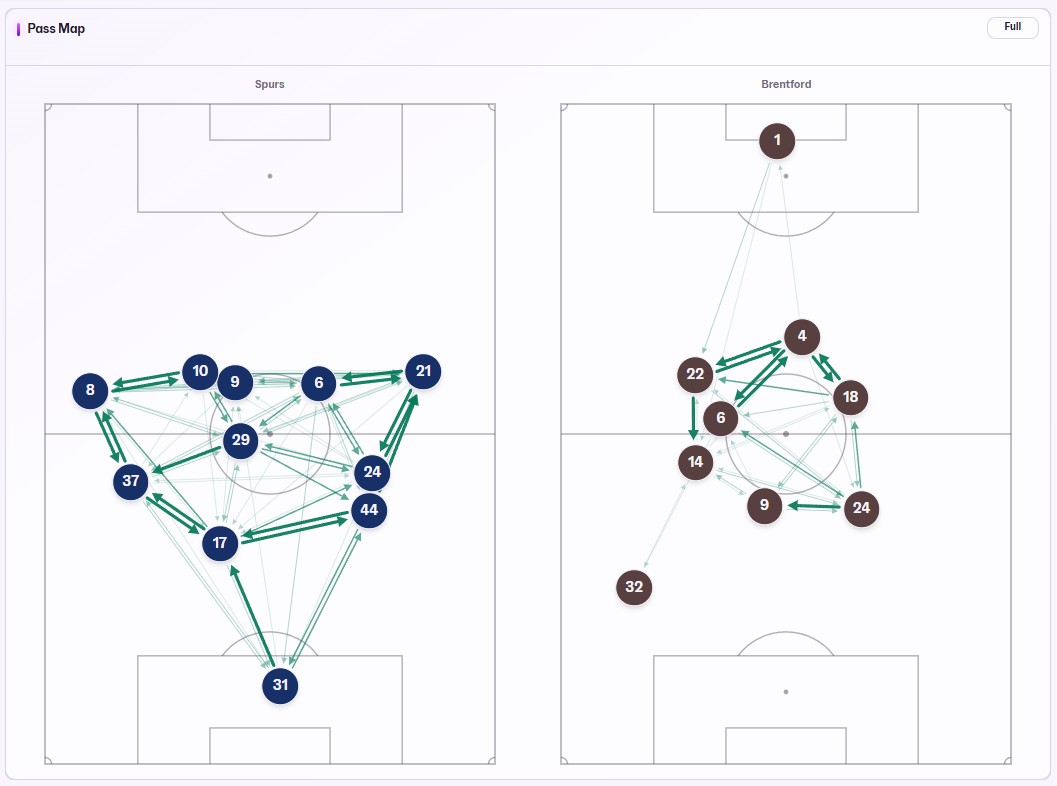
Both teams’ pass maps (Image: osnsyc)
FMMatchLens FM27 download
You need two files from the same version: the plugin, which collects the data in the game, and the dashboard, which displays it. Both are on the project’s official GitHub page and also on MediaFire.
Download – FMMatchLens (GitHub)
Plugin v0.7.0 – MediaFire download
Dashboard v0.7.0 – MediaFire download
If you want to see how it works before installing, the author has an online demo.
- First, install BepInEx 6 (IL2CPP x64 build) in the game folder,
Steam\steamapps\common\Football Manager 27. Open the game once until the main menu and close it. - Extract the plugin archive directly into that folder and accept merging the
BepInExfolder. If Windows shows an «Unblock» option in the .zip properties, tick it first. - Extract the dashboard archive to a folder of your choice, for example on your desktop.
- Open the game and start a match. Then double-click the dashboard’s
index.htmland it connects to FM27 on its own.
Things to watch
In FM27, FMMatchLens only works with the Steam version, and only on Windows. Also, if you still play FM26, use the 0.6.1 plugin. Your data stays on your computer and is not sent anywhere. Finally, if photos and badges do not show, point the graphics path in the config file, or pair it with the DF11 faces.
The files are hosted by their original authors. FMPortugal only points to the official download page — all credit goes to their creators.