The FM27 Bootpack replaces the match engine’s generic boots with real models from adidas, Nike, Puma and other brands. The tool is by benithemaker; it was made for FM26 and already works in Football Manager 2027. Your players take the pitch with real boots in the 3D match engine.
What the Bootpack is
It is a small program for Windows and Mac that installs boot collections straight into the game files. You pick a collection, click install and the rest is automatic. There is also a button to restore the original boots whenever you want.
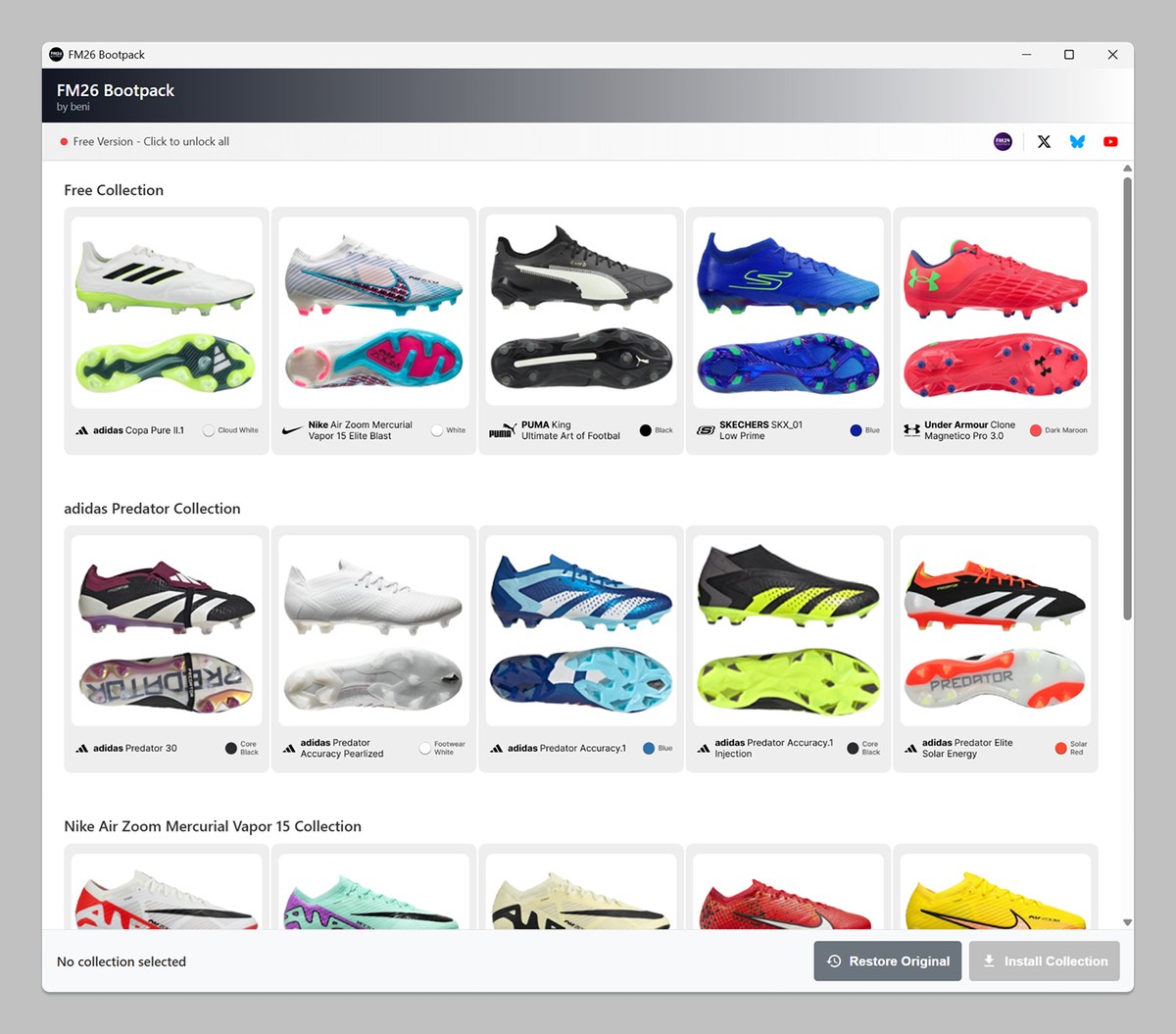
The tool, with the free collection at the top (Image: benithemaker)
- Free collection: adidas Copa Pure II.1, Nike Air Zoom Mercurial Vapor 15 Elite, Puma King Ultimate, Skechers SKX_01 and Under Armour Clone Magnetico Pro 3.0.
- Other collections: there are collections by model, such as the adidas Predator or the Nike Mercurial Vapor 15, but those need an optional paid licence.
- Updates: the program tells you when a new version with more collections is out.
There is one limitation in the game itself. Boots are handed out to players at random and change from match to match, so you cannot choose each player’s boots yet.
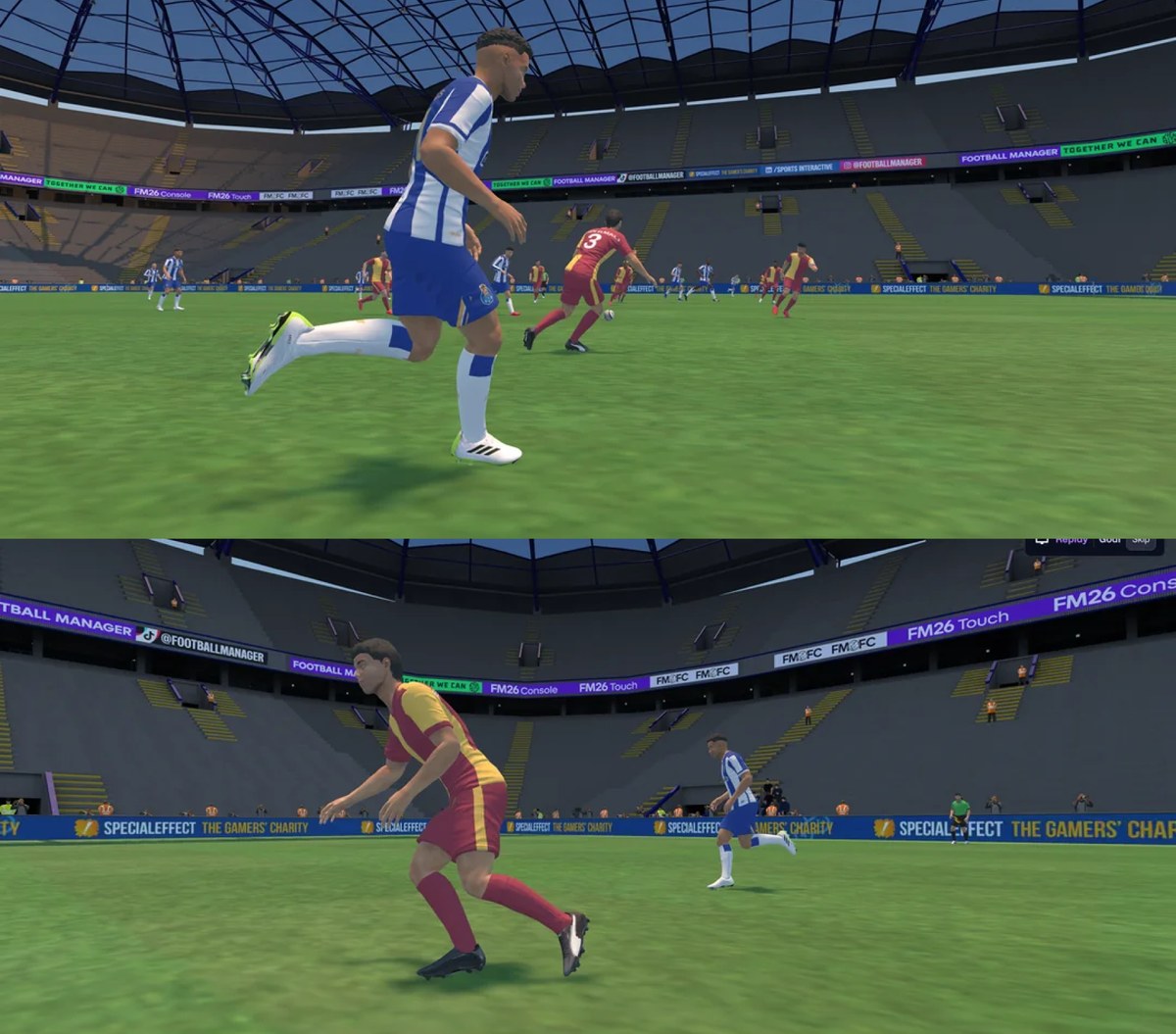
Real boots in the 3D match engine (Image: benithemaker)
Download
Version 2.0.1 is the latest, so start with that one and only use 2.0.0 if you run into problems.
- Bootpack v2.0.1 (20 MB) Download – Bootpack v2.0.1
- Bootpack v2.0.0 (38 MB) Download – Bootpack v2.0.0
- Extract the .zip file to a folder of your choice. The executable and the
Collectionsfolder must stay together. - Open
fm26-bootpack.exeas administrator. If Windows Defender warns you, click «More info» and then «Run anyway». - As the program still points to FM26, change the install folder to
C:\Program Files (x86)\Steam\steamapps\common\Football Manager 27\fm_Data\StreamingAssets\aa\StandaloneWindows64. - Pick the free collection and click «Install Collection».
- Open FM27 and watch a match in the 3D engine.
On Mac
Open Terminal, drag the fix-permissions.sh file into it and press Enter. Then open the Bootpack and try to install the free collection. When macOS asks for access, click «Allow» and authorise the Bootpack in the app management window. Finally, install the collection again.
The author has promised an updated version for FM27, with the right names and folders. When it is out, we will update this article. In the meantime, pair the boots with the FC’12 kits for FM27 and the DF11 faces.
The files are hosted by their original authors. FMPortugal only points to the official download page — all credit goes to their creators.