Looking for signings in FM26 with the game’s own screens takes work: lots of clicks, few columns and no real way to compare. That is why we built FMPT Chief Analyst, a free scout and editor made by FMPortugal. It reads your career straight from the game and shows the players, staff and clubs of your save in a single window.
What is more, there is nothing to install and no account to create. You open the program, click «Read game» and in under a minute the whole database is in front of you. The program only reads the game, so your save stays untouched unless you turn on edit mode.
Find the right player with FMPT Chief Analyst
The Players tab is the heart of FMPT Chief Analyst. First, you get filters by position (on a pitch where you click the positions), age, CA, PA, value, wage, club, country and attributes. Then there are shortcuts for the most common searches: free agents, expiring contracts, wonderkids and your shortlists.
Every player has a rating per position, worked out by our own model, and a «Meta» score that weighs the attributes that win the most matches in the FM engine. So you can see at once who performs better in a position, even when the CA is similar. At the same time, the season stats come with percentiles per position and a colour map.
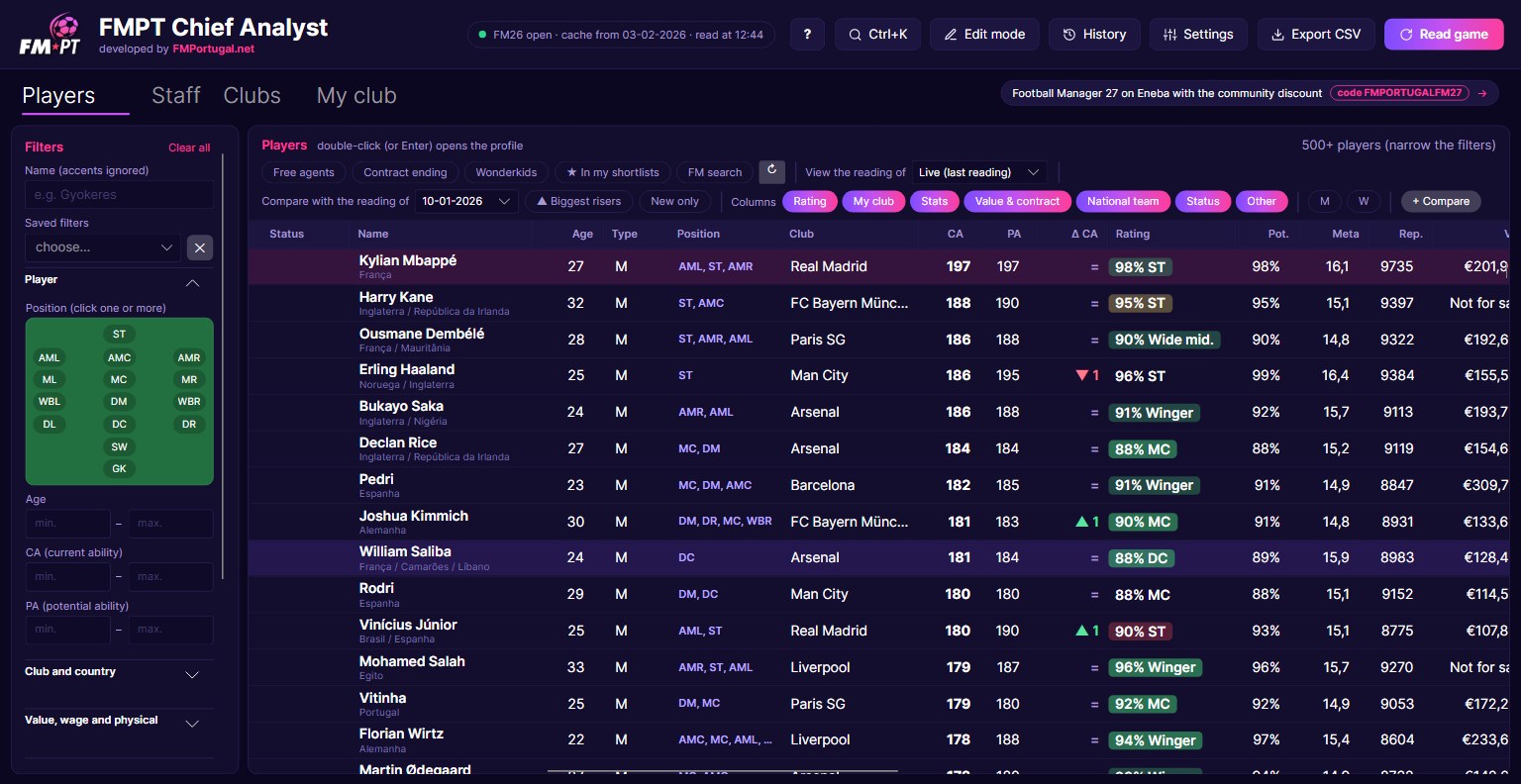
You can also use FM’s own search. Open the player search screen in the game with the filters you want and click «FM search». The list keeps only those players, but with the FMPT Chief Analyst columns and ratings. Finally, the M and W buttons show only men’s or women’s football, because the program also works with women’s football saves.
Full profiles for every player
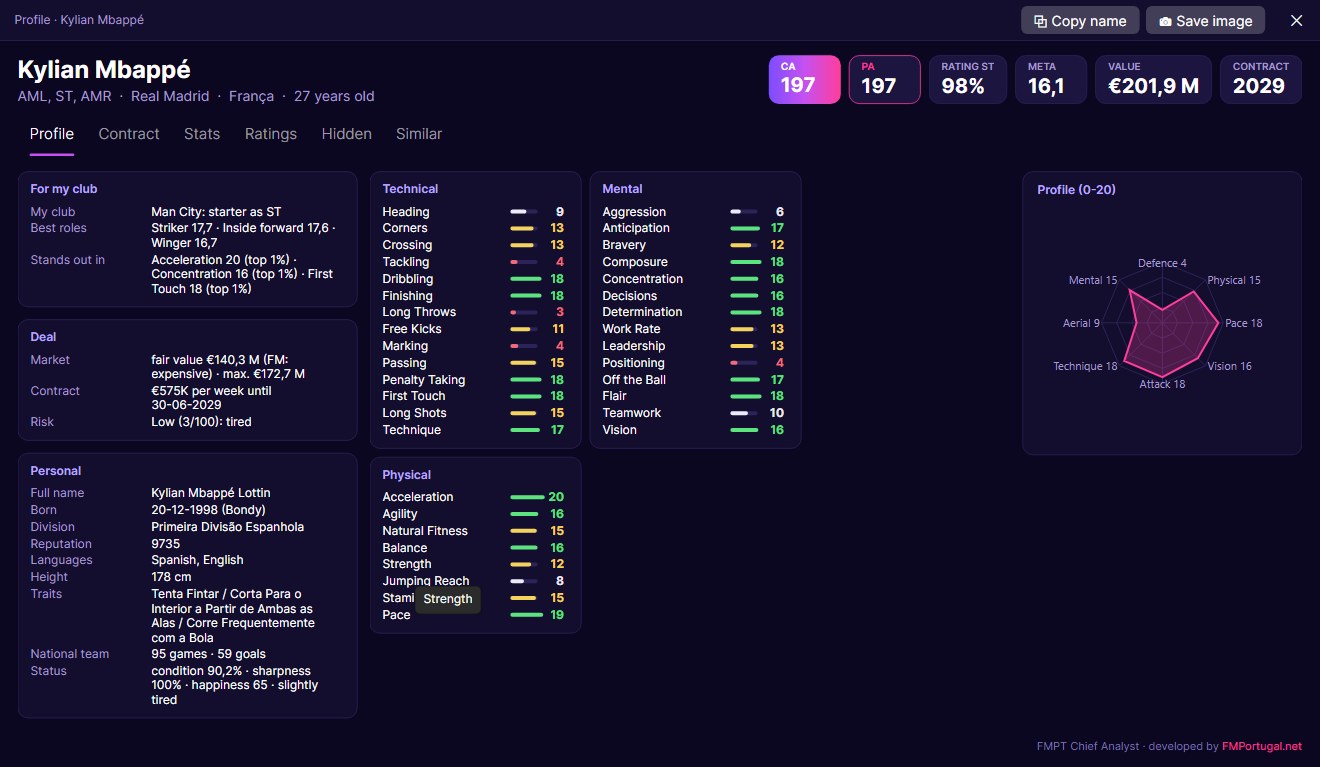
A double-click opens the player profile. It has every attribute, including the hidden ones and personality, the best tactical roles and a profile chart. However, the most useful part for the transfer market is the «Deal» block.
The fair value compares the player with others of similar age, rating and reputation. So you know whether FM’s price is expensive or cheap and how far it is worth going. The deal risk puts injuries, age, attitude and fatigue into a score from 0 to 100. For example, a striker with 18 finishing but little consistency is flagged straight away.
My club: what the squad is missing
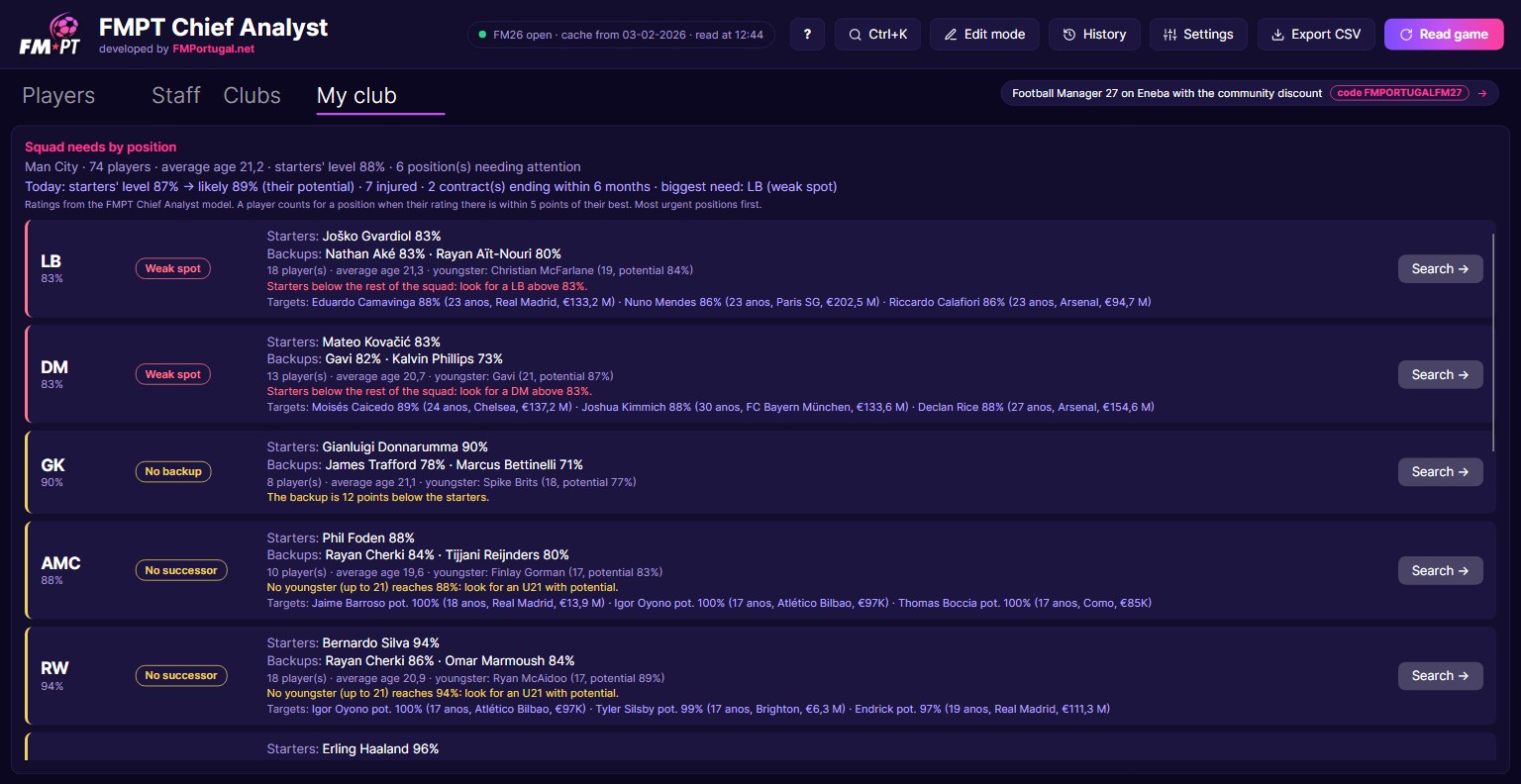
Choose your club in the settings and FMPT Chief Analyst analyses the squad position by position. For each one it tells you who the starters and backups are and whether there is a weak spot, no backup or no successor. In other words, you see in a minute where you need to act in the market.
Next to each need there are suggested targets, and the «Search →» button opens the player list for that position. That list keeps only the players who may accept a move to your club, without the ones already in your squad. In addition, the Interest column estimates whether a player would accept the move, based on club reputation, ambition and age.
Staff and every club’s best XI
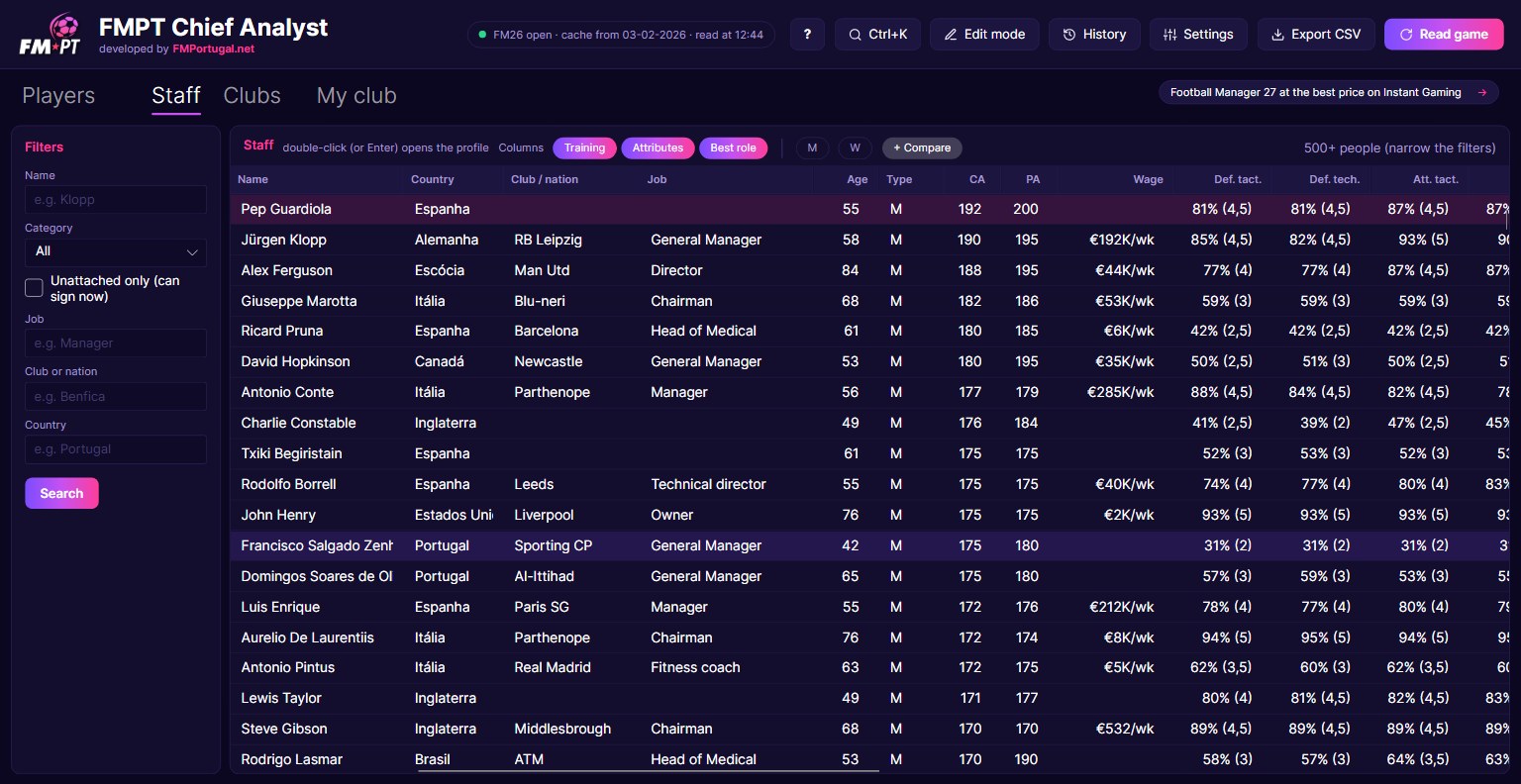
The Staff tab shows coaches, scouts, physios and directors with their training levels in each area. That way, building a strong backroom team stops being guesswork. The «Best role» column tells you which job each person suits best.
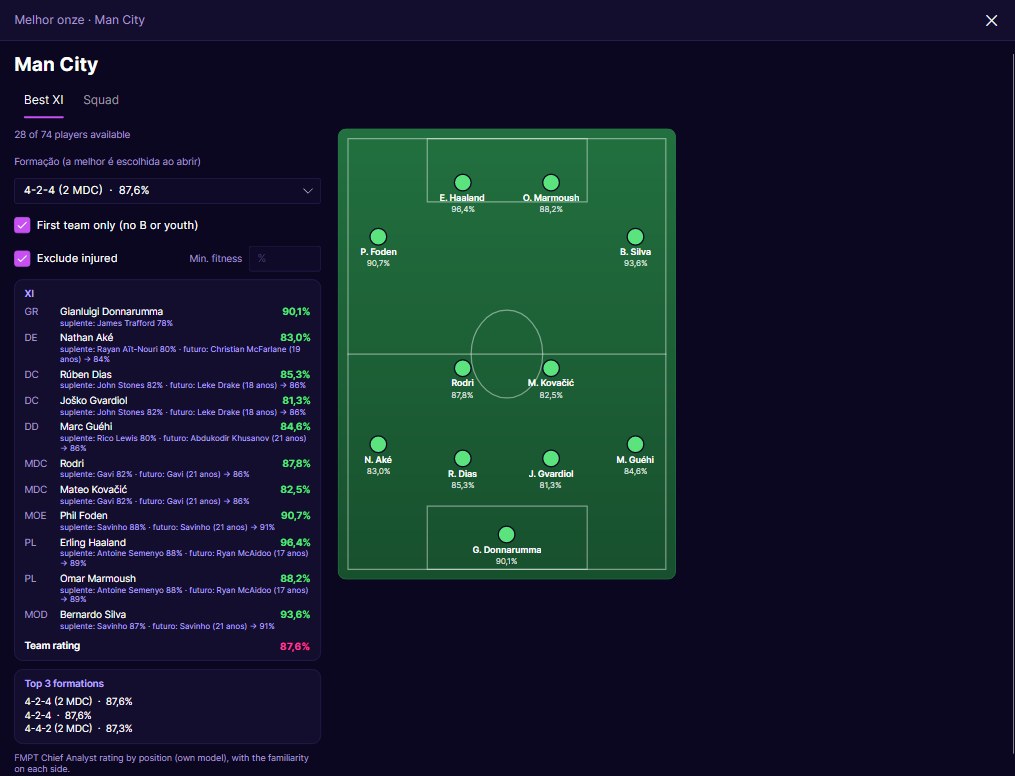
In the Clubs tab, a double-click on a club opens the best XI, with the formation that gets the most out of the squad. You also see the XI in the manager’s preferred formations and the full squad, with values and wages. As a result, preparing for a match against a rival becomes much quicker.
Compare players and see who has grown
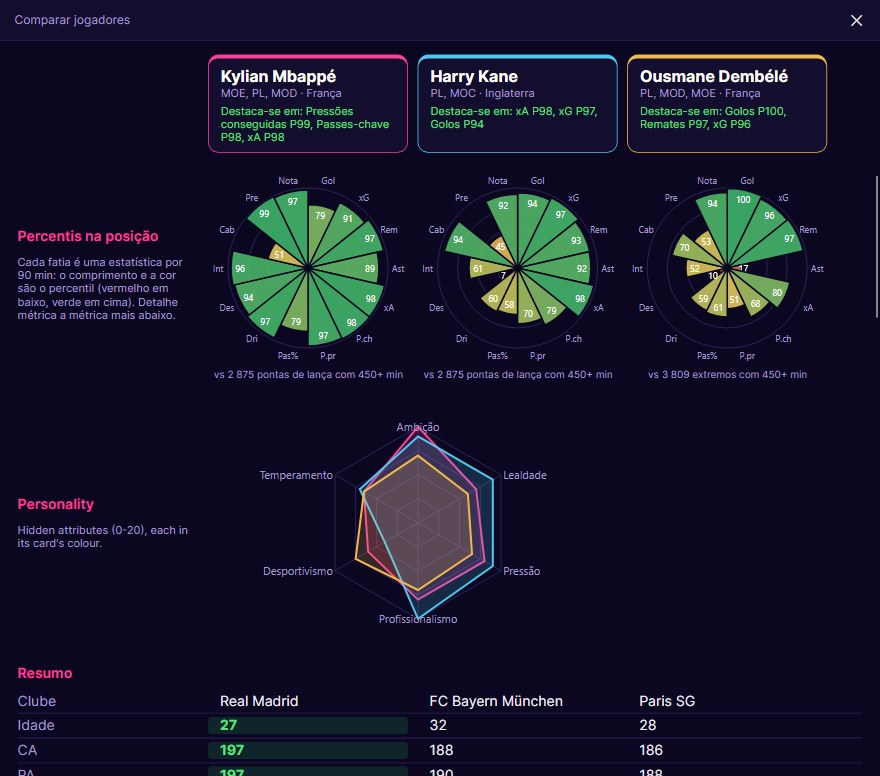
Trying to choose between three strikers? Add them to the comparison and see their stat percentiles, personality and contract summary side by side. At the same time, the scatter chart puts two columns against each other, such as age and CA, to find who stands out.
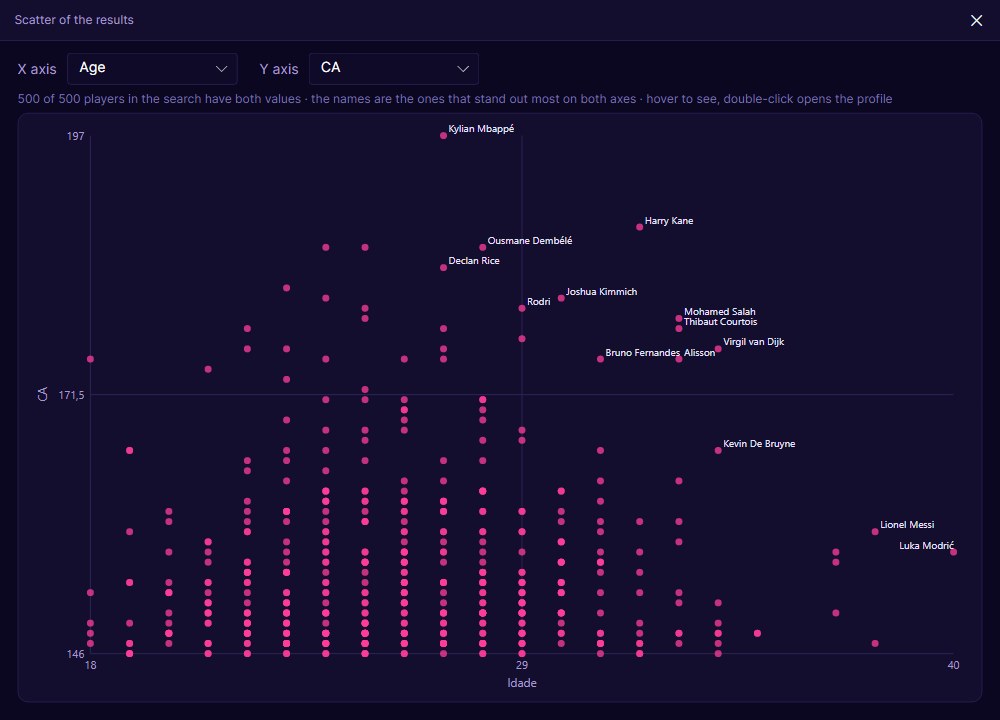
Each «Read game» keeps a reading with the game date. Then, from the second one on, you can compare with an old reading and see who went up or down in CA, or who is new, such as freshly generated youngsters. It is the simplest way to spot the youngsters exploding in your save.
Edit mode, only when you want it
FMPT Chief Analyst can also edit players and staff in the game. However, edit mode is off by default and, when you turn it on, the program first makes a copy of your save. Changes stay pink until you click «Apply», and everything goes into the history so you can undo it while FM is open. Finally, nothing is written to the save until you save it in FM itself.
Get started with FMPT Chief Analyst in 3 steps
The first time you open the program, a welcome card shows you the three steps. Each one turns green when it is done:
- Open FM26 with your career loaded.
- Click «Read game» (it takes about 40 seconds).
- In the settings, choose your club, the currency and the football you want to see.
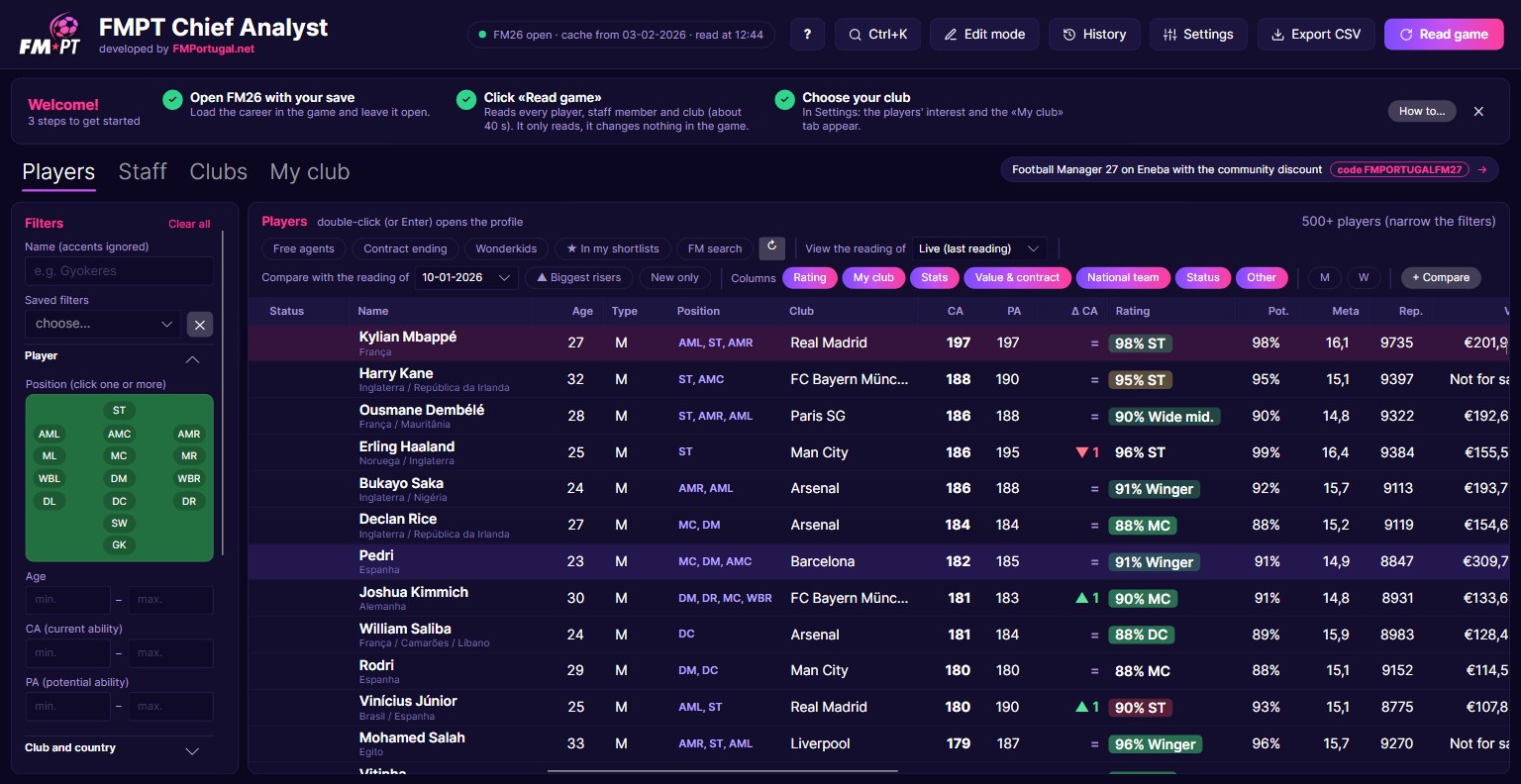
The «?» button opens the help, organised by task: finding signings, discovering wonderkids, comparing players and much more. The interface is in Portuguese and English.
Download FMPT Chief Analyst
FMPT Chief Analyst is free and runs on Windows 10 and 11 (64-bit) with version 26.3.2 of Football Manager 26. The download is a .zip with a single executable, with no installation.
Download – FMPT Chief Analyst 2.0
- First, download the .zip and extract «FMPT Chief Analyst.exe» to a folder of your choice.
- Then open FM26 and load your career.
- Open FMPT Chief Analyst and click «Read game».
- Finally, choose your club in the settings to see the players’ interest and the «My club» tab.
Because the program is new, Windows may show the «Windows protected your PC» warning. In that case, click «More info» and then «Run anyway». Even so, back up your save before using edit mode.
Tell us what you think
FMPT Chief Analyst is an FMPortugal production and it will keep growing with your ideas. Found a bug or have a suggestion? Then tell us on the FMPortugal forum. Looking for more tools? Check our FM26 editors and tools.