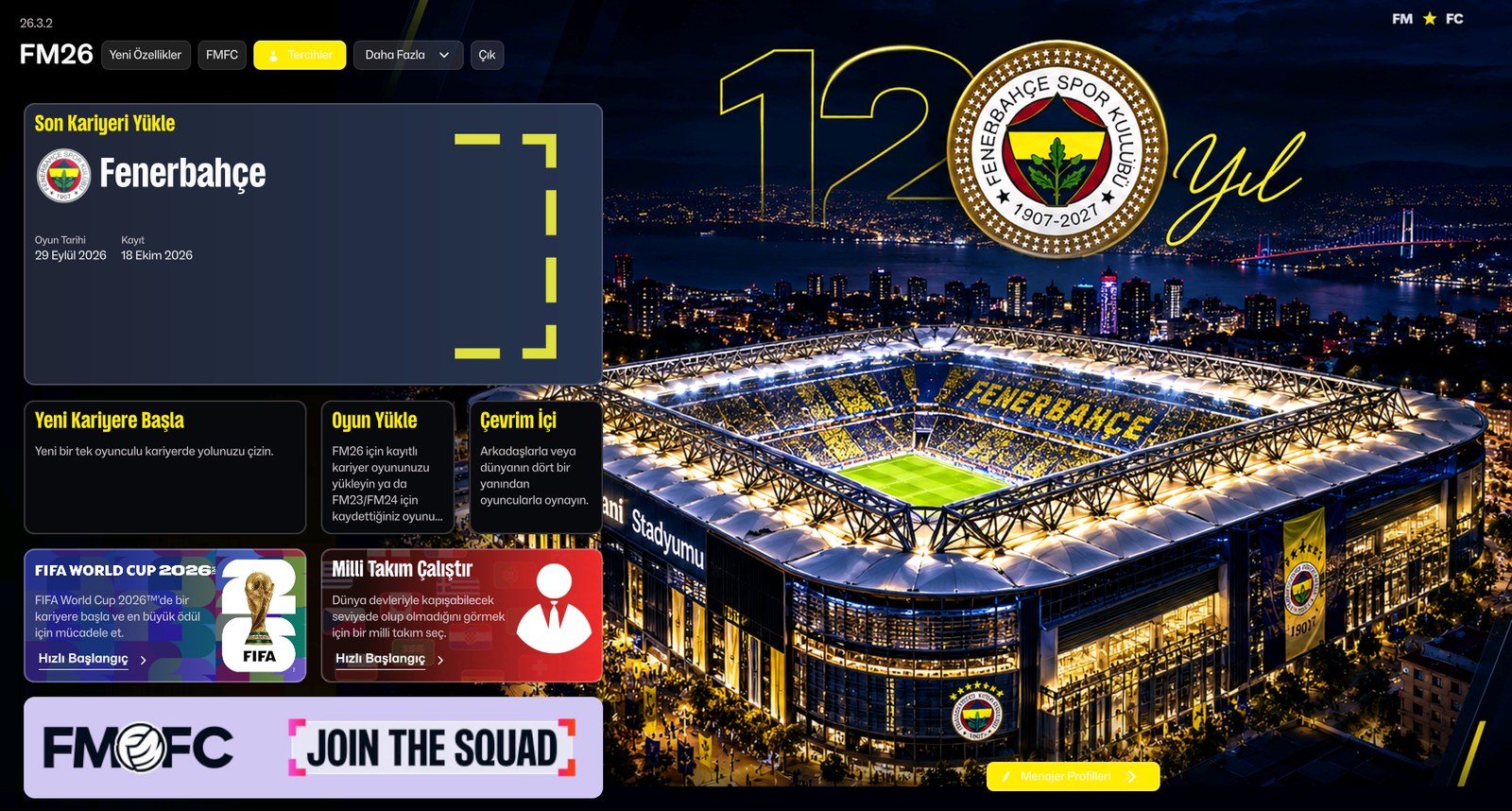
Fenerbahçe turn 120 in 2027, and one fan decided to celebrate in his own way. The Fenerbahçe FM26 skin, created by Emr1907, dresses the game in navy and yellow, with a main menu inspired by the club’s stadium and its anniversary identity. It’s free and came out on 18 October 2026.
Unlike some other skins, this one doesn’t change the game’s structure. Instead, it keeps the FM26 interface you already know and mostly changes the look. That makes it a good choice if you want a different-looking FM without relearning where everything is.
(Image: Emr1907)
What the Fenerbahçe FM26 skin changes
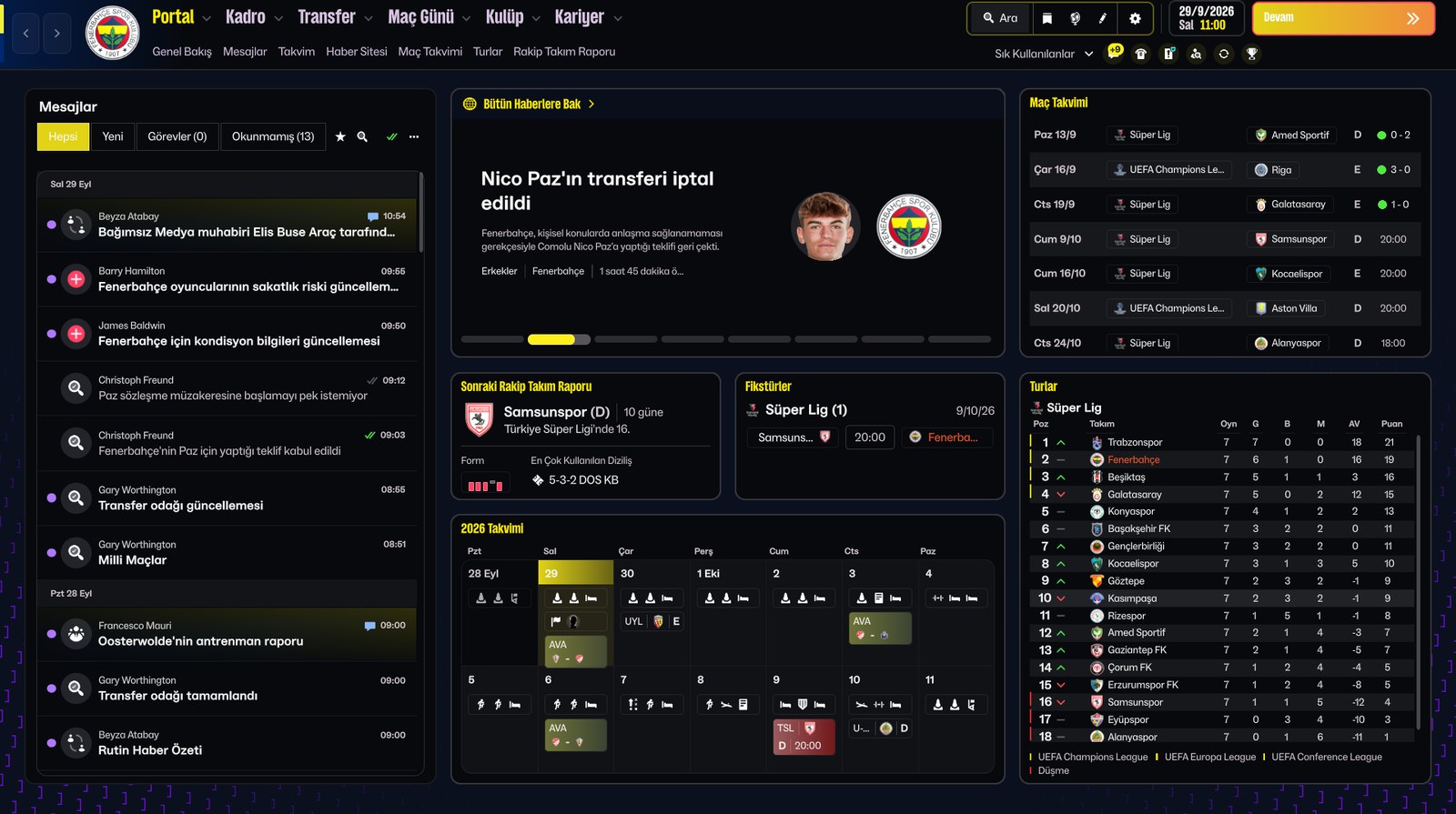
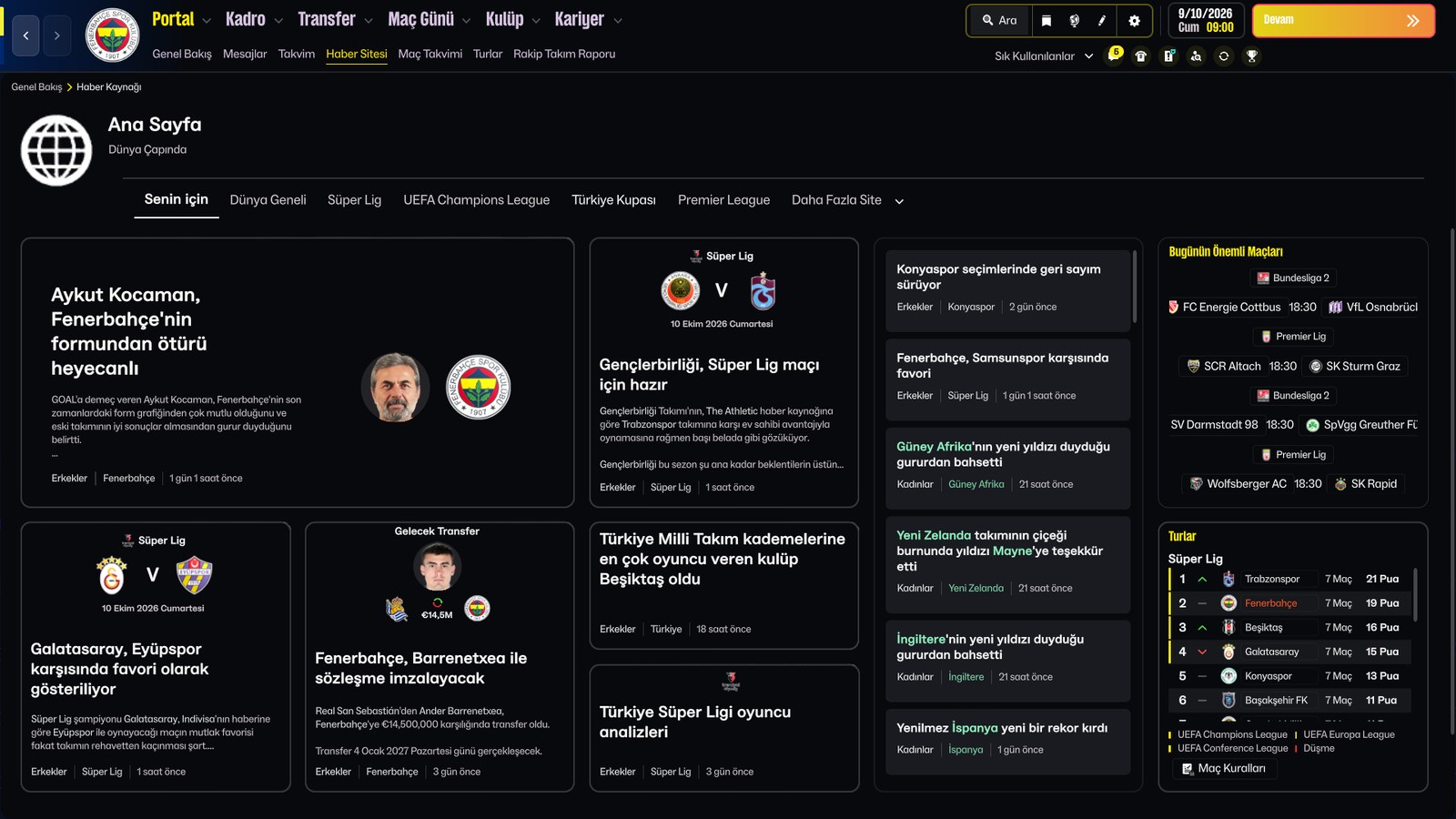
It’s based on Vanta Black Electric, a dark, modern skin. From there, the author gave it Fenerbahçe’s identity:
- A dark navy and near-black interface.
- Electric yellow as the main accent, with touches of cyan and metallic gold.
- A custom main menu inspired by Chobani Stadium and the club’s 120th anniversary.
- Anniversary branding and 1907–2027 details across several screens.
- Player faces in the tactics formation, instead of shirts.
- Consistent tweaks to navigation, cards, panels, backgrounds and selected states.
- Small readability improvements and a clearer information hierarchy.
The author keeps refining the skin based on feedback. For example, one user complained that white text on yellow was hard to read, and the author replied that version 2 already uses Fenerbahçe blue in those places.
(Image: Emr1907)
The screenshots are in Turkish because the author plays the game in that language. The language comes from the game’s preferences, though, so you can keep playing in English.
(Image: Emr1907)
Who this skin is for
Obviously, it’s made for anyone managing Fenerbahçe. An Istanbul save feels different when the whole game wears the club’s colours. Still, it also suits anyone who just wants a dark, stylish skin, with yellow highlighting what matters.
One thing to note, though: installing it replaces some of the game’s own files. In other words, it works differently from the classic skins you dropped into the skins folder, so read the install steps carefully.
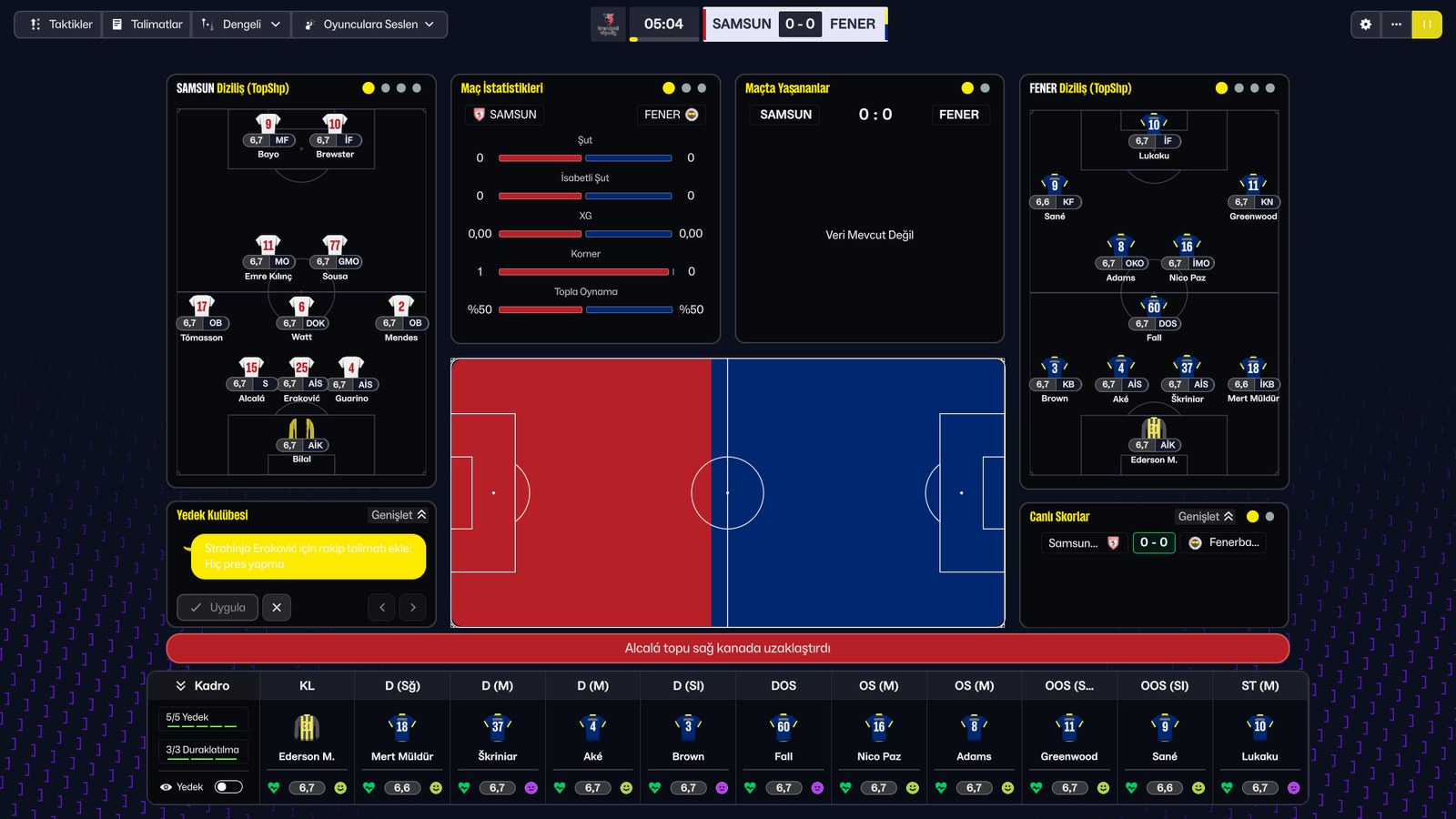
(Image: Emr1907)
Download the Fenerbahçe FM26 skin
The Fenerbahce_120_Yil_FM26_Skin.zip file is about 4.4 MB.
Download – Fenerbahçe 120th Anniversary skin (FM26)
- Close FM26 completely.
- Extract the zip and find the .bundle files for your operating system.
- Back up the game’s original files with the same names.
- Copy the .bundle files into the game folder, replacing the existing ones. On Windows (Steam), that’s Steam\steamapps\common\Football Manager 26\fm_Data\StreamingAssets\aa\StandaloneWindows64.
- Launch the game and check that the changes show up.
Mac and Linux folders
- macOS (Steam): ~/Library/Application Support/Steam/steamapps/common/Football Manager 26/fm.app/Contents/Resources/Data/StreamingAssets/aa/StandaloneOSX
- Linux (Steam): ~/.steam/steam/steamapps/common/Football Manager 26/fm_Data/StreamingAssets/aa/StandaloneLinux64
- Linux (Steam Flatpak): ~/.var/app/com.valvesoftware.Steam/data/Steam/steamapps/common/Football Manager 26/fm_Data/StreamingAssets/aa/StandaloneLinux64
If you can’t find the folder, use Steam’s Manage > Browse local files and go to StreamingAssets/aa. Paths may vary depending on your installation.
Things to watch out for
- Always keep the originals, so you can go back to the normal interface whenever you like.
- Only use the files for your system and your version of the game.
- FM26 updates may restore the original files. If that happens, reinstall the skin.
- To uninstall, restore your backup, or use Steam’s option to verify the integrity of the game files.
Credits
The skin is by Emr1907, based on the Vanta Black Electric Edition. If you find any issues, the author welcomes feedback to improve future versions.
Looking for other options? Check out our FM26 skins and UICHANGE, the skin that turns FM26 into FM24.
The file is hosted by FMPortugal, exactly as the author released it, to make downloading easier. All credit goes to Emr1907.