Have you ever found it odd to see your club’s shirts in flat 2D on the club screen, in a game that already has 3D player models? The FM ActionLink – Kits 3D fixes that. It is a free plugin that shows FM26 kits in 3D inside the game itself, and it also brings a feature that will save a lot of time: downloading kits without leaving Football Manager.
The plugin is by FM Season Hub, a Brazilian creator already known for the analysis app of the same name, and it was made in partnership with FM Kits Hub.
(Image: FM Season Hub)
O que faz o FM ActionLink – Kits 3D
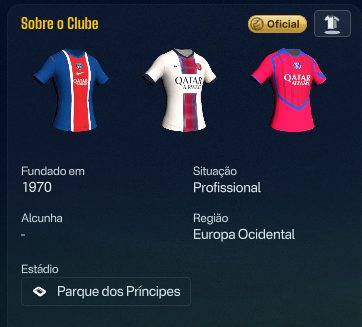
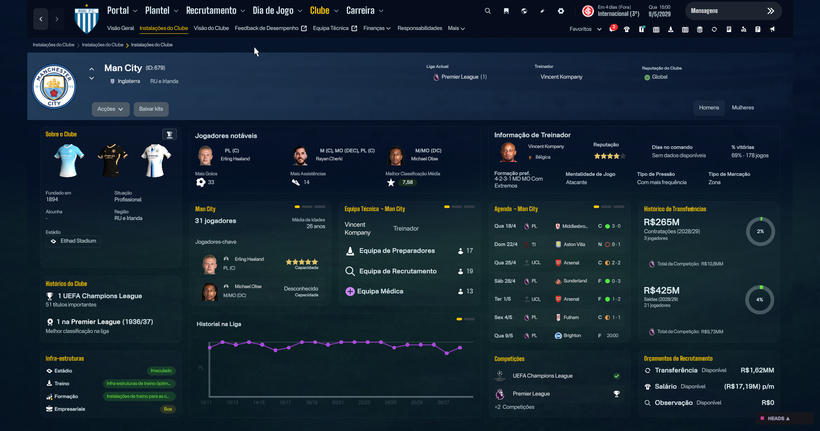
On the club screen, in the About the Clubcard, the three 2D shirts (home, away and third) become 3D shirts. They sway slightly or spin all the way round, depending on your settings.
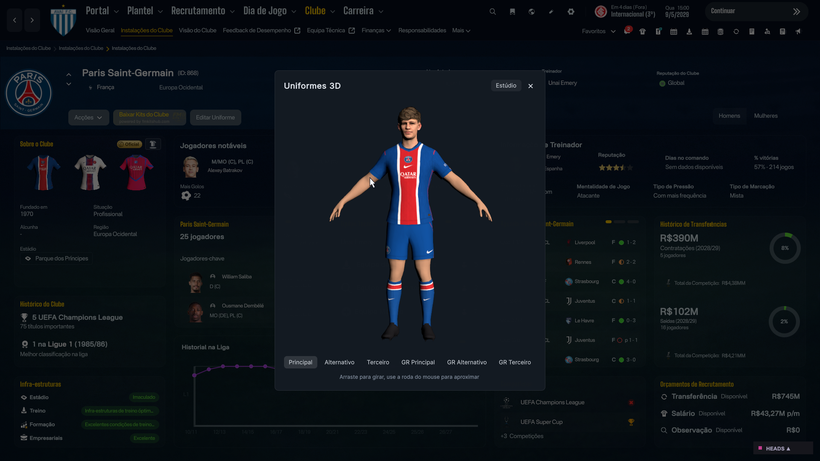
A button on that card’s title opens the full player in 3D: shirt, shorts, socks and boots, with tabs for outfield player and goalkeeper. When the kit is one of the game’s official kits, a gold Officialbadge appears. The texts follow the game language, across all 18 FM26 languages.
(Image: FM Season Hub)
(Image: FM Season Hub)
Where the kits come from
The plugin takes the kits from your 3D kits folder (Sports Interactive\Football Manager 26\graphics\kits), using the same config.xml as the game, and it does not matter how your folders are organised. If the club has nothing there, it uses the official kits that ship with FM. If there is no 3D kit anywhere, the 2D shirt stays as it is.
In other words, the more 3D kits you have installed, the more the plugin has to show. If you do not have any yet, check the 3D kit packs in our article FM26 kits: kit megapacks, or use the in-game download explained below.
Real faces (optional)
If you use HeadHunterby FM Heads, with real heads in the headsfolder, the 3D player takes the face, hair, eyes and skin tone of a player at the club: the first-team captain if you have his head, or otherwise the first player in the squad with a head. If there is nobody, the grey player stays. The plugin does not ship any heads: it only uses the ones you already have installed.
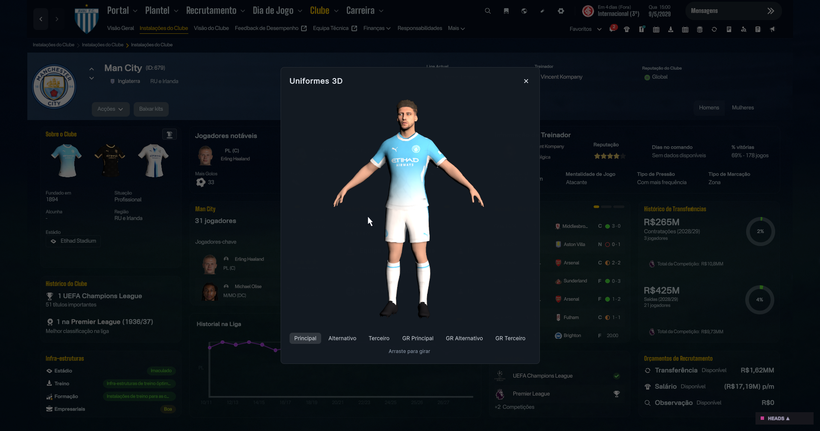
(Image: FM Season Hub)
Download kits inside the game with FM Kits Hub
The second part of this release is perhaps the most useful for everyone: the FM Kits Hub In-Game Plugin lets you download kits without leaving Football Manager. No browser, no ZIP files, no dragging folders.
- Open a club and download that club’s kits.
- Open a league and download every club in the league with one click.
- Open a country and download that country’s pack.
You can choose 3D, 2D or both, and the kits show up in the game straight away, with no restart. Everything comes from the repository of FM Kits Hub, and the plugin updates itself after the first install.
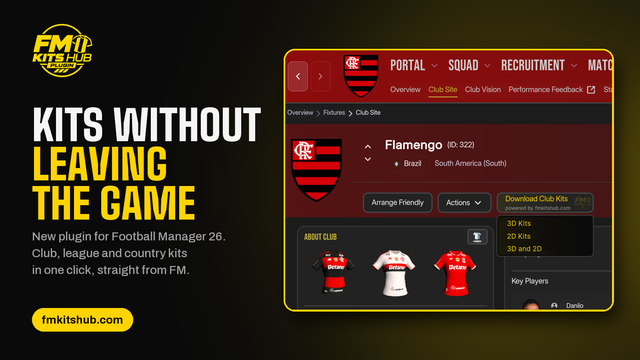
(Image: FM Kits Hub)
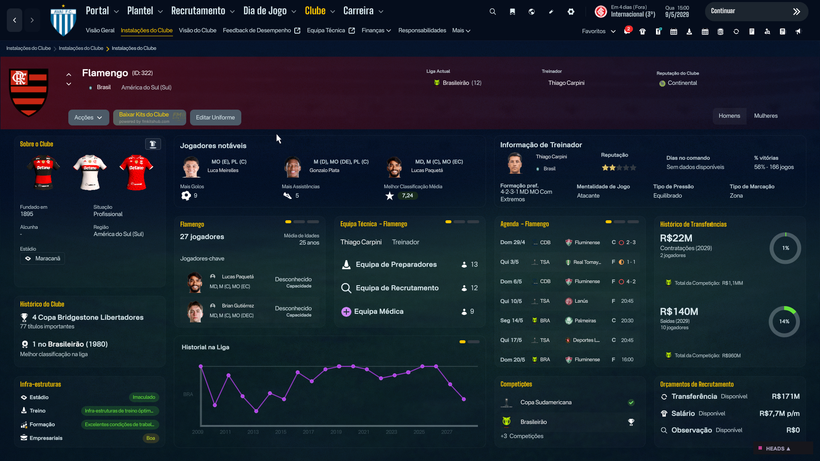
(Image: FM Season Hub)
Which skins are compatible
So far, the author has tested the plugin with two skins:
- Vanilla, the original FM26 skin;
- CTRL 26, which you can find in our article CTRL 26: skin for FM26 (Windows and Mac).
According to the author, skins that do not change the area where the kits appear should work normally, but he has not tested them yet. If you try it with another skin, he asks you to tell him which one and what broke.
Requirements and how to install
The plugin works with FM26 on Windows, in the Steam, Epic and Xbox/Game Pass versions. It needs BepInEx 6 for IL2CPP (build be.755 or newer); if you already use other FM26 plugins, you probably have it. The author has not yet confirmed whether it works on Mac.
You do not need the base FM ActionLink plugin. Kits 3D and the FM Kits Hub plugin work on their own, and you can install just one of them or both.
Download – FM ActionLink Kits 3D (Patreon)
- If you do not have it yet, install BepInEx 6 for IL2CPP (be.755 or newer) in your FM26 folder.
- Download from the FM Season Hub Patreon the FM ActionLink – Kits 3D and/or the FM Kits Hub In-Game Plugin. Joining the Patreon is free.
- Copy the folders FMActionLink.Kits and/or FM Kits Hub In-Game Plugin v1.0 to BepInEx\plugins.
- Start the game. About 5 seconds after the main menu, the plugin is ready: open any club screen.
Settings
The first time you start the game, the plugin creates the file FMActionLink.Kits.look.cfg. Open it in Notepad, change the number after the equals sign and save; if the game is open, the change applies in about a second. Some examples given by the author:
- cardSpin = 1 makes the shirts spin 360°;
- cardKits3D = 0 keeps the game’s 2D shirts and only the 3D player button;
- you can also adjust the lighting, brightness and shine.
Use a dot for decimals (0.9, not 0,9). If the file breaks, delete it and restart the game and the defaults come back. The full list of settings is in the LEIA-ME.txt file that comes with the plugin.
Known limitations
- Women’s teams have not been tested yet.
- Clicking a shirt does not open the full player yet: use the button on the card title instead.
- The game ships no official 3D goalkeeper kits, so the goalkeeper tab only appears for clubs where you have that 3D kit installed.
- Faces only appear in the full player view and need HeadHunter with its heads installed.
If something does not show up, look in BepInEx\LogOutput.log for lines starting with [Kits].
See the plugin in action
FM Season Hub showed the plugin working in this video, posted on X:
Introducing FM ActionLink – Kits 3D! 3D kits directly inside FM26, and the FM Kits Hub In-Game Plugin lets you download kits directly from inside FM26.
— FM Season Hub (@FMSeasonHub) September 30, 2026
What about the base FM ActionLink?
Kits 3D grew out of FM ActionLink, another free plugin by the same author, aimed at modders. It connects FM26 screens to external websites, apps and tools: it opens a site from the screen you are on, sends the data of the player or club you are viewing to a local tool, shows previews on mouse hover and pins external panels inside the game. More ideas built on it are on the way, such as 3D stadiums (with BassyBoy and FM Console) and FM Season Hub stats inside the game. We will keep following it.
The files are hosted by their authors. FMPortugal only points to the official download page, and all credit goes to their creators.