Want to create a new league, change the rules of a cup or fix a squad before your career starts? That is what the FM27 Pre-Game Editor is for: the official database editor. On top of that, it is free for anyone who owns the game on PC or Mac.
In this article we explain what it is, where to find it on each store, what you can edit and how your changes reach your save. Finally, we show how it differs from the paid In-Game Editor.
What is the FM27 Pre-Game Editor
The Pre-Game Editor is a Sports Interactive tool that comes separately from the game. It came out on the same day as FM27, 10 November 2026, and SI released it for PC and Mac.
The idea is to change the database before your career begins. In other words, your changes do not go into a save you already have. Instead, they are stored in a separate file that you pick when you create a new game. So if you want to change something halfway through a career, you need a different tool.
SI describes it as an advanced tool with a bit of a learning curve. However, simple changes, such as moving a player to another club or fixing a date of birth, take just a few minutes.
How much the FM27 Pre-Game Editor costs and where to find it
The FM27 Pre-Game Editor costs nothing. However, it does not appear on its own: you have to install it separately, and the steps change from store to store.
- Steam: open your Library, tick Tools in the filter and look for the Football Manager 27 editor. Then just click Install.
- Epic Games Store: the editor shows up in your library under F. One thing to watch: it has to be installed in the same location as the game.
- Microsoft Store and PC Game Pass: search for «Football Manager 27 Pre-Game Editor» in the store and click Get. The editor then works with both versions of the game.
There is no editor on consoles. In fact, we only found the Pre-Game Editor on the PC and Mac stores.
What you can edit
According to SI, the editor lets you change almost every aspect of the database. On the Microsoft Store page, the official list includes players and clubs, competition rules, stadiums, awards, finances and kits.
In practice, that opens a lot of doors. For example, you can move a Portuguese club into a different division, create a competition from scratch or change a player’s attributes. You can also fix transfers that happened after the database was closed.
For people, the SI manual shows the kind of profile you will find: biographical details, contract, attributes, positions, traits, injuries and bans. There is also the career history, relationships with other people and clubs and a log of the changes you made.
How to use the FM27 Pre-Game Editor
The official SI manual describes the process in a few steps. It has been the same for several editions, but some FM27 menus may have slightly different names.
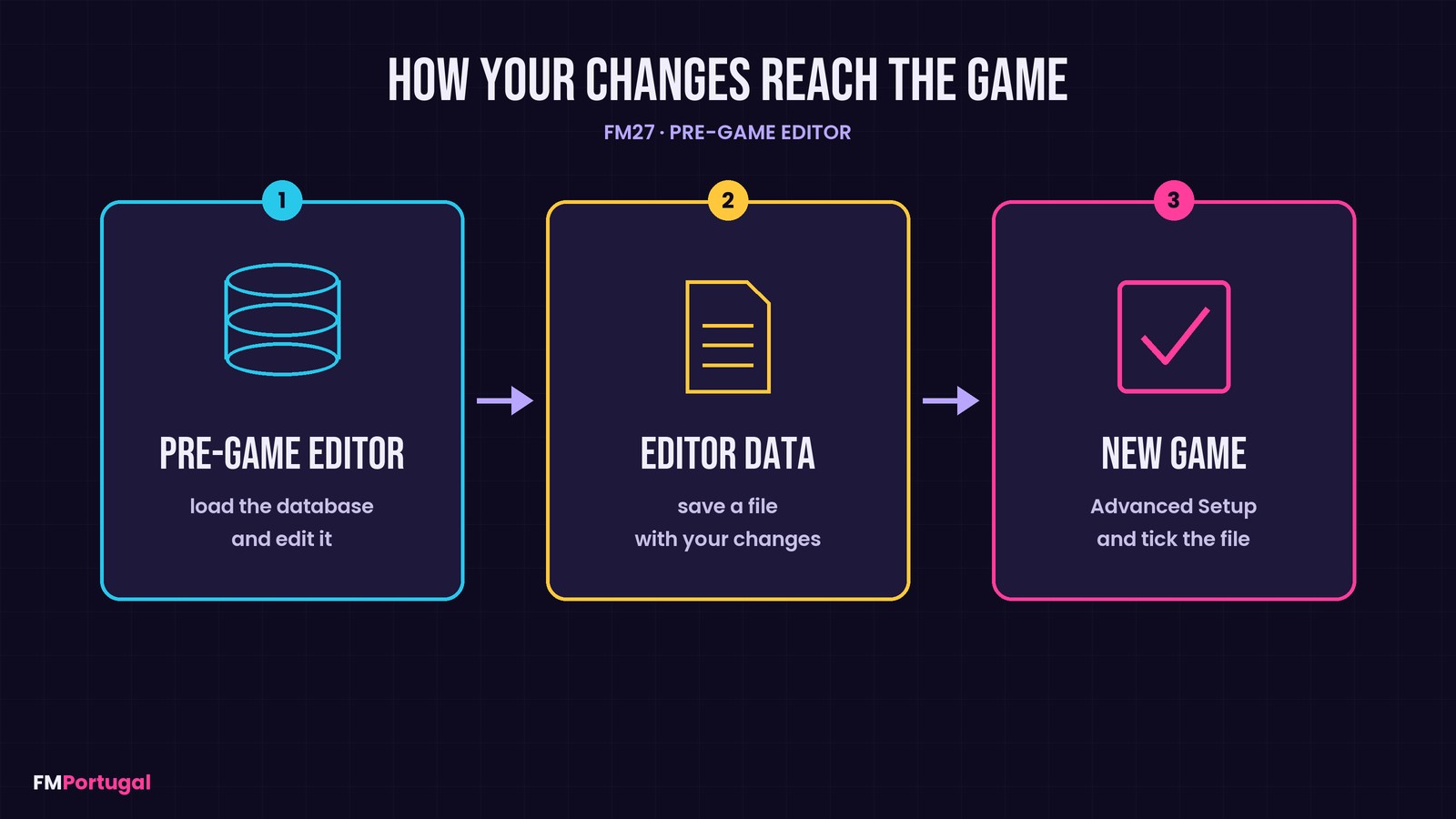
How your changes travel from the editor to the game (Image: FMPortugal)
- Open the editor and load the database with File and Load Database. Usually this is the latest one released by SI.
- In the bottom left corner pick the area to edit, for example People for players and managers.
- Find what you want to change with Add Condition, open it with Edit and make your changes.
- Save everything with File and Save Editor Data As, in the folder the editor suggests.
- Finally, start a new game in FM27 and tick your file in the Editor Data Files list.
There are two details worth knowing. First, the file has to sit in the game’s editor data folder in your Documents, because that is where FM looks for it. So if you save it somewhere else, you have to move it yourself. Second, when editor files are present, the game skips Quick Start and makes you use Advanced Setup. Our guide to setting up your FM27 save covers those options.
If you use several files at once, they may conflict. For example, two files that change the same player. In that case the game shows an exclamation mark and you have to choose which one stays.
Pre-Game Editor or In-Game Editor?
Both are official editors, but they are meant for different moments. The FM27 Pre-Game Editor prepares the world before you start. The In-Game Editor, on the other hand, changes whatever you want in a career that is already running.
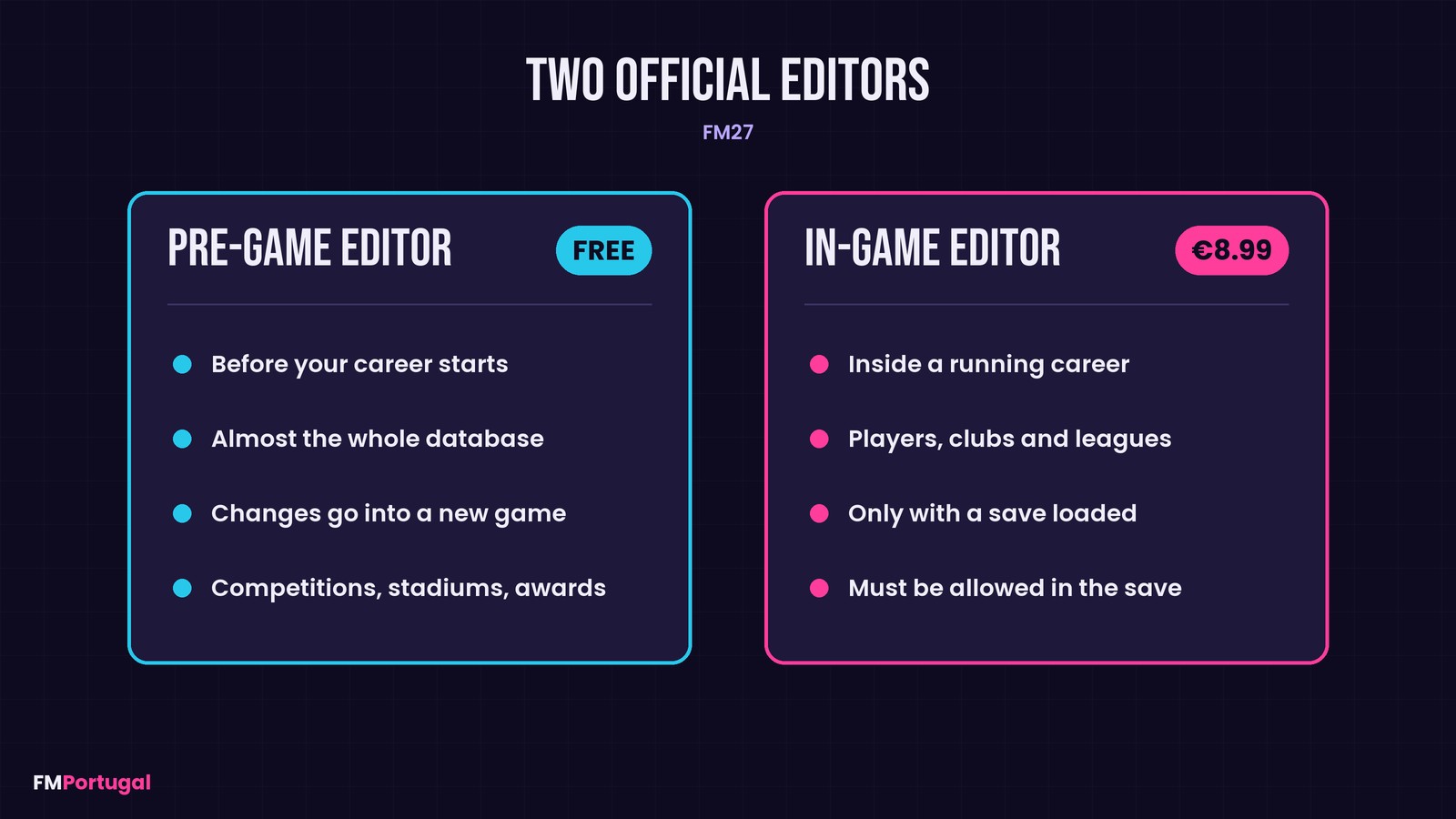
FM27’s two official editors side by side (Image: FMPortugal)
There is also a difference in price. The Pre-Game Editor is free, while the In-Game Editor costs €8.99 and has to be allowed in the save settings. Our FM27 In-Game Editor guide explains everything.
If you want to change your save without paying, our recommendation is FMPT Chief Analyst, the free scout and editor made by FMPortugal. If you want other options, there is FMRTE 27 and more editors in our FM27 editors category.