Player Chalkboard FM27 brings back FM24-style match analysis. It is the chalkboard where you could see every pass and every shot by a player drawn on the pitch. This free plugin by jamie mcaleenan10 works in FM27 on Windows and Mac. It also lives inside the game itself: you open a player’s profile, pick a match and see everything he did.
⬇️ Jump to the download: Player Chalkboard v0.18.0
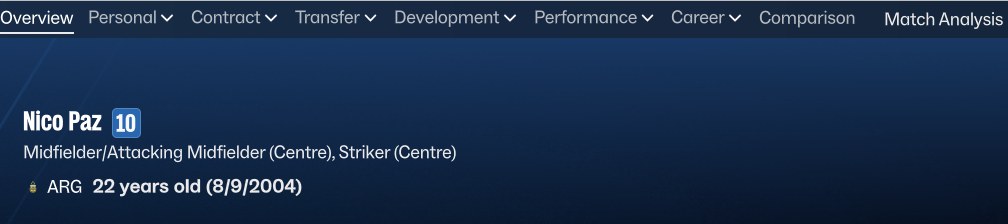
On the profile, the Match Analysis button sits next to Comparison (Image: jamie mcaleenan10)
What Player Chalkboard FM27 shows
First, the player profile gets a new button, Match Analysis, next to Comparison. Then you choose a match and see the passes, shots, dribbles and other actions that were recorded. Each group of actions is split by outcome. So you can show only completed passes, only failed ones or only shots on target.
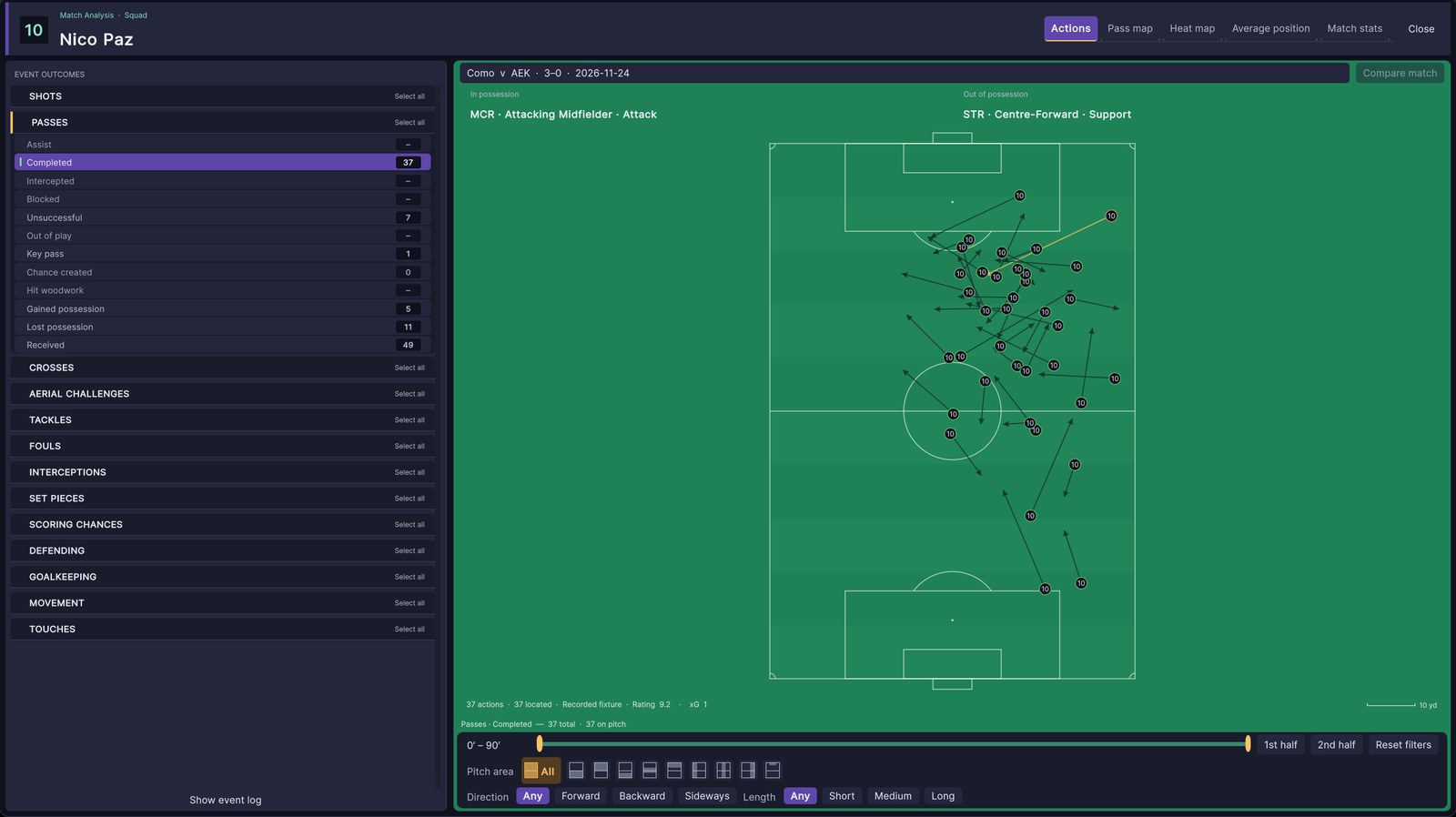
A player’s completed passes in one match (Image: jamie mcaleenan10)
On the pitch, every player shows the shirt number he wore in that match. Arrows show the direction of play and distances are in yards. There are also filters for the period of the match, the pitch area, the direction and the length of the pass.
Follow the move from end to end
The best trick is called Show linked events. When you click a pass or a dribble, this option follows the move in both directions. In other words, you see who supplied the ball, who received it and whether the attack ended in a shot or a goal. This way, you understand the player’s part in the whole move.
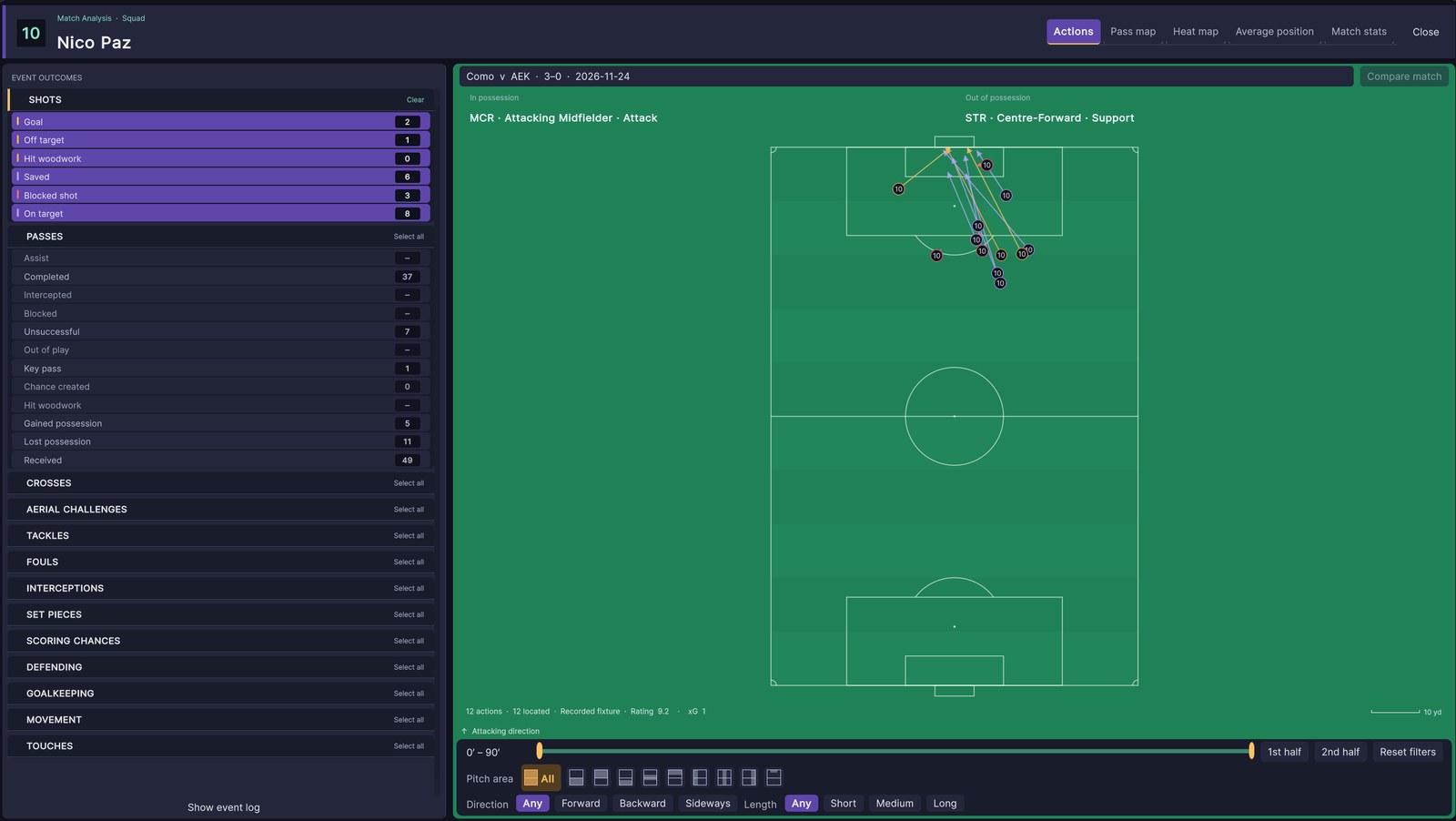
The same player’s shots (Image: jamie mcaleenan10)
Heat maps and comparisons
Besides the actions, the plugin has heat maps and the players’ average positions. The heat map also splits the in-possession and out-of-possession phases. Finally, you can compare two performances side by side with the Compare match button.
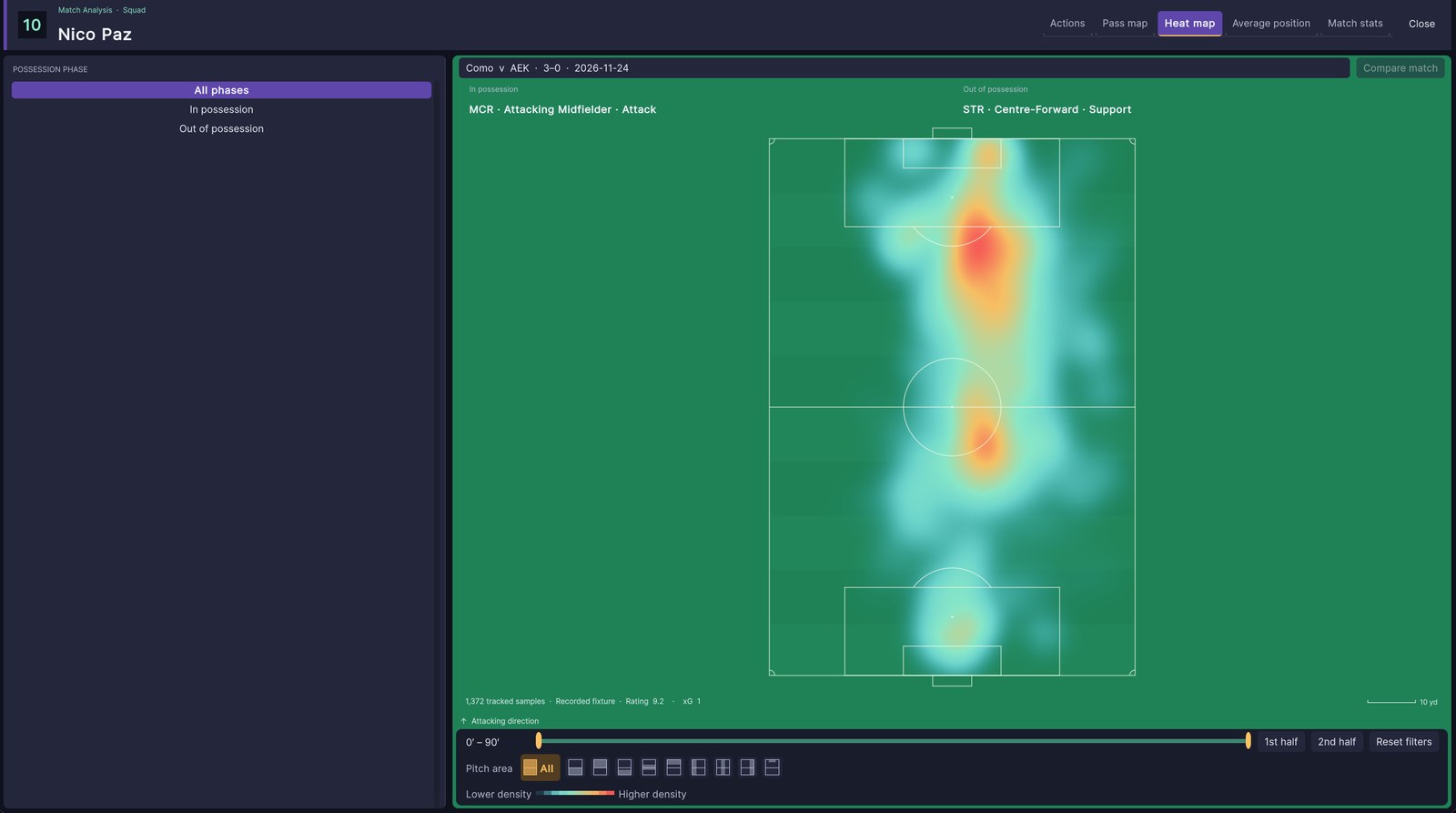
A player’s heat map (Image: jamie mcaleenan10)
How it records matches
There is one important detail: install the plugin before playing the matches you want to analyse. That is because Chalkboard records commentary and match events as you play, on Windows and on Mac. For older fixtures, you only get the statistics and reports kept in the save.
With an FMMatchLens recording, you get more detail: individual pass paths and player movement. In fact, the plugin is built on that work by osnsyc. The Windows ZIP already includes the FMMatchLens recorder, and both versions can read its recordings.
Recordings are stored in BepInEx/plugins/FMMatchLens/data/matches/ and Chalkboard’s own events in BepInEx/config/Chalkboard/. So if you play the same career on PC and Mac, sync the matches folder alongside your Steam Cloud save.
Who it is for
It is for anyone who likes numbers and wants to see what a player did in a match. For example, it shows whether your attacking midfielder plays where the tactic asks. Anyone who missed the FM24 chalkboard will feel at home. For heat maps without pausing the match, add Match Data Buttons.
Player Chalkboard FM27 download
This is version 0.18.0, from 26 November. The ZIP weighs 921 KB, with one folder for Windows and another for macOS. It is for FM27 on Steam, on Windows and on Apple Silicon Macs. The interface is in English. Both systems need BepInEx 6 IL2CPP, which you install separately.
Download – Player Chalkboard v0.18.0
Never used BepInEx? On Windows, use the official page. For Mac, use the Apple Silicon BepInEx by codexx01 and follow the setup instructions.
BepInEx 6 (Windows) BepInEx (Mac)
- First, install BepInEx, launch FM27 through Steam until the main menu and quit the game.
- Then, in Steam, right-click Football Manager 27 and choose Manage and Browse local files. Open the
BepInEx/pluginsfolder (on Mac,FM27-BepInEx/BepInEx/plugins). - Next, on Windows, copy the
PlayerChalkboardandFMMatchLensfolders fromWindows/BepInEx/pluginsin the ZIP. On Mac, copy onlyPlayerChalkboardfrommacOS/BepInEx/plugins. - Finally, launch FM27, load your save and click Match Analysis on a player’s profile. Pick a match, expand Passes and select Completed.
Things to watch
This is an early build, so bugs are possible. In addition, it only works fully for matches you play. For simmed and holidayed matches, it only shows what FM keeps for that fixture. The creator hopes to improve this soon, but there is no date yet. There are also plans to bring the chalkboard to the Data Hub, so you can scroll through all players at once.
One more thing: for now, the Match Analysis button only supports English. To update, close FM27 and replace the DLLs in your plugin folders. However, keep the data/matches folder, where the recordings live.
The plugin belongs to jamie mcaleenan10, who offers it for free, and it is built on FMMatchLens by osnsyc. FMPortugal only points to the file — all credit goes to its creator.
Did you make this download?