Updated version: FM26 editors and tools
Tutorial on how to find and download FM2019's official pre-game editor on Steam.
The FM19 pre-game editor is a powerful tool that lets you change anything in the Football Manager 2019 database.
It is available as a free download in the Steam library for anyone who buys an FM19 key.
It can be found in:
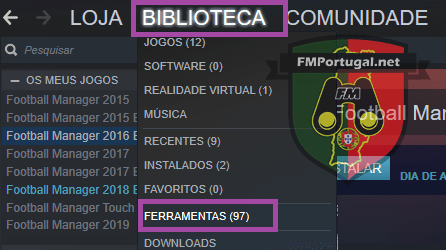
Open Steam -> Library -> Tools -> Football Manager 2019 Editor

Steps for a correct installation:
Step 1: Launch Steam and log in to your account
Step 2: In the top menu choose "Library"
Step 3: Na Biblioteca, selecciona “Ferramentas”
Step 4: Choose Football Manager 2019 editor and install it