In FM27, setting up your eleven before every match is a ritual that gets tiring after a few seasons. Easy Team Selection FM27 cuts that short. It is a free mod by kase93 that adds three buttons to the Tactics screen, next to Quick Pick. So you load your saved selections or complete your eleven in one click. It is also open source and weighs only 26 KB.
⬇️ Jump to the download: FM27 Easy Team Selection v1.2.0
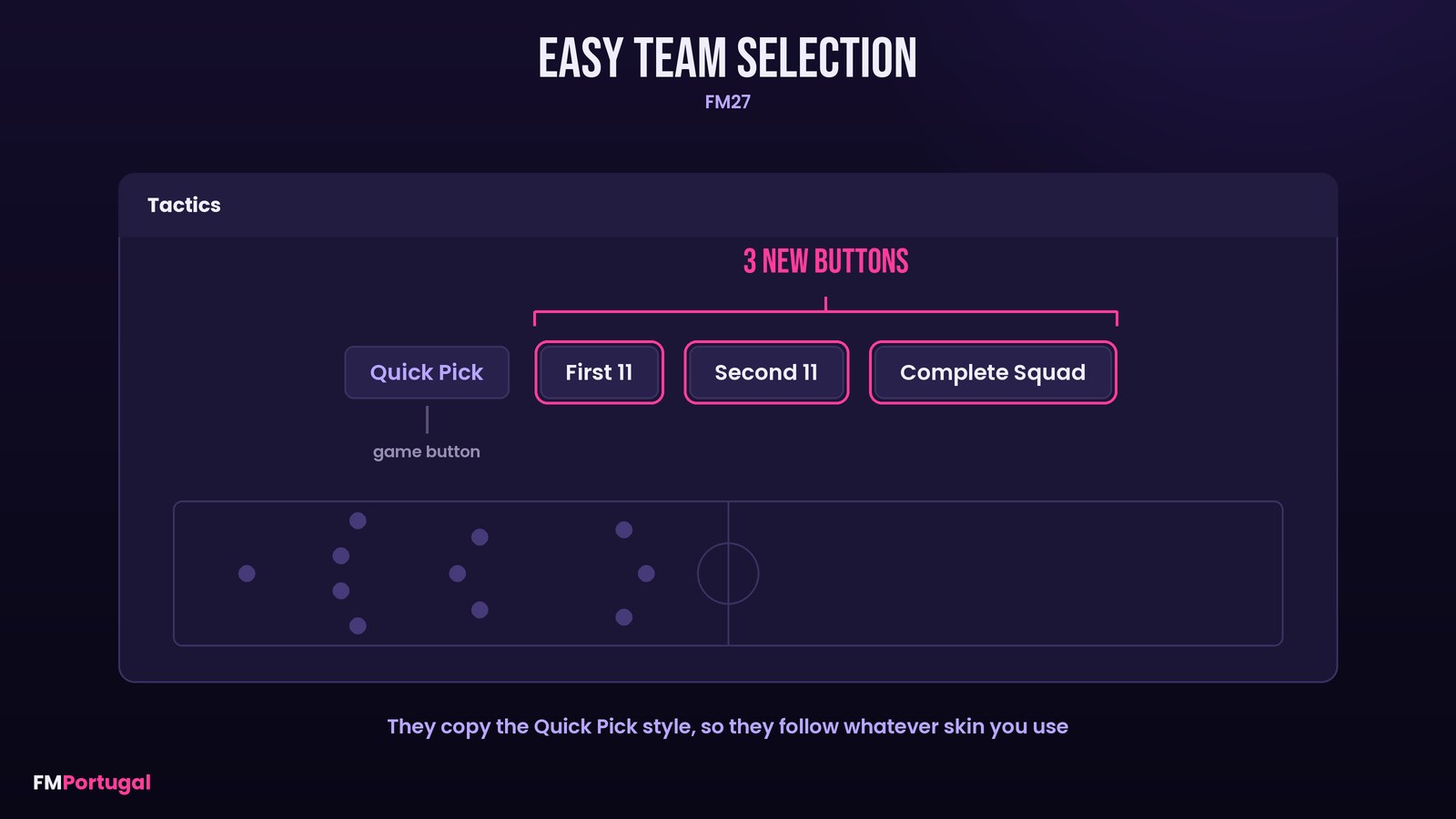
The three new buttons sit next to Quick Pick (Image: FMPortugal)
What Easy Team Selection FM27 does
First 11 loads saved team selection A, in other words, the first one you saved for that team. In the same way, Second 11 loads selection B, the second one. If you have one eleven for the league and another for the cups, you switch between them without opening any menus.
Complete Squad, on the other hand, works like the game’s own Quick Pick, with one difference. It fills only the empty slots and leaves the players you already picked alone. So you can lock in the starters you will not give up and leave the rest to the game.
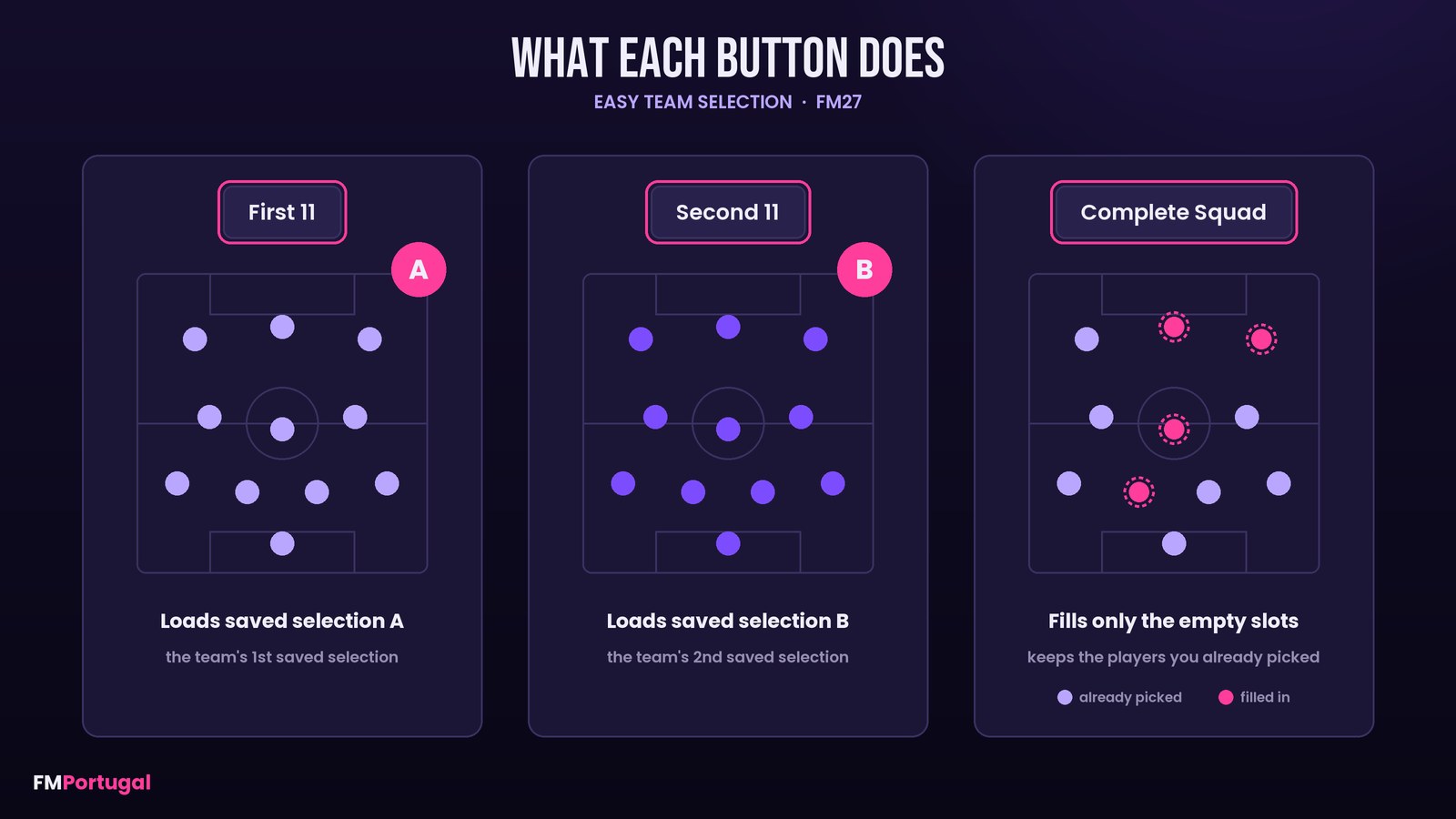
What each of the three buttons does (Image: FMPortugal)
The buttons copy the style of the real Quick Pick button, so they follow whatever skin you have installed. On top of that, the mod does not write to the game’s memory or touch the simulation. According to the creator, it only sends the same events the game itself sends.
Who it is for
It is for anyone who sets up the eleven match by match and wants fewer clicks on the Tactics screen. It also suits anyone who rotates the team between competitions and has two saved selections. From the same creator, Inbox Auto-Read marks your messages as read and keeps Continue free. Since both use BepInEx 6, you install the base once and drop both mods in the same folder.
Easy Team Selection FM27 download
Version 1.2.0 came out on 27 November. It is a single file, FM27EasyTeamSelection.dll, at 26 KB, and the code is on GitHub under the MIT licence. This version fixes two problems from earlier builds: buttons that did not show up and buttons that appeared without any style. It was made for FM27 on Steam for Windows, and the buttons are in English. Be aware, though: you need BepInEx 6 IL2CPP, which is not included.
Download – FM27 Easy Team Selection v1.2.0 BepInEx 6 IL2CPP – official page
- First, close FM27 and download the latest
BepInEx-Unity.IL2CPP-win-x64file from the BepInEx page. - Then, in Steam, right-click Football Manager 27 and choose Manage and Browse local files.
- Next, extract BepInEx into that folder, start the game once and close it when it has finished loading.
- After that, copy
FM27EasyTeamSelection.dllinto theFootball Manager 27\BepInEx\pluginsfolder. - Finally, start the game, load your save and go to the Tactics screen. The three buttons show up next to Quick Pick.
Things to watch
If the buttons do not show up, open the BepInEx\LogOutput.log file. When everything works, it has a line with [Tactics] 3 buttons inserted. The mod finds the bar by the name of the Quick Pick button and already knows the English and Spanish names. So if you play in another language, open BepInEx\config\fm27easyteamselection.tactics.cfg and type the name that button has in your game into QuickPickLabels. In the same file, the Enabled option turns the bar on and off.
In addition, the first two buttons only work if you have saved selections for the team. As with any BepInEx mod, an FM27 update can break it until a new version comes out. Finally, to remove it, delete FM27EasyTeamSelection.dll from the plugins folder.
The mod belongs to kase93, who offers it for free and open source. FMPortugal only points to the file — all credit goes to its creator.
Did you make this download?