Right Mate Springboard is a free plugin that shows a card with the details behind any link in FM27. Hover over the name of a player, a club or a match and the card pops up right away, without opening another screen. It comes from djbencheung, the maker of the Right Mate app and FM Graphics Manager. It also works in both FM26 and FM27, on Windows and Mac.
What Right Mate Springboard does
In FM, almost every name you see in news items, tables and lists is a link. Springboard makes use of that: rest the mouse on one and a small card appears with the key facts. It works with players, staff, clubs, competitions, nations and matches.
For players, the card carries the full profile. It also shows how their attributes have grown, plus recent form in training and matches. Then, if you want the whole picture, one click on Go to takes you straight to that person’s page, with no menus in between.
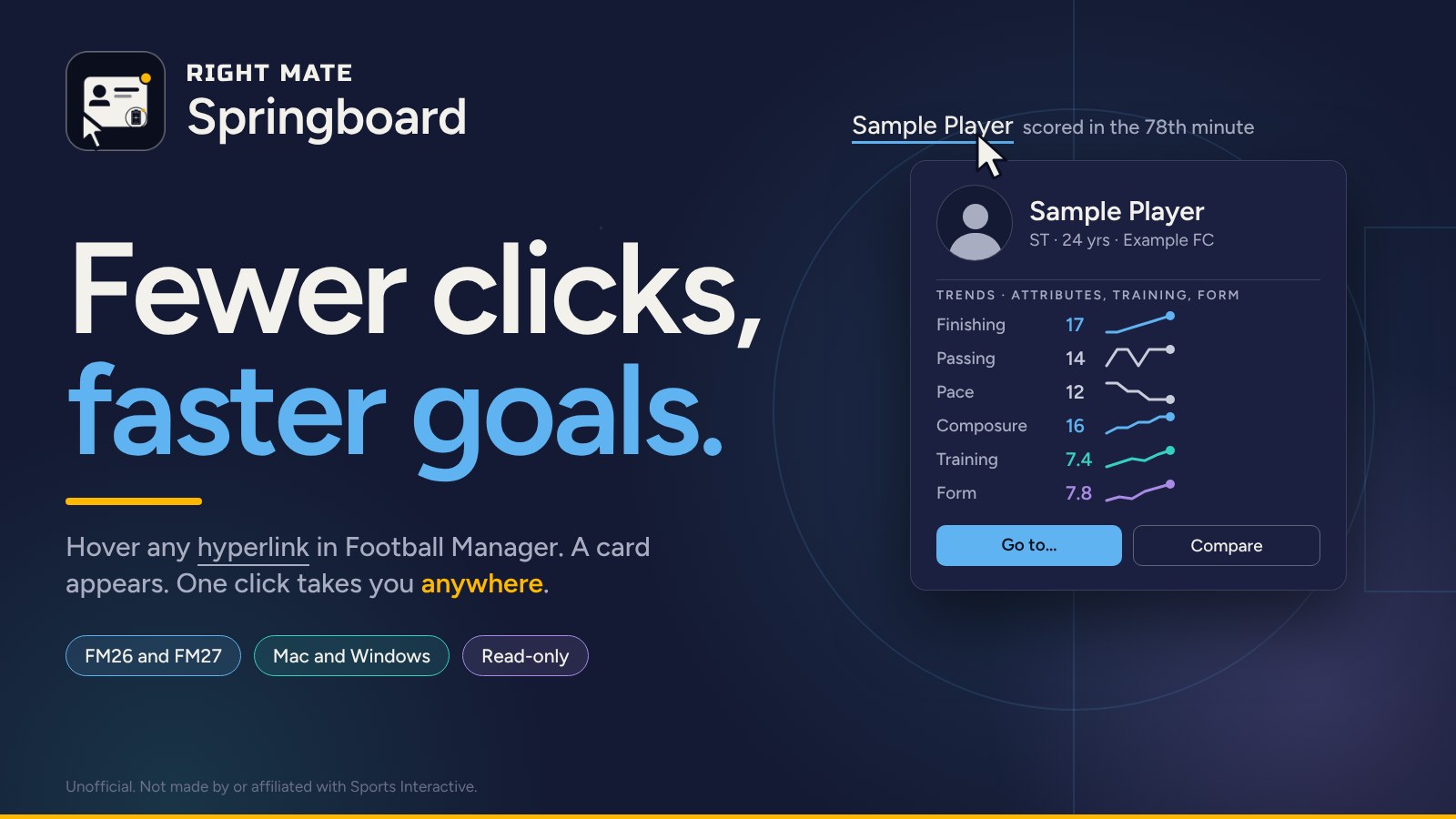
The card that appears when you hover over a name (Image: Right Mate)
Curves, comparisons and filters
The plugin keeps a record of attributes, training rating and physical shape as your career moves on. Over time, that gives you growth curves the game normally hides. So the longer you use it in the same save, the more useful it gets.
There is also a quick comparison: remember one person, hover over another and see both side by side. It works for players and staff alike. Finally, the card takes its colours from your active skin, so it blends in with the rest of the game.
As a bonus, the download includes ready-made search filters. There are 21 staff filters that work in FM26 and FM27. There are also 79 player role filters, although those are for FM26 only.
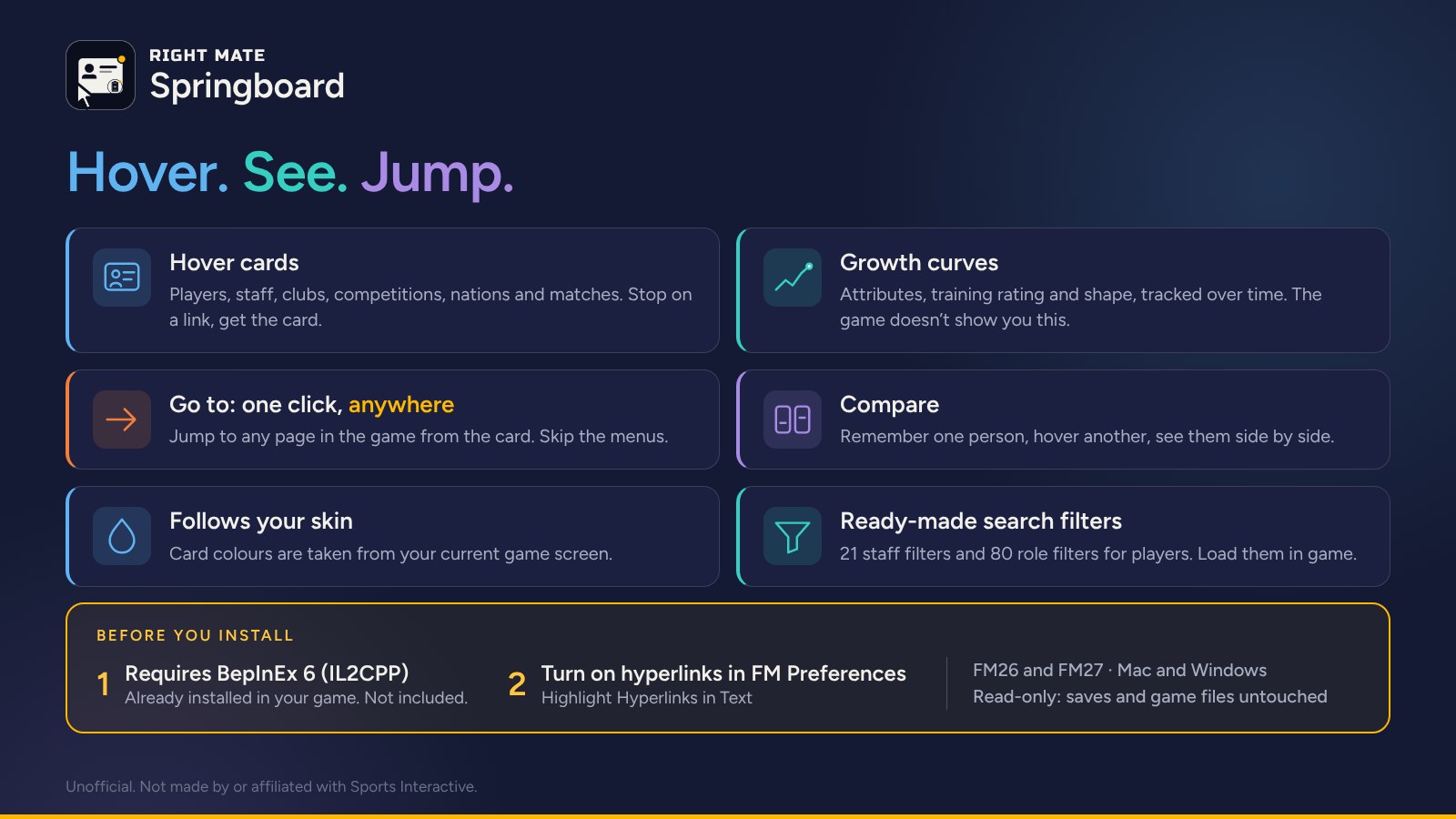
The plugin’s features and what you need before installing (Image: Right Mate)
Who it is for
It is for anyone who spends a lot of time jumping between profiles, whether reading news, checking the market or preparing the next match. It also helps you follow young players, since the curves show who is improving. If you like keeping the game’s graphics tidy, FM Graphics Manager is by the same author. However, the card does not show CA and PA: for that, and for proper scouting, use FMPT Chief Analyst. And for more FM27 filters, see Zergos’ meta filters.
Download Right Mate Springboard
The version is 0.1.2, from 14 November 2026. The Windows file is 343 KB and the Mac file is 333 KB. On Windows you need 10 or 11, 64-bit; on Mac, for FM27, macOS 13 or newer (it was tested on Apple silicon).
Download – Windows v0.1.2 Download – Mac v0.1.2
These files are not registered, so they never go online and stay on version 0.1.2. If you want automatic updates, get a free code on the Right Mate website by signing in with the author’s free Patreon tier.
- First, make sure BepInEx 6 (IL2CPP) is already installed in the game, because it is not included.
- Then close FM and extract the ZIP.
- Next, copy the
RightMateSpringboardfolder for your game (FM26 or FM27) intoBepInEx/pluginsinside the game folder. On Windows you can also runInstall.cmd, which does it for you. - Finally, open FM and tick Highlight hyperlinks in text in Preferences. Without it, names are not links and the card never shows up.
The full steps are in the ReadMe.txt inside the ZIP.
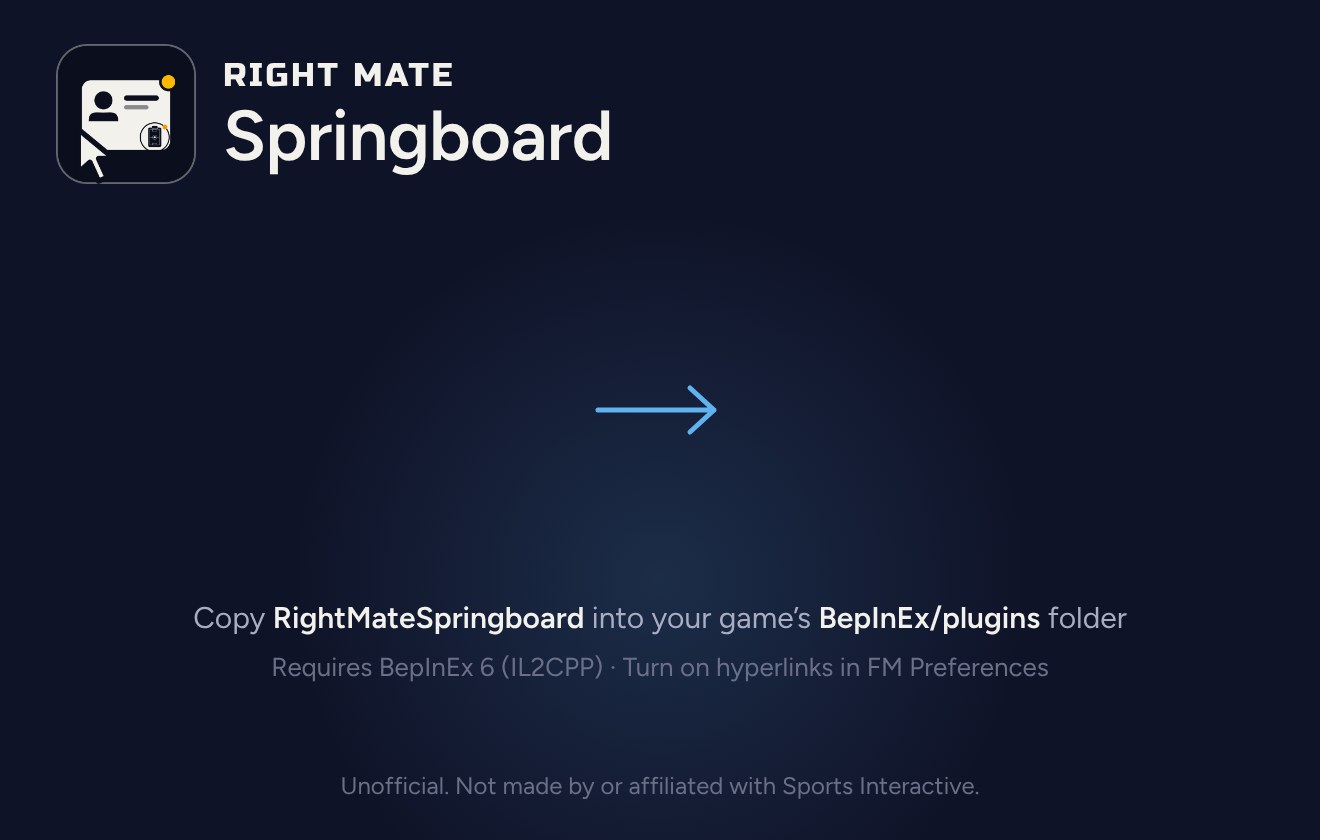
The plugin folder goes into BepInEx/plugins (Image: Right Mate)
Things to watch
Springboard only reads the game. In other words, it never changes your save, match data or FM’s files. It does not ship any faces, logos or flags either: it uses whatever is in your graphics folder. It is also an unofficial project, with no link to Sports Interactive.
If you register the plugin, it checks for updates once a day. At that point it sends only the code, the FM version and the plugin version, and it keeps a scrambled network fingerprint for 30 days. To stop that, delete the registration.key file. Finally, to uninstall, just delete the plugin folder from BepInEx/plugins.
The files are hosted by their original authors. FMPortugal only points to the official download page — all credit goes to their creators.
Did you make this download? Manage it on FMPortugal →